

WP Social Ninja 4.2.0: Native Review Forms for FluentCart, WooCommerce, and Custom Sources


Running an online store without customer reviews makes it harder for shoppers to trust what they’re buying.
FluentCart is a fast-growing WordPress eCommerce plugin, but it didn’t have a built-in way to collect and display product reviews. That changes with WP Social Ninja 4.2.0. It now integrates directly with FluentCart, so store owners can collect reviews, customize them, and display them on product pages.
There’s also a bigger shift in this release. WP Social Ninja can now build review forms on its own for FluentCart, WooCommerce, and Custom Sources. No extra plugin required.
The Fluent Forms integration is still available if you want advanced form-building, but it’s no longer a must-have.
On top of that, we’ve shipped several user-requested updates to make your experience even more intuitive.
So, let’s take a look at what’s new.
Collect and display FluentCart product reviews
FluentCart gives you everything you need to run a store on WordPress, except a way to collect product reviews. WP Social Ninja 4.2.0 closes that gap. FluentCart users can now collect reviews through WP Social Ninja’s native review fields and display them directly on product pages.
You can follow these simple steps for integrating FluentCart with WP Social Ninja:
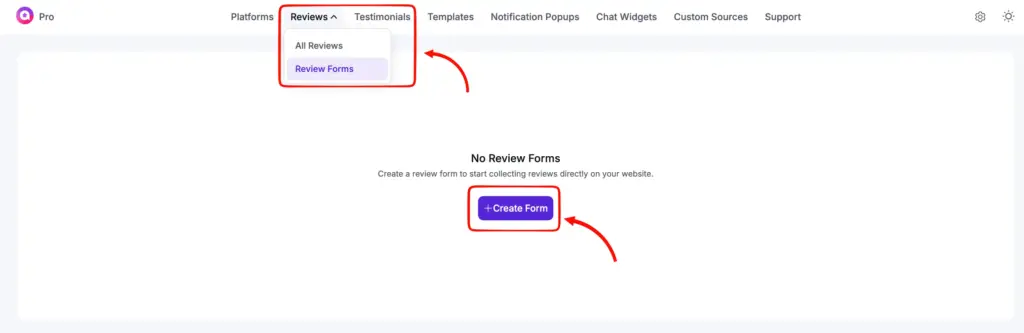
- Go to the Reviews tab on the WP Social Ninja dashboard, select Review Forms, and click Create Form.
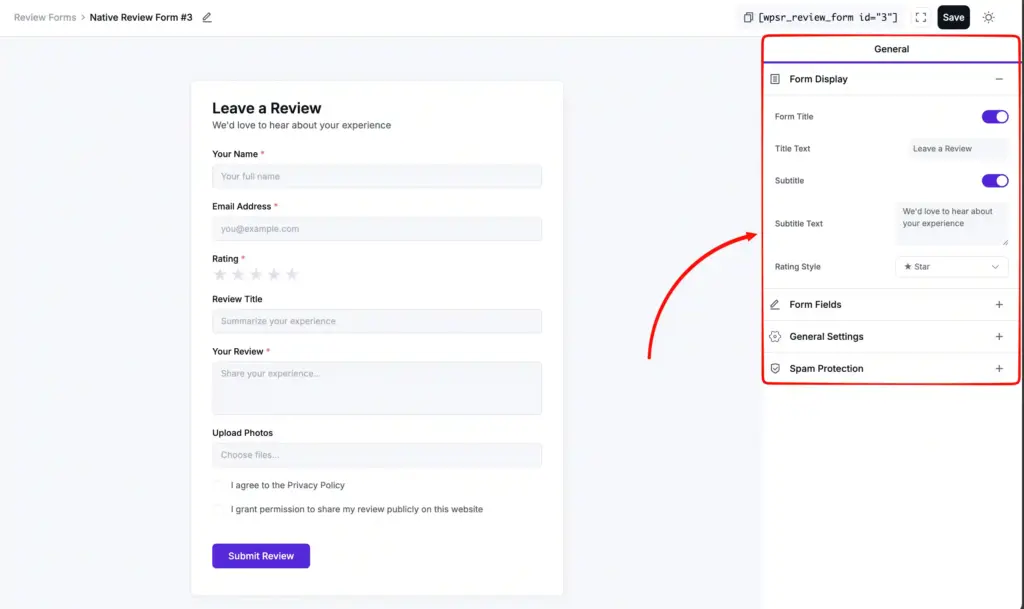
- You’ll see the review form editor. On the right side under the General section, you can customize the form, set required fields, change placeholder texts, adjust the rating style, and more.
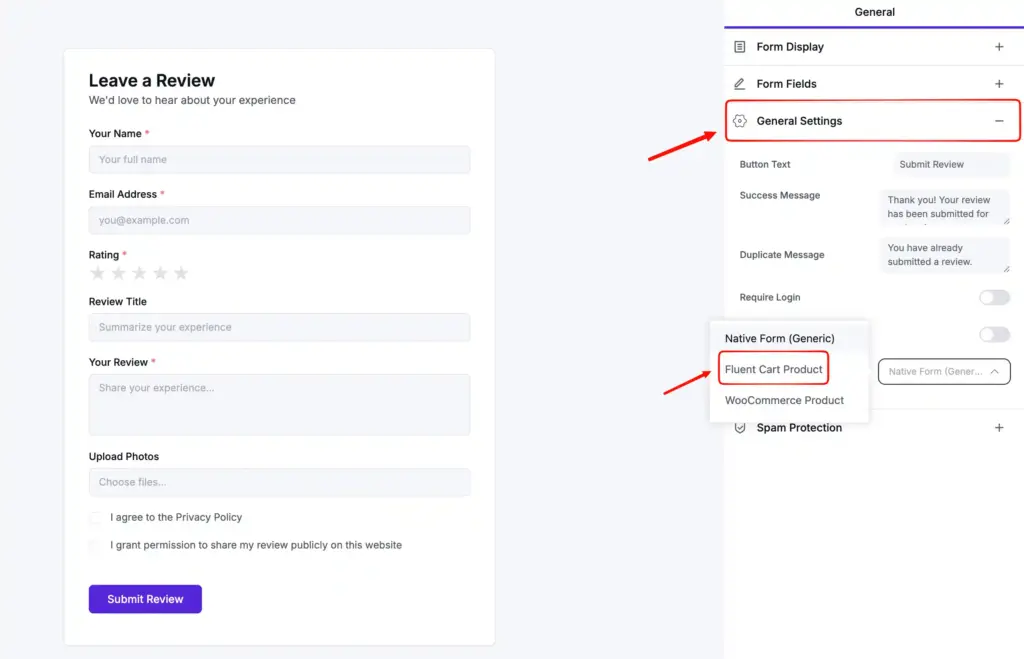
- Now, you’ll need to select where this form will be connected. Go to the General Settings, click on the Review Target drop-down, and select FluentCart Product.
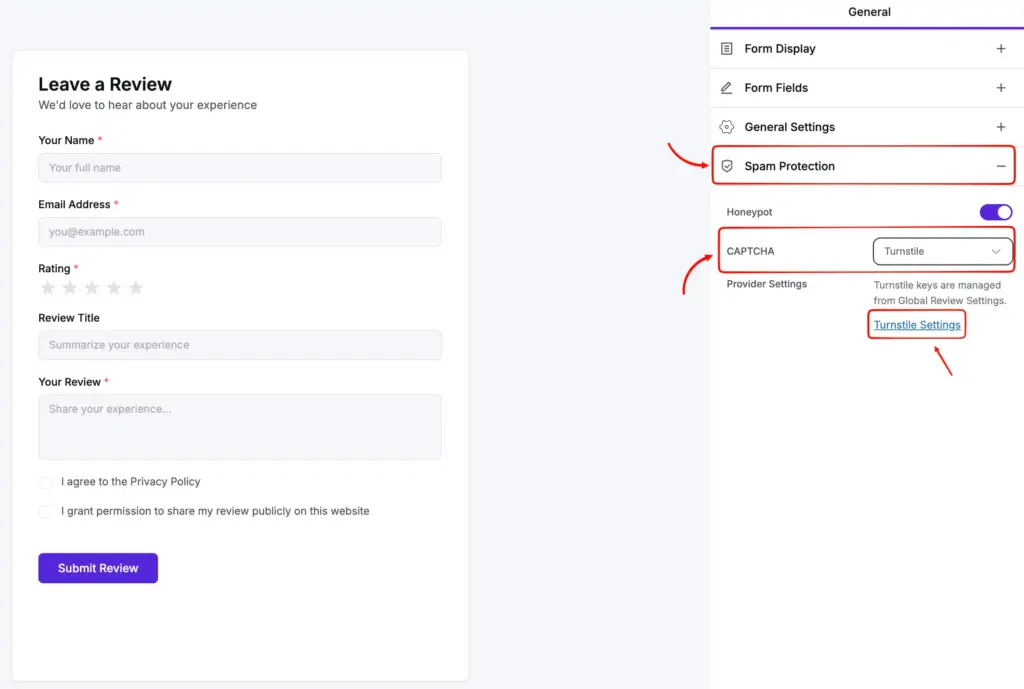
- You can also enable Spam Protection for better security. All you have to do is select the Turnstile option in CAPTCHA. After that, you’ll click the Turnstile Settings option to head to the Global Review Settings to enable the protection.
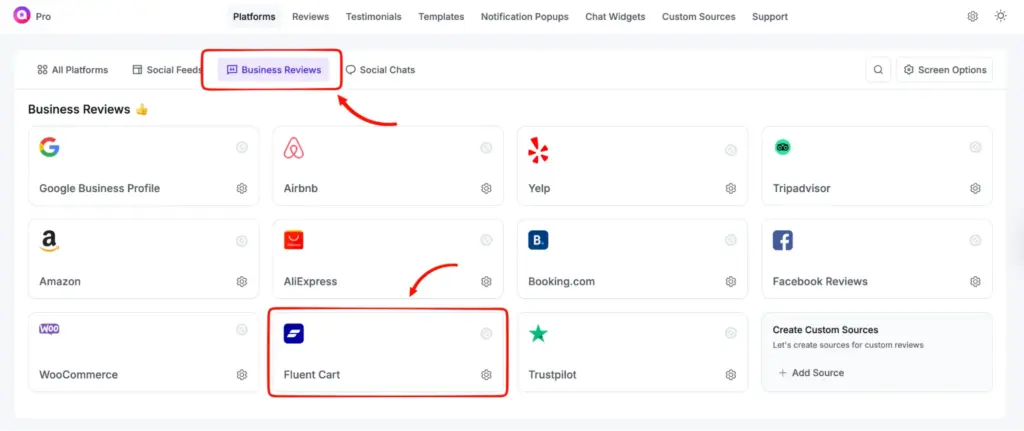
- Now, go to the WP Social Ninja dashboard and select FluentCart from the Business Reviews section.
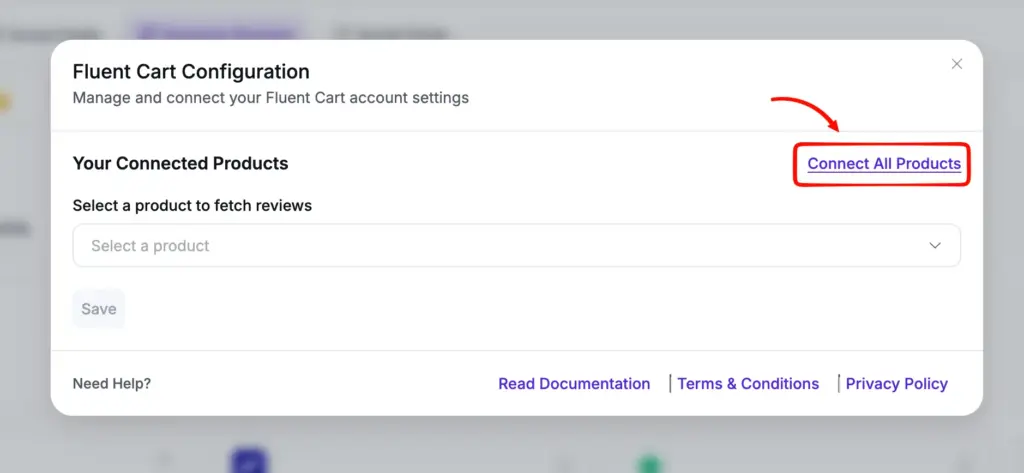
- After that, click on the Connect All Products, and you’ll see that all your products from FluentCart have appeared.
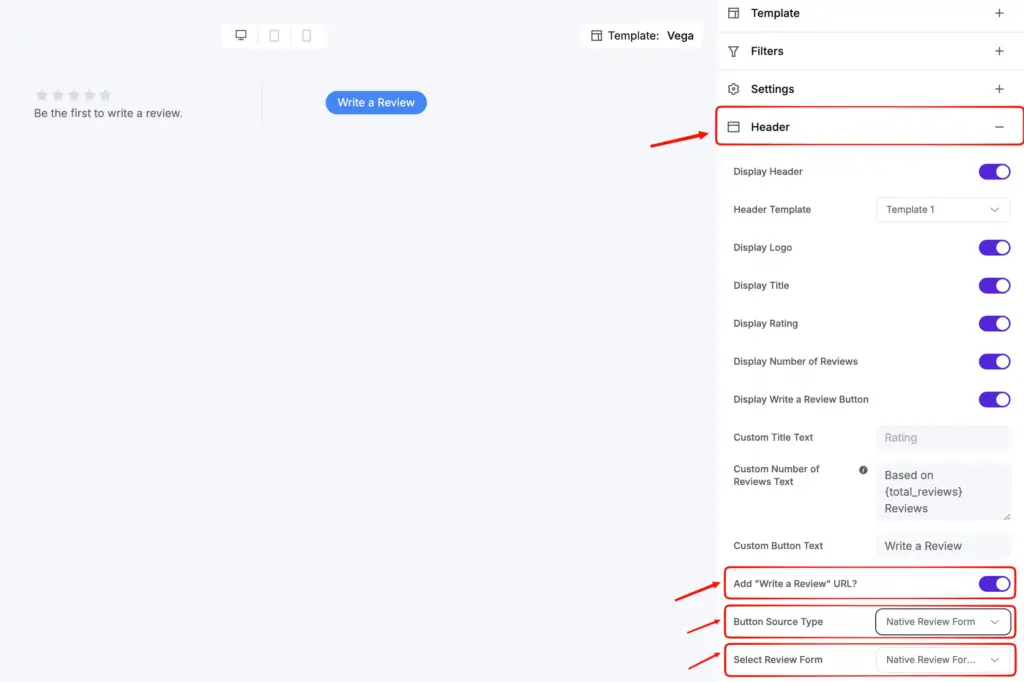
- Click Add New Template to open the template editor. Select Header, toggle Add “Write a Review” URL?, choose Native Review Form as the Button Source Type, select the form ID you just created, and save the template.
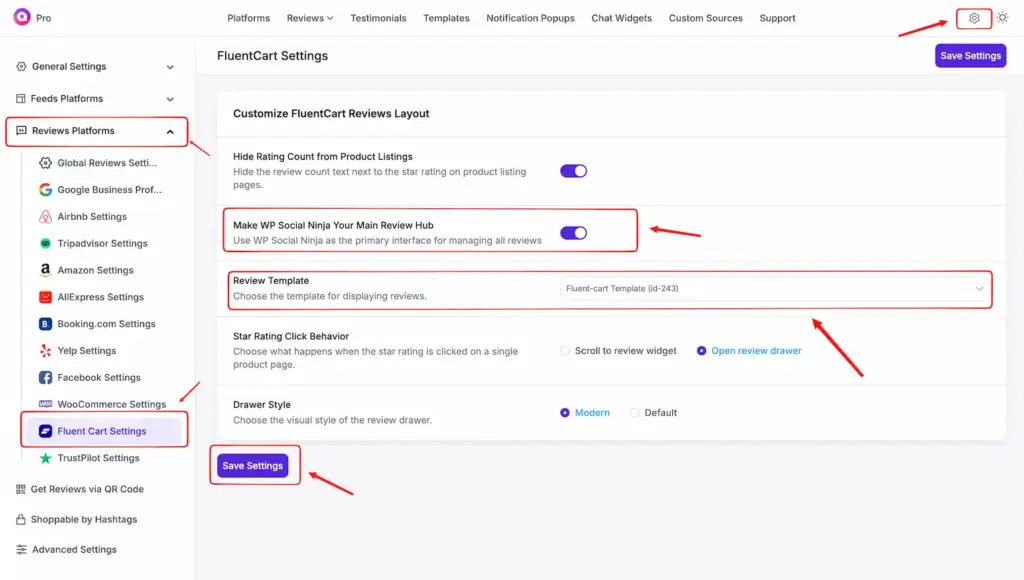
- Now go to Settings → Review Platforms → FluentCart Settings. Enable the Make WP Social Ninja Your Main Review Hub button and select the template you edited for FluentCart review. After that, click on Save Settings, and you are all set.
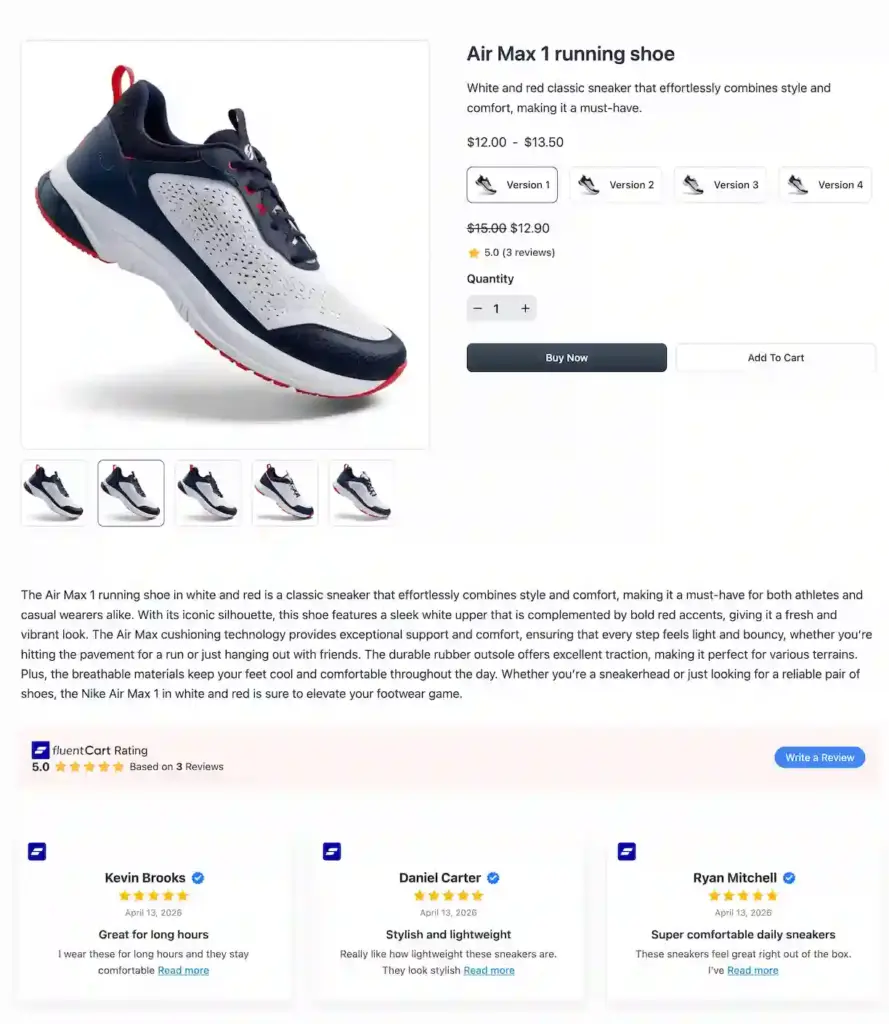
That’s it. Visit any product on your store, and you’ll see a “Write a Review” button. As customers start leaving reviews, they’ll appear on your product pages, styled exactly how you set up the template.
For more details, check our documentation.
Native review forms for WooCommerce and Custom Sources
WooCommerce’s default review field is basic and gives store owners almost no control over how reviews look or feel. With WP Social Ninja 4.2.0, you can now replace it with a built-in native review form, no Fluent Forms required.
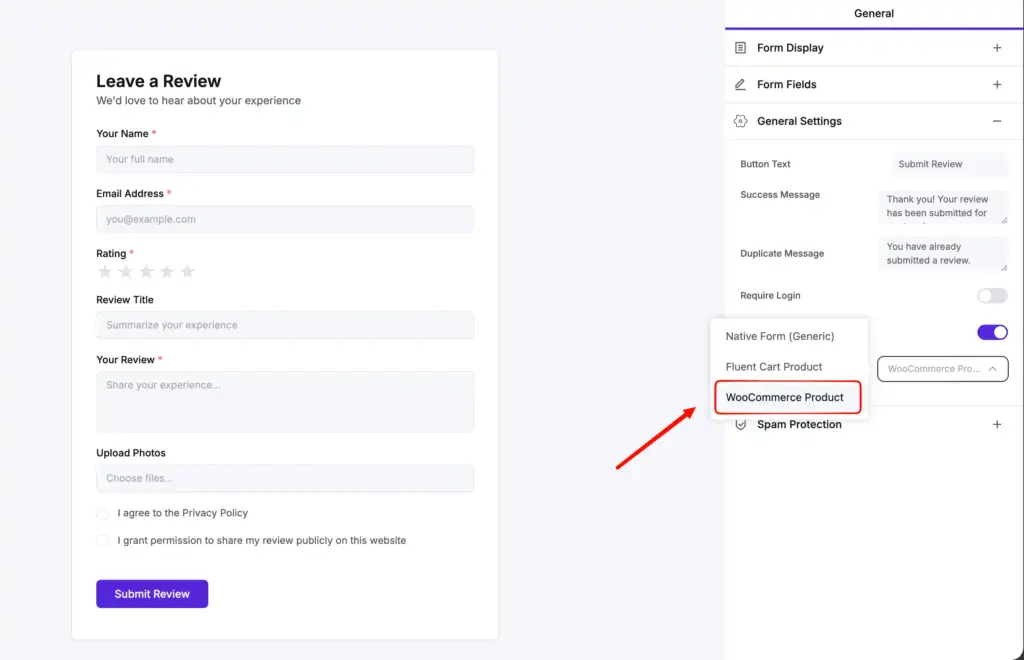
The form-building process is the same as FluentCart. The only difference is in the Review Target dropdown, where you’ll select WooCommerce instead. Once the form is saved, create a template for WooCommerce reviews the same way you would for FluentCart.
After that, go to Settings → Review Platforms → WooCommerce Settings, set Review Form Style to Inherit from WP Social Ninja, and select the template you just created.
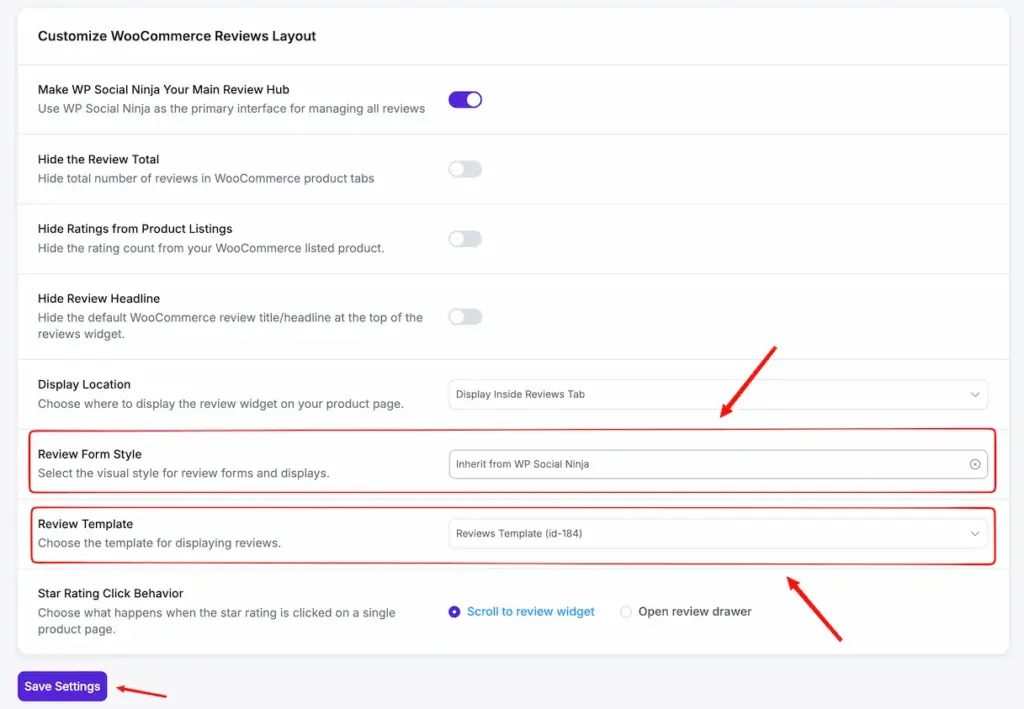
That’s it. WooCommerce’s native review field will be replaced by WP Social Ninja’s form, and any reviews submitted will appear styled exactly how your template defines. Check our documentation for more details.
Collecting reviews from Custom Sources works the same way, with one small change. In the Review Target dropdown, select Native Form (Generic) instead. Build the form, create a customized template, and you’re done.
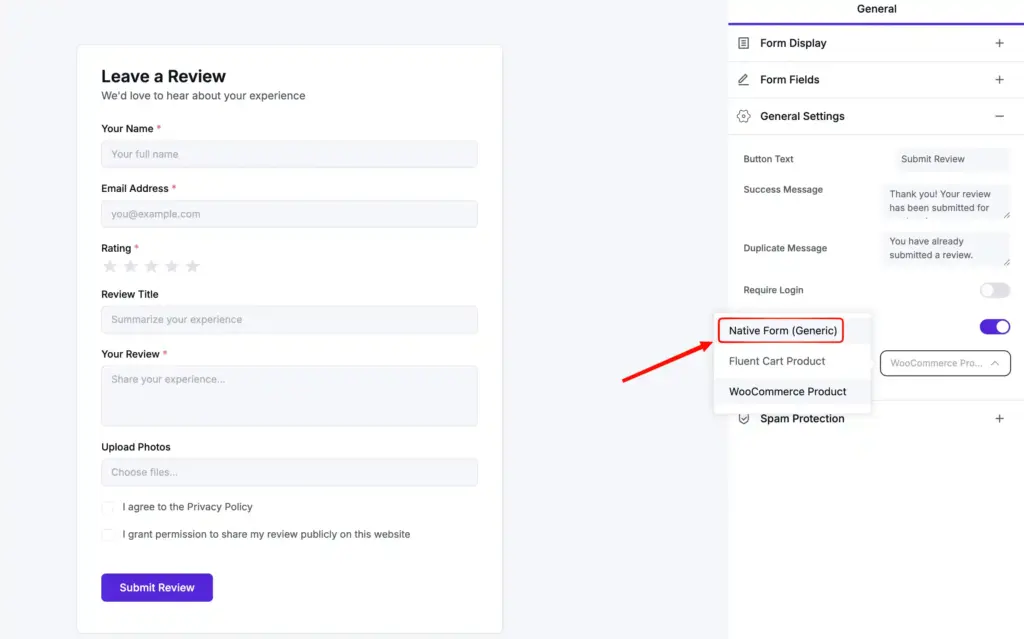
There’s no extra step for settings in Custom Sources. Just copy the shortcode and paste it into any page or post where you want the review form to appear. When visitors click the “Write a Review” button from the template, the form will load, and their reviews will start coming in.
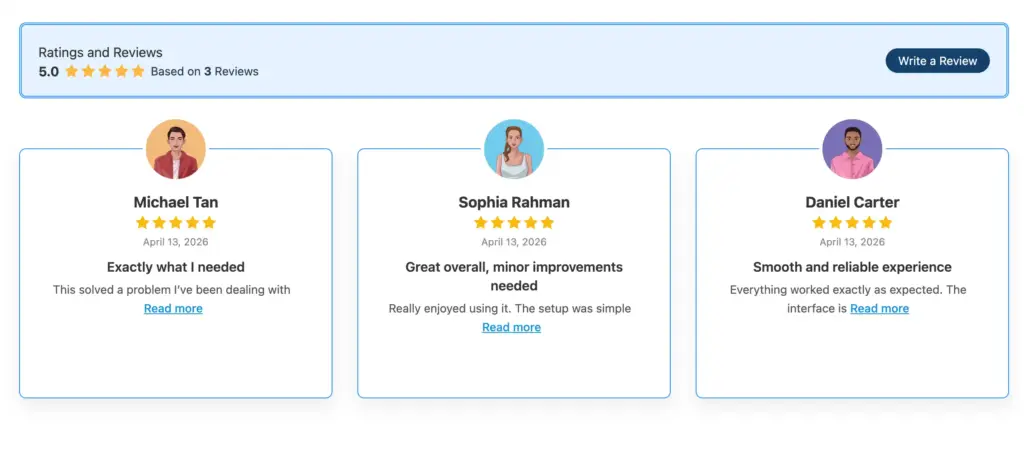
For more details, check our documentation.
Bug fixes and improvements
- Improved FluentCart review drawer (slide-in) experience
- Added flexible rating click actions for WooCommerce (drawer/scroll)
- Added show review images toggle to review template editor settings
- Enhanced performance with server-side search and async multi-select
- Optimized database queries and improved security
- Fixed YouTube channel “No videos found” issue
- Fixed YouTube header banner display issue
- Fixed Google Business Profile location name issue
- Fixed formatting issues in reviews and testimonials
- Fixed review auto-sync input update issue
- Added Native Form CAPTCHA Settings under Global Review Settings for improved spam protection
- Added “Show Review Images” toggle in the review template editor settings
More reviews, more trust, more sales
We released WP Social Ninja 4.1.0 a little while ago, and since then, one request has kept showing up everywhere. Users wanted better ways to collect reviews for their stores. WP Social Ninja 4.2.0 is what came out of that.
FluentCart users finally get product reviews. WooCommerce store owners can leave the native review field behind. And for anyone collecting reviews from Custom Sources, you no longer need Fluent Forms to make it work, unless you need really advanced features. All three, in one release.
Win your customers’ hearts with exceptional features
Discover how WP Social Ninja can assist you in designing outstanding customer experiences.

Give it a try and tell us how it feels. Drop by our Facebook Community, share what’s working, share what isn’t. More on the way soon.
Until then, keep collecting reviews, keep building trust, and let WP Social Ninja handle the rest.

Subscribe To Get
Weekly Email Newsletter
Connect, Customize, and Display Social Feeds, Reviews, and Chat widgets










Leave a Reply