
WP Social Ninja 2025: A Year of Growth and Game-Changing Improvements


Remember January 2025? We had ambitious plans, a backlog of user requests, and excitement as we prepared for what we were about to deliver.
Fast forward to December, and here we are: full of energy, stronger from everything we’ve learned, and so proud of what we’ve built together this year.
2025 was no ordinary year of updates for WP Social Ninja. It was a year of huge changes. We improved the core experience and refined the details, and focused on features that really make your lives better.
This is not your typical year-end wrap-up. Consider it more like flipping through a photo album, some highlights, a few behind-the-scenes moments, and a sneak peek at what’s coming next.
Let’s dive in.
TL;DR: What Made 2025 Epic
- 30k+ active installations
- 13+ major and minor product updates
- 2,140 support tickets resolved
- 62 total 5-star reviews
- 52+ new blogs and 1 eBook published
- Introduced user onboarding for first-time users
- Fully redesigned and improved UI/UX
- Introduced dark mode
- Completely redesigned the website
- Added platform-specific product demos
- Fully updated and migrated our documentation to VitePress
- Added Custom Source for reviews from any platform
- Added QR Code module for easier review collection
- Added verified badge support for review platforms
- Introduced AI Review Summarizer
- Added Microsoft Teams, Instagram DM, and SMS chat widgets
- Earned 6th place in WPWeekly and Monster’s Awards
- Attended WordCamp Dhaka and WordCamp Malaysia
- Contributed to WordPress Core 6.9.0
Why We’re Building WP Social Ninja, and the Ecosystem We’re Shaping
WP Social Ninja was built with a long-term vision: to empower WordPress users with a single, reliable social media solution that helps turn online presence into real results with better visibility, stronger trust, higher conversions, and increased sales.
From day one, our focus has been clear, which is to make it simple for businesses connect their websites with social platforms, without relying on multiple tools, scattered workflows, or recurring subscriptions.
Every year, we move WP Social Ninja one step forward, guided by user feedback, real-world use cases, and the growing needs of our community. Managing social media and promoting content is not easy, especially for growing businesses, and WP Social Ninja exists to make that journey smoother.
This creates a meaningful ecosystem effect within WordPress. Less plugin overload, cleaner workflows, better performance, and a more connected experience between content, social proof, and engagement. Thanks to our community and team, we’ve grown together!
Keep reading; in this year-in-review, we’ll share everything that shaped our journey in 2025.
The Experience Boosts We Brought to You in 2025
This year, every improvement we made aimed to give users a simpler, smarter, and faster experience. From onboarding to dashboards and new features to improvements, every detail was designed to remove friction and make WP Social Ninja more intuitive.
The New Onboarding Experience (Guided From the First Click)
Back in early 2025, we realized many users were spending too much time figuring out where to start. So we reimagined the onboarding flow to be quicker and simpler, and finally introduced it.
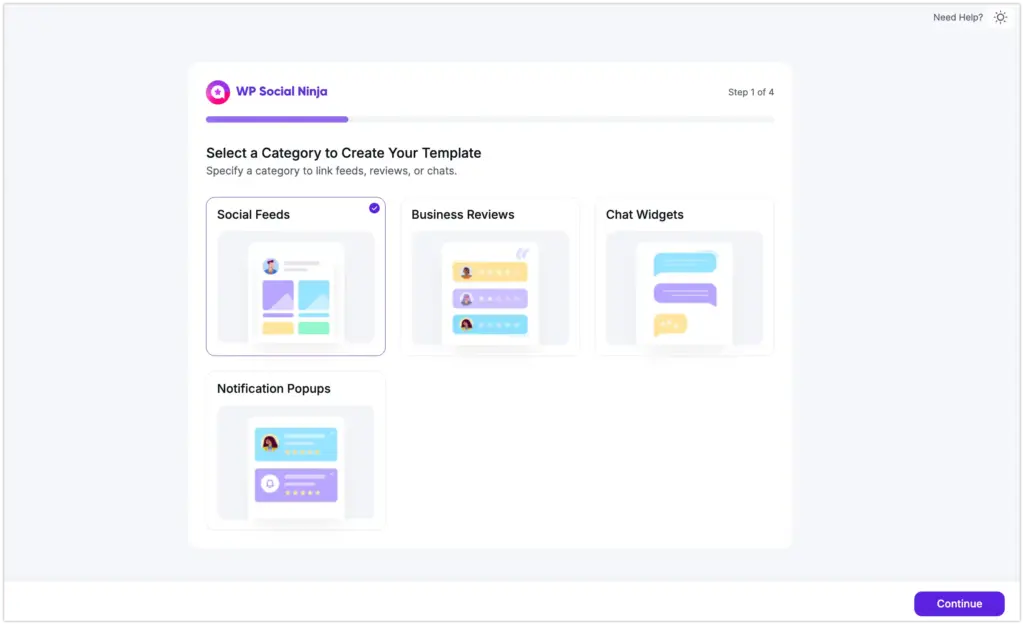
Now, from the moment you enter WP Social Ninja, the new wizard guides you step by step. Choose your category, pick your platform, select a template, and customize.
Progress bars let you see how far you’ve come and what’s next, making setup smooth and stress-free. For newcomers, it’s the perfect guide to get started confidently.
Improved UI/UX for Smoother and Confusion-Free Experience
Earlier this year, we started working on a complete UI/UX refresh to make WP Social Ninja easier and more enjoyable to use. This wasn’t just about moving buttons; it was about rethinking the way you interact with the dashboard.
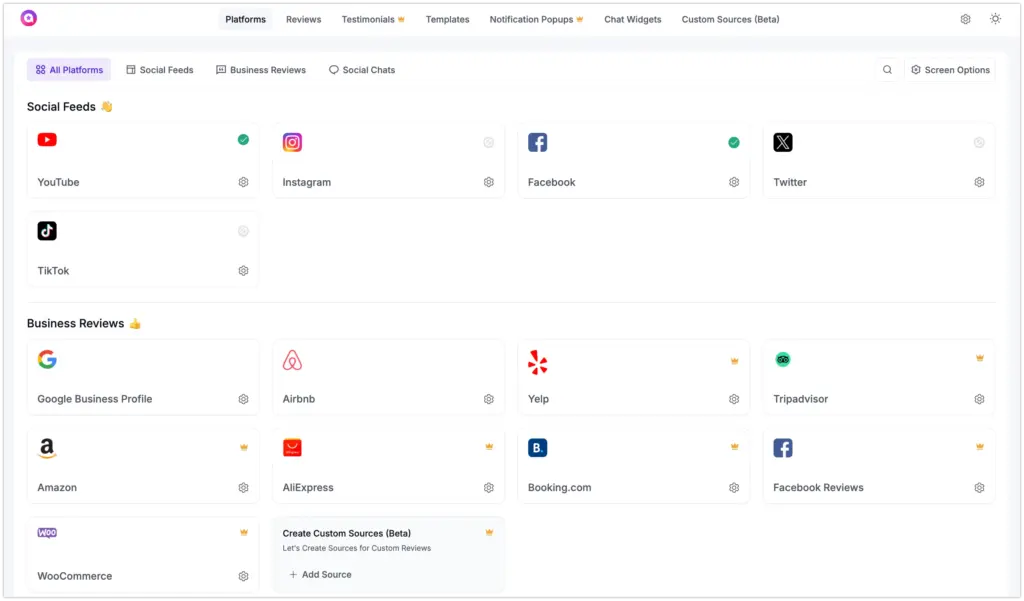
Completely redesigned dashboard: Clean, modern, and organized in a way that you’ll find easier to use. For example, if you want to manage your Instagram account, you’ll get everything in one place. You do not need to browse many menus to find what you need for Instagram.
Dark mode support: Because we know you could be busy managing your websites at 11 PM using our dashboard or plugin. Your eyes deserve better than a blinding white screen.
Collapsible panels & smart search: We introduced this feature to show you the things that are important and hide the things that are not. If you need to find something, you can just search for it. This way, you do not have to navigate multiple menus to find what you are looking for.
Breadcrumb navigation: It shows you where you are and how you got to that place. You will not get lost in settings, with breadcrumb navigation.
These small touches make a big difference in daily usage.
SMS, Instagram DM, and Microsoft Teams Chat Widget
Our customers weren’t all on the same apps, and businesses needed to be where they already spend their time.
We added SMS support for customers who prefer texting. Instagram DM integration for brands building on Instagram. And Microsoft Teams is for businesses already living in the Microsoft ecosystem.
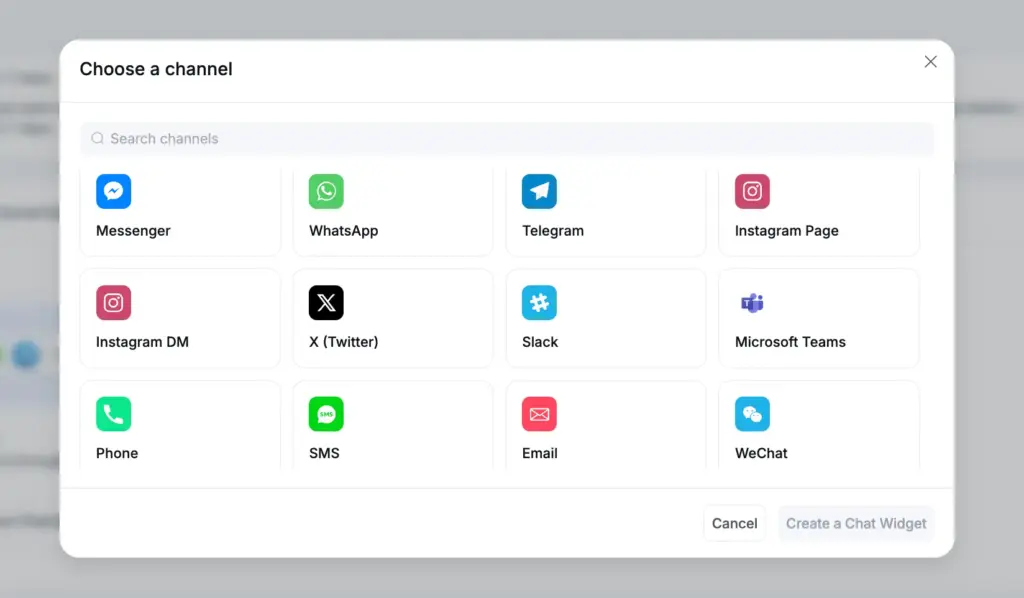
Now you can meet customers on their preferred platform, whether that’s WhatsApp, Messenger, Telegram, SMS, Instagram, or any other platform.
Learn more about the Release 3.17.0.
Collect Reviews from Anywhere with Custom Source
Users have questions such as: “Can I display reviews from G2? “We get reviews on WordPress.org; can those show up?
We heard these questions from you. The answer was always “not yet.”
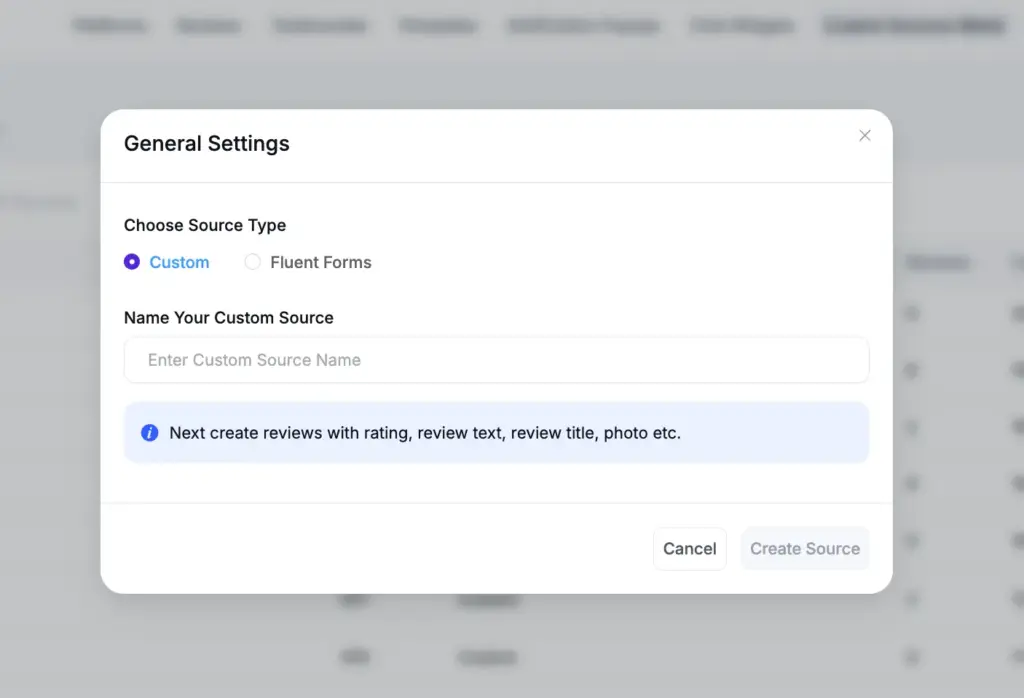
In 2025, that changed. Custom Sources lets you pull reviews from any platform in a more organized and advanced way. No API needed, just add reviews manually, or add with Fluent Forms’s prebuilt templates
Get to know more about How to Add Custom Reviews to Your WordPress Website.
AI Review Summarizer
We knew reading hundreds of reviews to understand customer feedback was taking too much time. That’s why we added the AI Review Summarizer by mid-2025.
It analyzes all your reviews and turns them into a clear, concise overview. For example: “Customers love fast shipping and product quality. Some mentioned packaging could improve.”
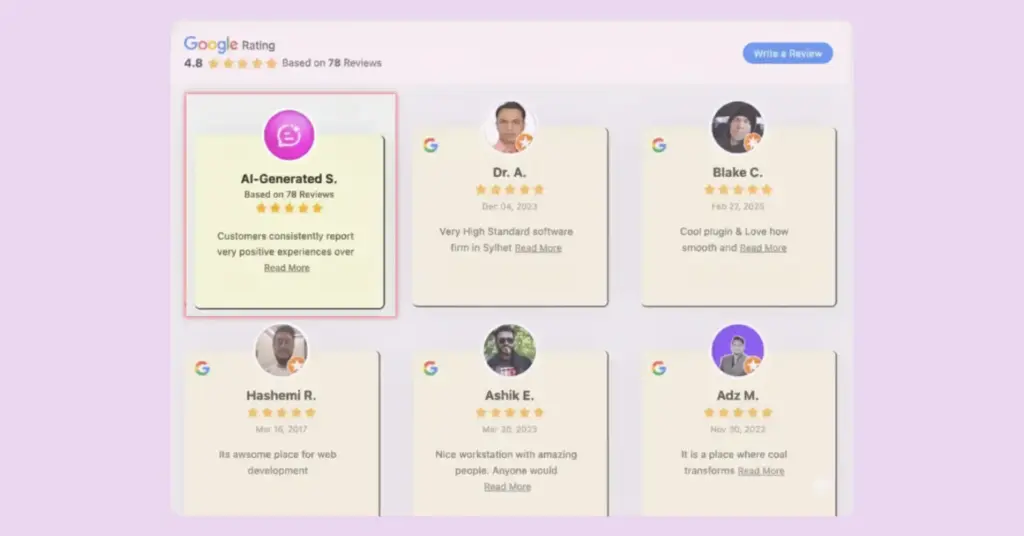
Here’s the complete guide: How to Use AI Summarizer in WP Social Ninja.
Your visitors get instant clarity, and you get back hours you’d typically spend answering questions.
Collect Reviews with QR Code
This year, we wanted to make it simple for people to leave reviews, too, for a service they really liked.
Leaving a review can be a hassle because you have to search for the page, and that takes time. Even when people are satisfied with a service, they often do not leave a review because they do not want to take the time to find the correct page to submit it.
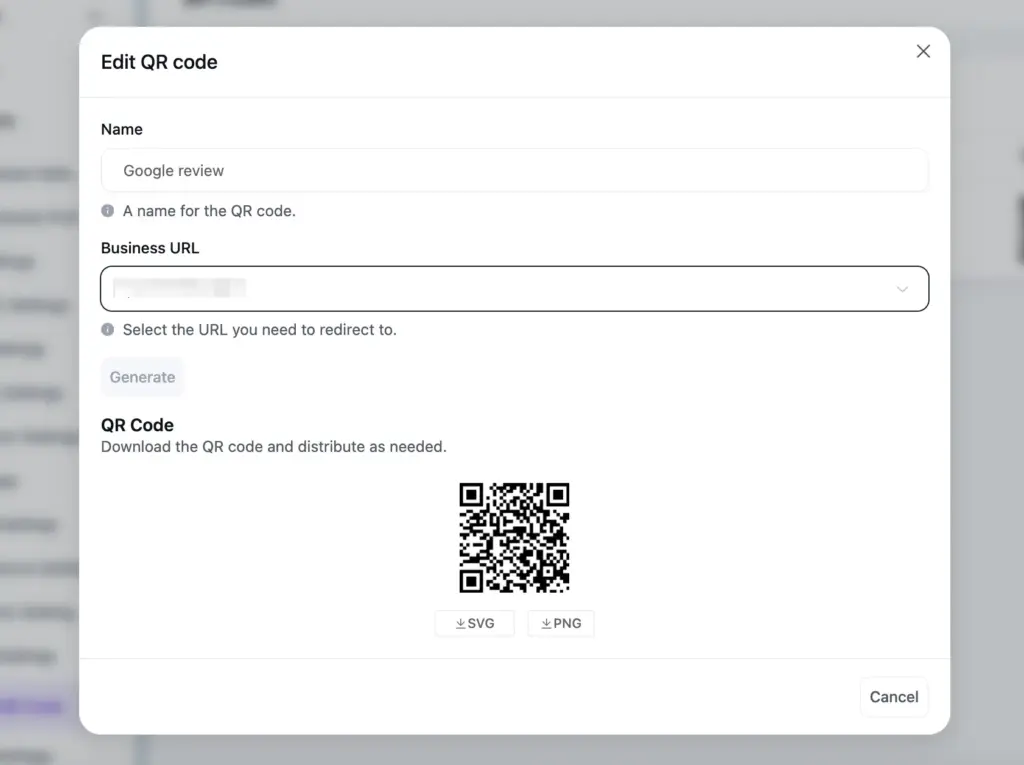
With QR code reviews, that’s no longer a problem. Print a QR code on receipts, table tents, or business cards, and customers can scan it with their phone and share their feedback in seconds, turning every positive experience into a review.
Find the step-by-step process: Collect Reviews with QR Codes Using WP Social Ninja.
Bulk Actions
As the year went on, we noticed more users, especially agencies managing multiple templates, feeds, and accounts at the same time. We introduced Bulk Actions to make those busy days much easier.
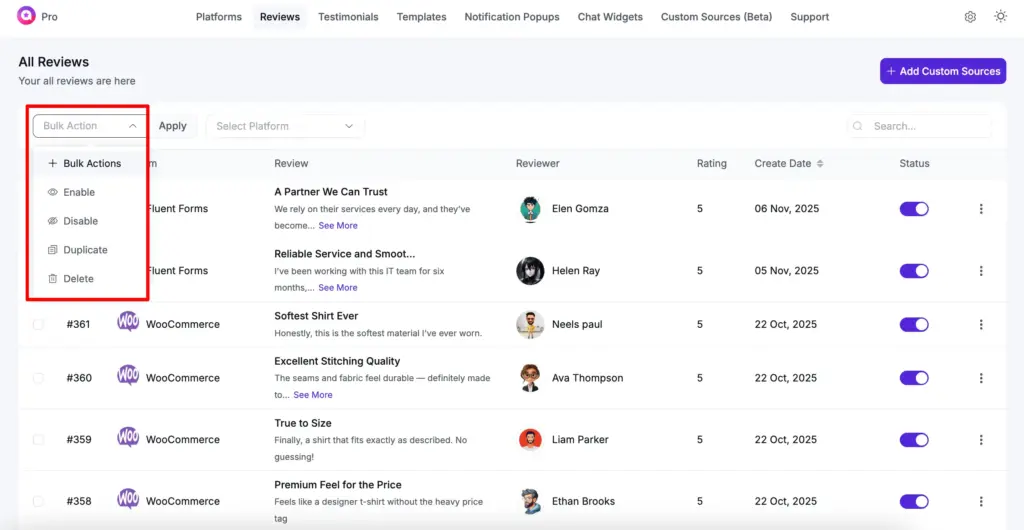
Select multiple items and approve, delete, duplicate, or publish them all at once. What used to take minutes now takes seconds.
Judge.me Review Migration Solution
When Judge.me stopped supporting WordPress, thousands of businesses panicked. “What happens to our reviews?”
To help you with it, we built a migration feature in WP Social Ninja 3.20.0 release. Import all your Judge.me reviews, star ratings, images, text, and formatting in just a few clicks. Everything transfers exactly as it was, so you don’t lose a single detail.
Because protecting your reviews and keeping them as they are should be simple.
WhatsApp Chat Widget Free Features
Earlier, people used Messenger to try out the chat widget from WP Social Ninja for free. But this year, we wanted to give users even more flexibility, so we introduced a free version of the WhatsApp chat widget in WP Social Ninja 3.17.0.
It lets anyone get started with WhatsApp chat right away, explore the basics, and understand how it feels to connect with customers. When you’re ready for more advanced features, the Pro upgrade takes you further.
Export/Import Templates and Testimonials
Building the same template structure for multiple clients? Moving content between staging and production sites?
Now you can export your templates and testimonials as files and import them on any other site. Copy your perfect setup across dozens of client sites in minutes instead of rebuilding everything from scratch.
For agencies and teams managing multiple sites, this feature makes a huge difference, saving time, reducing repetitive work, and letting you focus on what really matters.
Check WP Social Ninja 3.16.0 for more details.
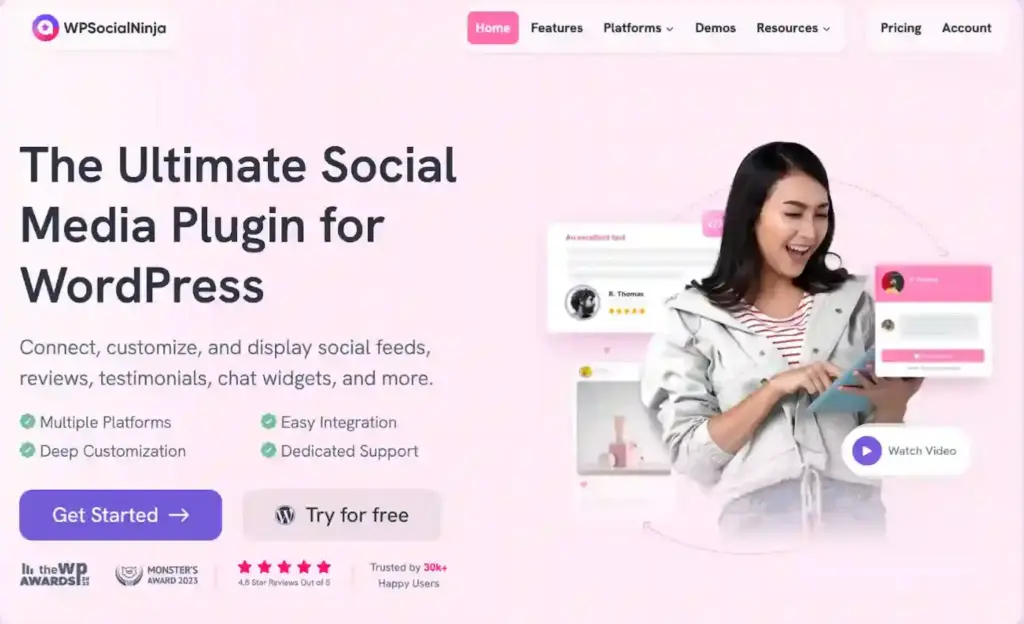
Website Redesign (A Fresh Look With Better Clarity)
This year, we wanted our website to feel more like a helpful guide than a maze. So we redesigned our website to make things clearer and easier to find. We made sure everything is better organized and easier to understand.
Now the entire site feels more modern, faster, and genuinely informative, helping users find what they need without digging through pages.
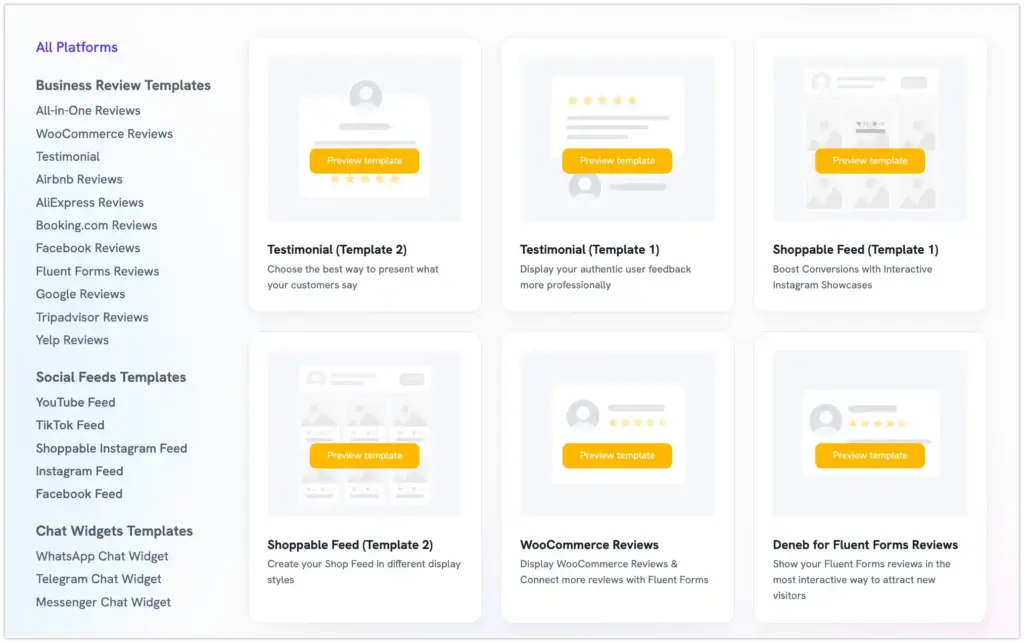
Platform-Wise Demos
For better understanding, we updated the demo page and gave it a complete rethink in 2025. We wanted users to see how things look in real life, not imagine it from a few generic screenshots.
Each platform now has its own demo on a single demo page. If you click the Instagram demo, you can explore how your feed will appear across different templates, layouts, and styles before setting anything up.
The same goes for Google Reviews, Facebook Feeds, chat widgets, and more. It’s a clearer, more practical way to help you visualize your setup before you start customizing.
Improved and Migrated our Full Documentation
We migrated our entire documentation to VitePress. What does that mean for you?
Fastest search, and better content management with clearer categories. We also rewrote about 70% of the docs based on the most common support questions and updates.
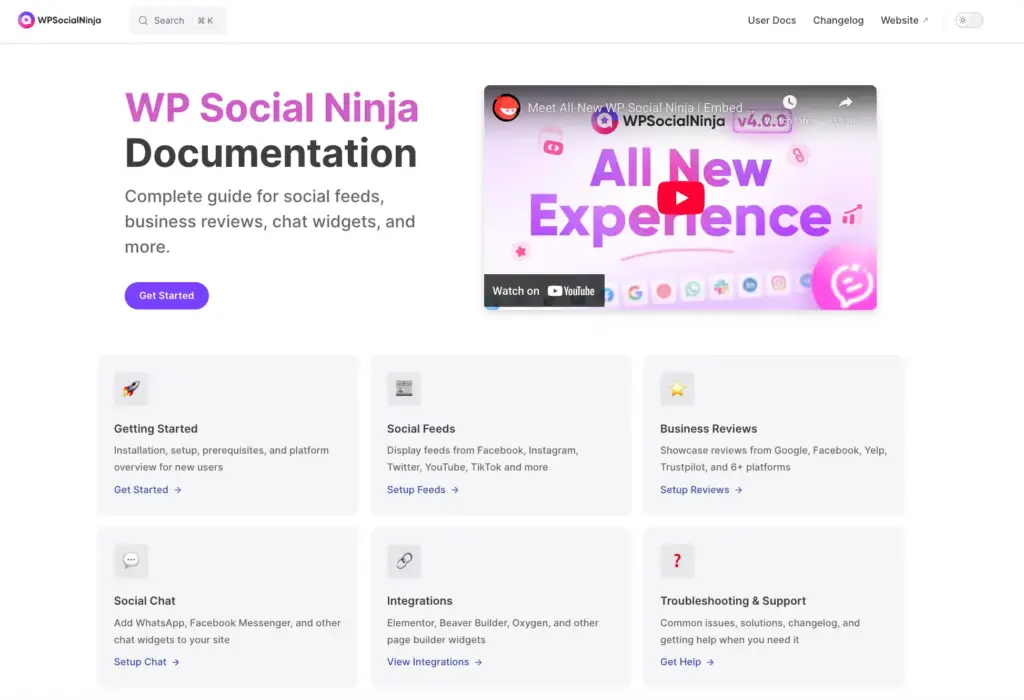
You get the information you need almost instantly. The docs feel simple, practical, and genuinely helpful instead of a chore to read.
Let’s check out our refined user-guide.
Verified Badges That Make Reviews More Trustworthy
We wanted visitors to instantly understand which reviews come from real customers, so we introduced verified badge support across all supported platforms.
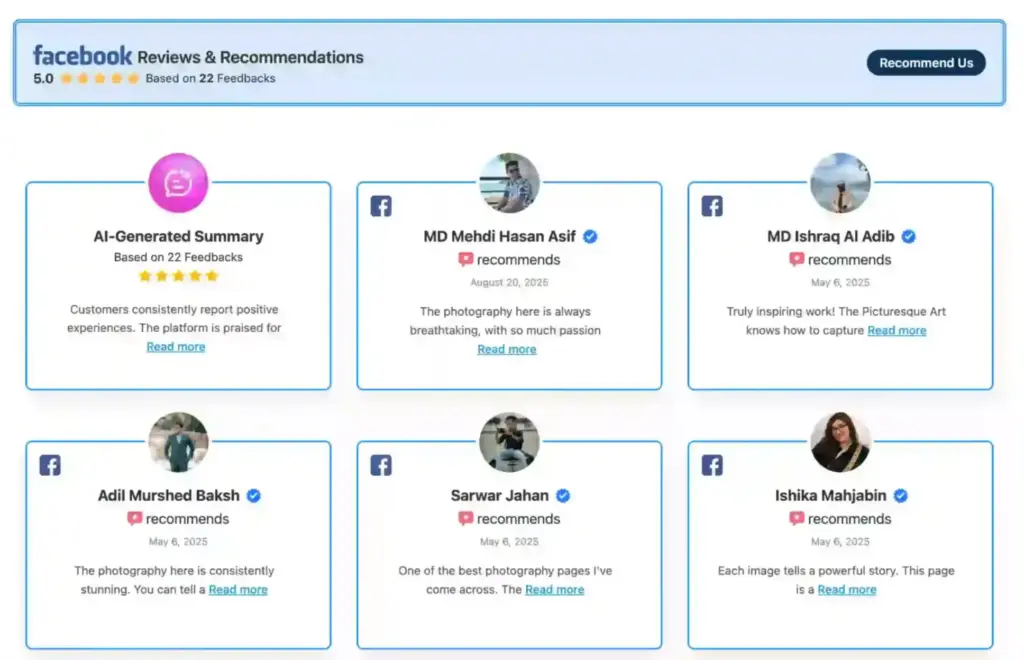
These badges, similar to the familiar blue tick, appear beside reviewer names and highlight authentic, confirmed feedback. This small visual cue adds a strong layer of trust, helping visitors separate genuine experiences from random comments.
With clearer credibility signals in place, your audience can make decisions faster and feel more confident about choosing your brand.
We have more updates on:
Improved HTML sanitization for user-generated content: User-generated content is now cleaner and safer. You get better protection without breaking any formatting.
Complete platform data deletion: Want a fresh start? You can now delete all platform data at once and retain full control over what remains on your site.
WooCommerce product reviews synchronization: Your WooCommerce product reviews now sync automatically, so your store’s social proof stays updated without any extra work.
Rebuilt WPSN admin area using Vue 3 and Element Plus: We rebuilt the entire WPSN admin dashboard to make it faster, smoother, and more reactive.
The Feedback You Shared with Us This Year
Every update, fix, and feature we shipped this year was shaped by the conversations we had with our users. Some people said that the new look made things easier to understand and work with. Others noted that WP Social Ninja saved them significant time by making it easier to manage reviews and social feeds.
A lot of people were really happy with the help we gave them, whether it was showing them how to get started fixing problems with how things looked or even making a video that showed them what to do.
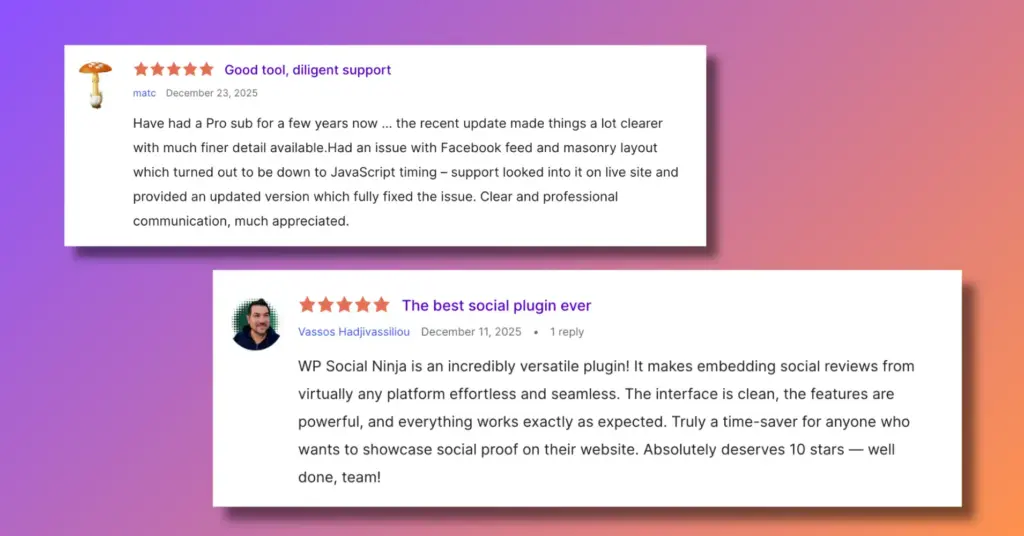
We also heard where we need to improve. A few users had to wait a while to get help, or they found that some things did not work as they should.
This told us that we need to make sure we talk to people regularly and that our product always works. We used this information to improve our systems, ensure everything runs smoothly, and plan features our users have requested.
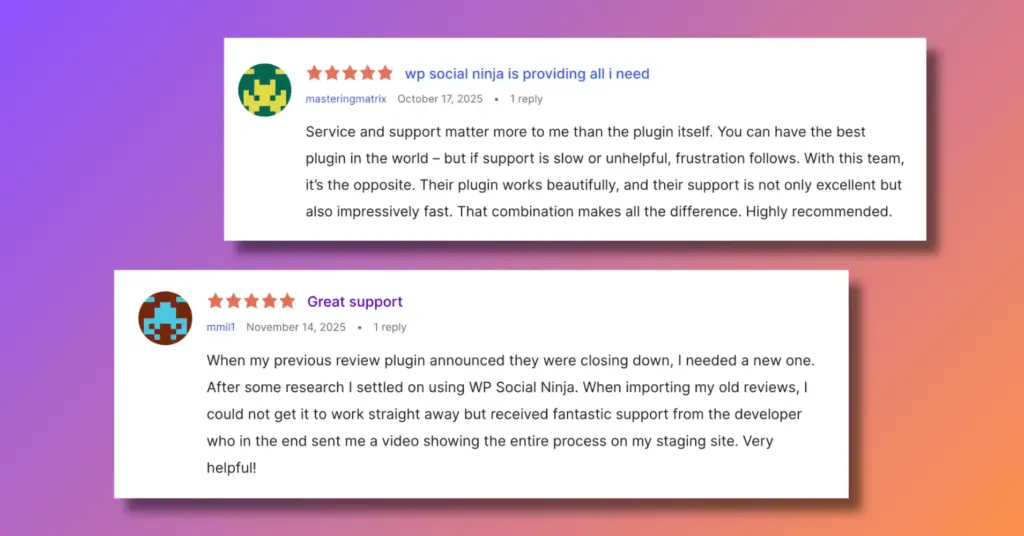
Ultimately, every message, positive or critical, helped us grow. And we’re grateful for the WP Social Ninja community that tells us honestly what’s working and what needs more attention.
WP Social Ninja Moments Beyond the Screen
Like previous years, this year also we made sure to step away from our screens and enjoy life beyond the code. From celebrating our 4th birthday to attending WordCamps and enjoying our annual team tours, everything made this year a memorable one.
WordCamps: Sharing Ideas, Smiles, and Stories
This year, we hit up two WordCamps in Dhaka and Malaysia. Every single one reminded us why the WordPress community feels like home. We chatted with users, heard some interesting stories, and walked away with ideas you just don’t get from staring at your laptop all day.
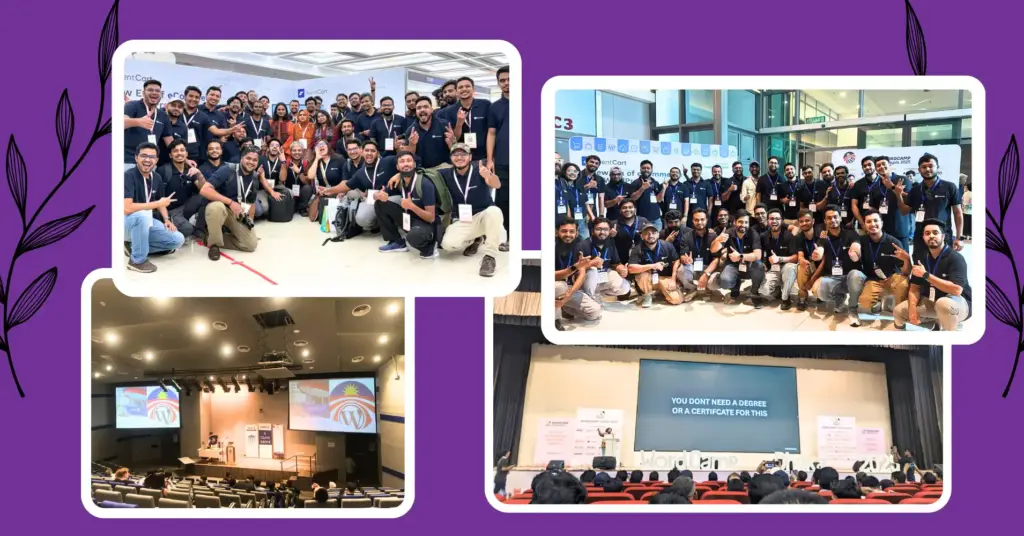
Meeting people in person just hits different. You catch the energy in their eyes, hear what actually matters to them. That kind of connection pushed us to think differently.
These weren’t just events on our calendar; they became real chances to learn, connect, and grow with people who live and breathe WordPress, just like we do.
Our Core Contribution to WordPress 6.9.0
WordPress isn’t just the platform we build on, it’s the community we’re part of. This year, our team contributed to WordPress 6.9.0 core.
We focused on making it faster and more reliable. Even small changes can make a big difference for millions of websites, helping businesses and users have a smoother experience online.
Why contribute? WordPress gives us the foundation for everything we do, and giving back is simply our way of saying, Thanks for helping us grow!
Annual Tour Highlights (Off the Screens, On the Road)
In November 2025, we decided to take a week off from doing releases and working late hours. There were no deadlines to worry about; it was the team, and we were finally able to relax and unwind together.
We walked along the shores of Cox’s Bazar. And drank fresh tea in the quiet green of Sreemangal, and explored the vast beauty of the Habiganj tea estate. For once, laptops stayed closed. Instead, we went for walks, had meals together, and had conversations that only happen when you’re far from Wi-Fi.
We were at the beach watching the sunsets. We were also at the tea garden in the mornings. We were sketching out some ideas.
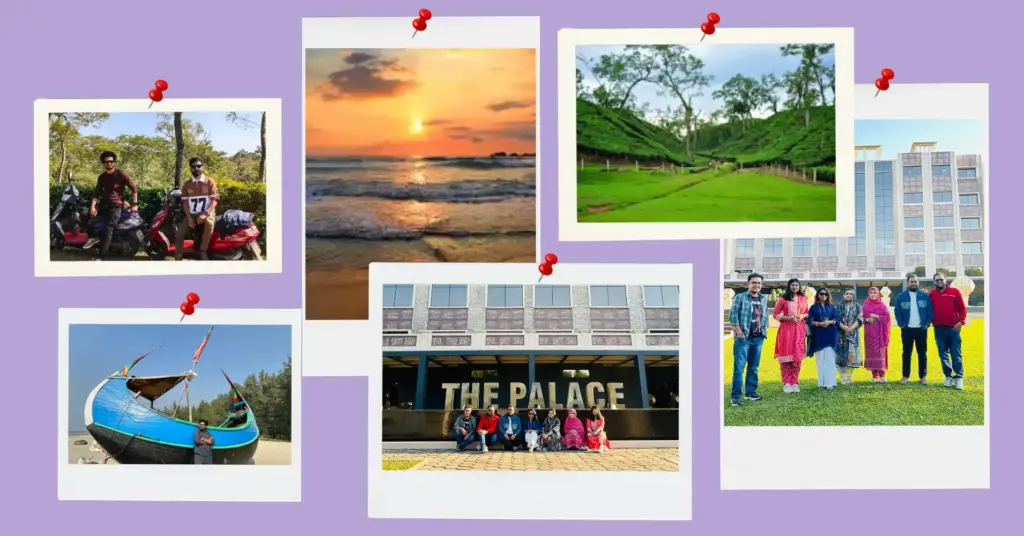
Trips like this reset us. They remind us that behind every update, every fix, and every response, there are real people taking time to recharge and enjoy the moment.
What’s Coming in 2026? Get Ready
2025 was the year we rebuilt, refined, and reimagined WP Social Ninja, and it only happened because you kept pushing us with ideas, feedback, and honest conversations.
Every update, every design change, every improvement came from real moments shared with our community.
Now, with a stronger foundation in place, we’re stepping into 2026 with a clearer vision and greater confidence.
Here’s what we’re getting ready to bring you next:
- Introduce new templates and layout styles
- Improve existing social platforms with user-beneficial features
- Analytics and Reporting
- Social wall to display combined social feeds
- Social feed’s post share button
Win your customers’ hearts with exceptional features
Discover how WP Social Ninja can assist you in designing outstanding customer experiences.
So, that’s all for now! Thanks for being part of our year. Now let’s make the next one even better!

Subscribe To Get
Weekly Email Newsletter
Connect, Customize, and Display Social Feeds, Reviews, and Chat widgets

Trending Posts
-
 Shahjahan Jewel
 -

-
 Shahjahan Jewel





Leave a Reply