

How to Use Student Testimonials to Sell Online Courses on WordPress


If you sell courses on WordPress, the last few weeks have probably had you rethinking your setup, especially if you built on LearnDash and watched its site quietly redirect to Liquid Web.
Whatever platform you’re on, one thing hasn’t changed: student testimonials and course reviews are still the strongest lever for turning a course visitor into a paying student. How strong?
Northwestern’s Spiegel Research Center found that simply displaying reviews can lift conversion by around 270% compared to a page with none.
The proof is already there, in your students’ inboxes, their comments, and their social posts. Most creators just have no system to collect it, and now they’re not sure where to put it.
This guide fixes that. By the end, you’ll have a working social proof setup pulling fresh reviews and student content on your course pages automatically, no manual updates, no developer needed, using FluentCommunity and WP Social Ninja.
TL;DR
- Reviews are the strongest part of course sales. Displaying reviews can increase conversion by around 270%, and the effect is even larger for higher-priced purchases, such as courses.
- Use three types of proof, like written testimonials or reviews with specific outcomes, video testimonials, and live social media posts from students.
- Build the foundation first. Use FluentCommunity to create your course and an attached community space, the place where authentic testimonials naturally get written.
- Collect custom reviews on a system, not by chance. Follow up around 30 days post-purchase, and ask for specific results rather than generic praise.
- Put testimonials and reviews next to your course, pricing and enroll button, and use WP Social Ninja to collect testimonials and auto-sync live Instagram, Facebook, YouTube, and TikTok feeds on your course pages (no manual updates needed).
- LearnDash users, the plugin still works and your data is safe, but if the Liquid Web consolidation has you looking for an independent, actively developed platform, FluentCommunity is worth evaluating.
Why reviews are your number one course sales tool
Here is the hard truth about selling a course: you are asking someone to pay for knowledge they cannot inspect before buying. They can’t flip through it like a book or try it on like a jacket. That gap between “This looks good” and “I’ll spend my money” is pure trust, and you cannot fill it by talking about yourself.
This is social proof, the principle Robert Cialdini described decades ago. When people are uncertain, they look to what others have done to decide what to do themselves. On a course sales page, an uncertain visitor looks for other students who took the leap and were glad.
The data on how strongly this works is unusually solid:
- Displaying reviews can increase conversion and purchase likelihood for a product with 10+ reviews, which is far higher than for one with none, according to the Spiegel Research Centre’s study with PowerReviews.
- Roughly 95% of shoppers read reviews before buying, per PowerReviews research cited by Spiegel, making review-reading a near-universal step in the buying journey.
- Video testimonials are especially persuasive. Marketing research firm Wyzowl has reported that a large majority of people feel more confident buying after watching a video testimonial, which is why a face-to-camera student story tends to outperform a written quote.
Types of proof that sell online courses on WordPress
Not all proof is the same, and the smartest setups use a mix. Three types do the heavy lifting for course creators.
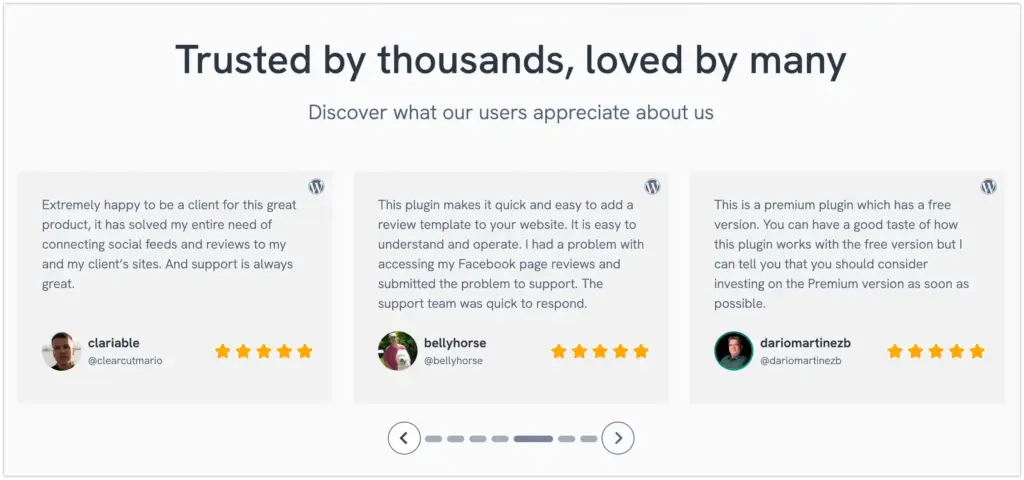
Written testimonials with specific outcomes
A named student describing a concrete result. These are your workhorses, easy to collect and easy to place. FluentCommunity’s built-in community space makes it easy to gather these naturally, since students are already talking about their progress there.
Video testimonials
A real student/user speaking to the camera, in their own words, in their own setting. Nothing else carries the same weight of authenticity, thats why Wyzowl’s video data is so striking. You can host these in your community and embed them on your sales page.
Social media user-generated content
The Instagram post tagging your course, the YouTube reaction video, the Facebook comment, the TikTok before-and-after.
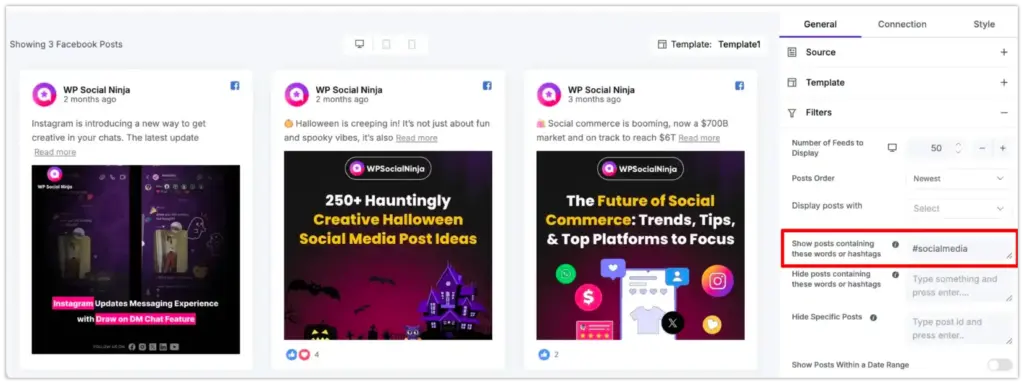
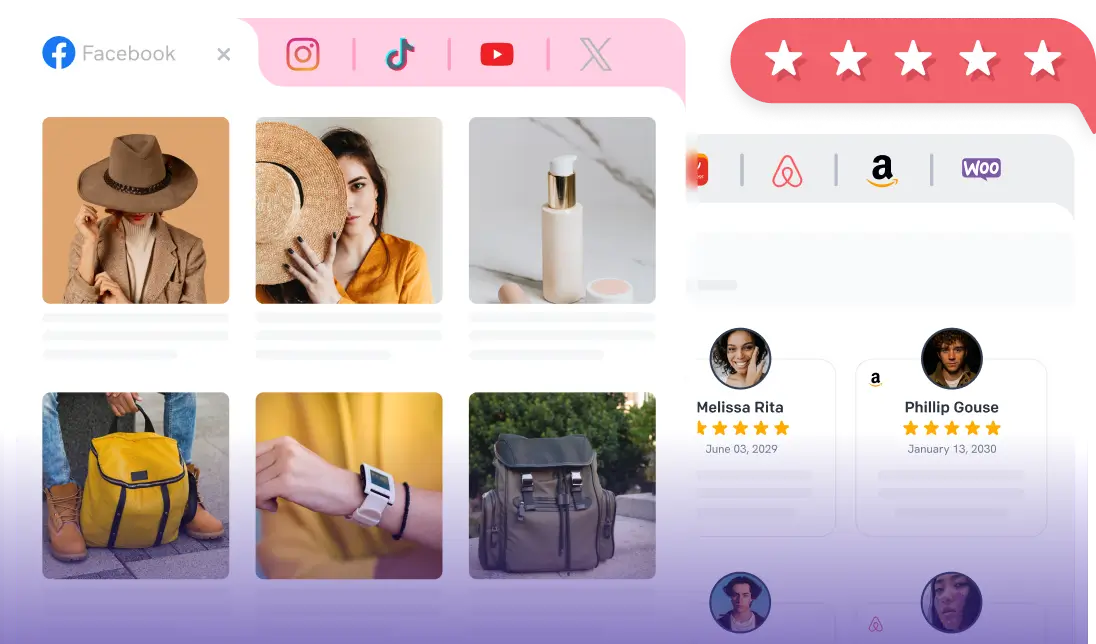
Your students are creating this for free, and most of it never reaches the people deciding whether to buy. This is where WP Social Ninja comes in, pulling those live feeds straight on your course pages and keeping them updated automatically.
The 5-step system for collecting & displaying course reviews
Here is the end-to-end workflow: build the course and community, collect testimonials or reviews from your students, display those internal reviews on your sales pages, auto-sync your social feeds for live external proof, and place everything strategically across your site.
Each step feeds the next, and the two plugins handle different parts of it. Work through them in order, and you’ll finish with a social proof system that keeps itself updated with almost no ongoing effort.
Step 1: Build your community and course with FluentCommunity
You cannot display reviews you have not earned, and you cannot earn them without a course people can buy, take, and finish. So the foundation comes first.
FluentCommunity is an all-in-one community and learning platform built by the WPManageNinja team, the same group behind Fluent Forms and FluentCRM. The WordPress.org plugin directory has built up a solid base of verified reviews from real users, which is worth checking yourself rather than taking my word for it.
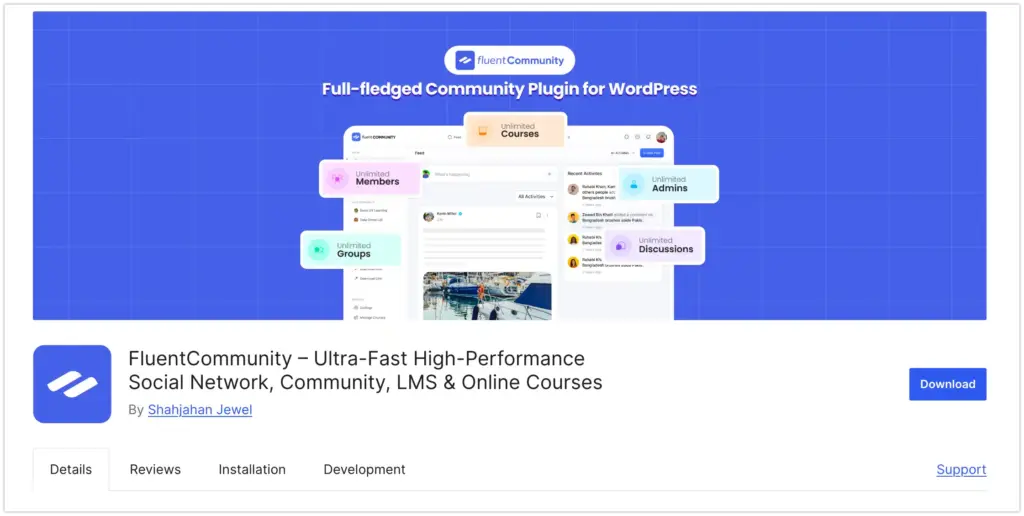
What makes it well-suited to a social proof strategy is that the course builder and the community are native to the same plugin. You create your course, structure it into modules and lessons, and attach a dedicated student community space where learners discuss what they’re working through.
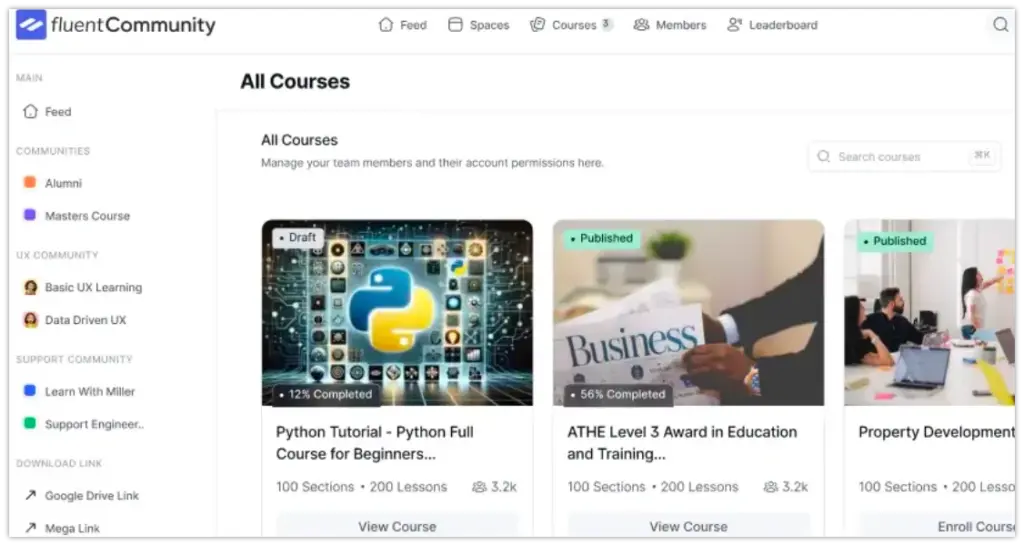
That post-lesson discussion is not just engagement for its own sake. It is where authentic testimonial material is generated. A student writing “module three completely changed how I price my work” in a community thread has just handed you a testimonial, with their name on it, in their own words.
This matters for completion, too. A course paired with an active community tends to keep students moving through it, and students who finish and get results are the ones who write you something worth quoting. The community is not separate from your testimonial pipeline. It is the start of it.
Special Note: For anyone arriving here from LearnDash, this is the part worth sitting with. A common WordPress course setup is LearnDash for the LMS plus BuddyBoss or BuddyPress for community plus a separate review plugin plus a social feed plugin, four moving parts, four sets of updates, four things that can break each other.
FluentCommunity combines the LMS and community into one. You can read more about its LMS features directly. I’m not going to tell you to rip out a working LearnDash site today; that would be irresponsible, and we’ll get to the honest version of the LearnDash situation further down. But if you’re building fresh or rethinking your stack, one plugin instead of four is a real difference.
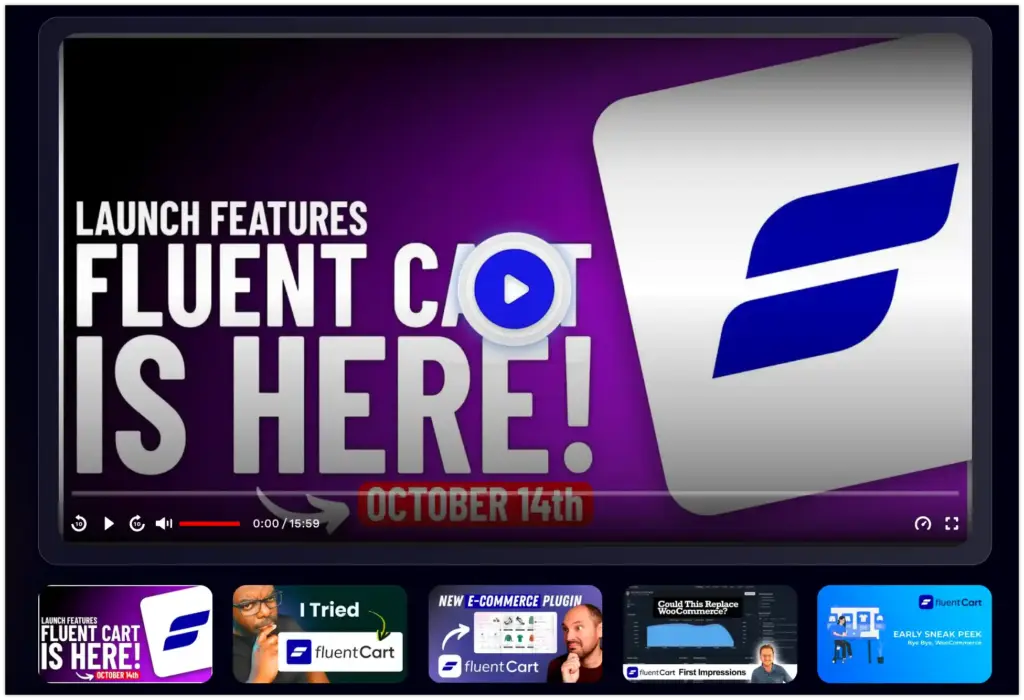
One note on payments: FluentCommunity builds and hosts the course, and you connect a checkout (FluentCart, from the same team, integrates natively, handles instant access on purchase, and automatic removal on refund). It’s worth setting this up before launch, so your first cohort can actually buy, because you need real students before you have real reviews.
Step 2: Systematically collect student testimonials with WP Social Ninja
Most creators either lack testimonials or have a review collection problem. Another major problem is that reviews are scattered across community spaces, emails, comments, and chat messages, and they never become something a future buyer can see. But anyone can solve these issues with a simple, repeatable system.
Right after a student finishes a lesson that clicked or completes the course, you can ask for reviews. FluentCommunity’s course community space is the natural place, because the feeling is fresh and specific. If you have random reviews or testimonials, we have flexible options to collect custom reviews with our native review form from multiple platforms and show them in any place on your website with multiple templates and customization options.
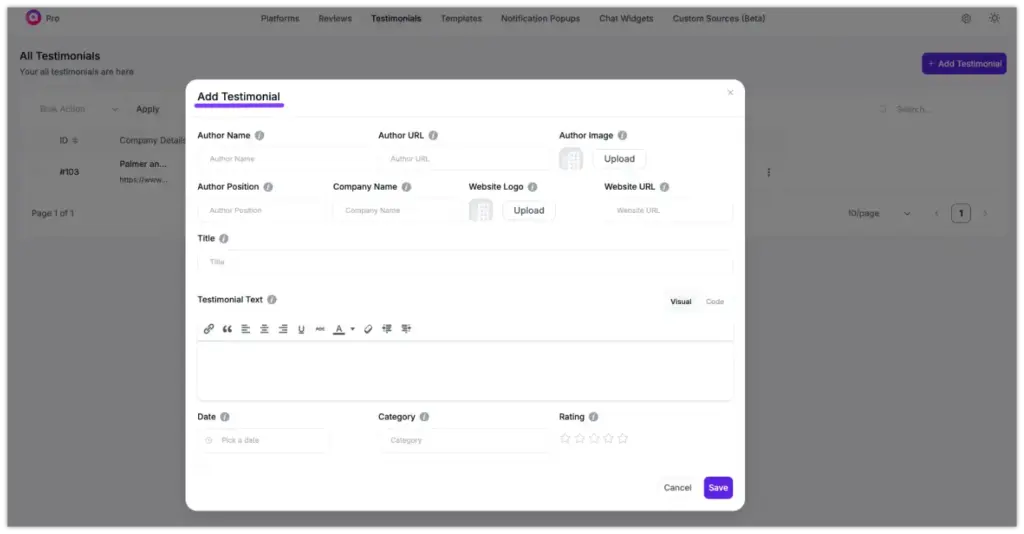
Use a light post-purchase email sequence. A common LMS best practice is to ask for feedback around 30 days after purchase, once a student has had time to apply what they’ve learned and see results. Keep the ask short and make responding almost effortless; every extra step costs you replies.
Ask for social posts with a branded hashtag. Give students an easy, specific way to share publicly, and that content can be surfaced automatically later (more on that in Step 4).
Ask outcome questions, “what could you do afterwards that you couldn’t before?”, rather than “what did you think?” And capture the trust signals that my personal experience says matter, like a full name, a job title or context, a photo, and where possible, video.
Step 3: Display internal reviews on your course pages
Collecting proof is half the job. The other half is placing it where decisions happen.
Take the written testimonials and video stories you’ve gathered and put them on the pages where money changes hands. Like it could be your course landing page and your checkout page. WP Social Ninja includes review and testimonial widgets that let you display this feedback in a clean, styled layout rather than as pasted-in text. Because it’s no-code, you can place it with a shortcode wherever you want it.
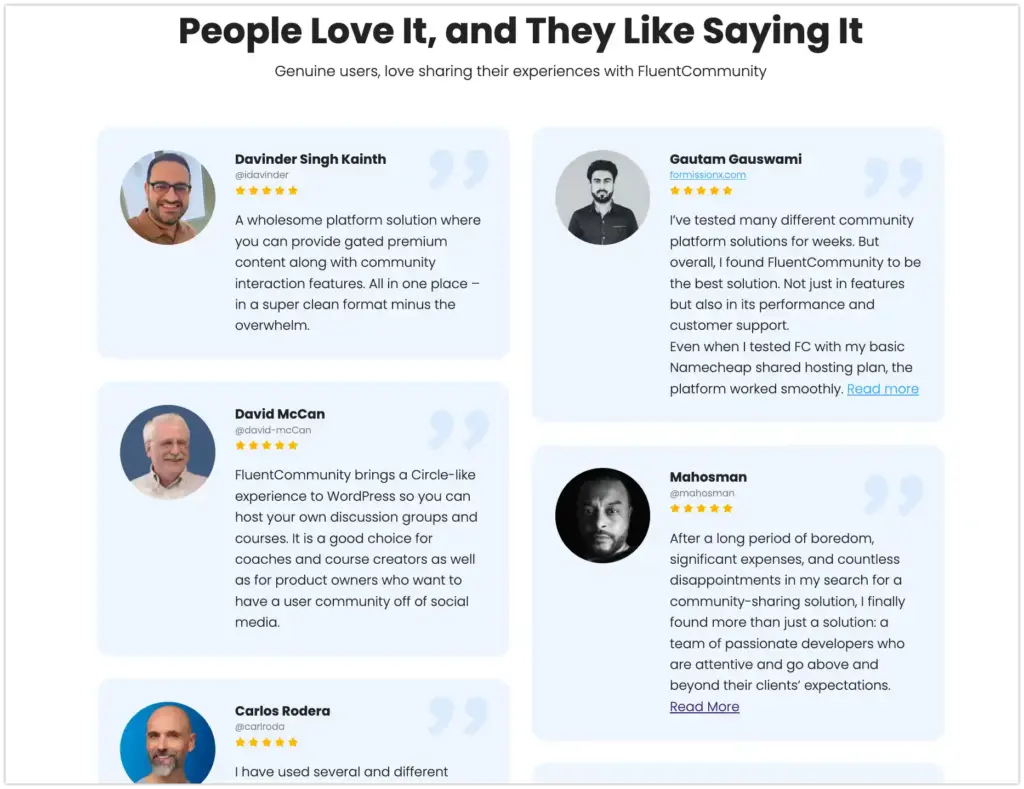
Placement is not decoration; it is timing. The highest-impact spots are next to the pricing section and beside the enroll button, the exact moments hesitation peaks. Conversion research summarized across the industry consistently points to proof near the call to action as the placement that moves the needle most.
WP Social Ninja’s customer review feeds for WordPress handle the review display, and you can also show social feed content and connect chat widgets from 16+ chat widgets, so you can connect with students and solve all pre-purchase inquiries.
Step 4: Auto-sync your reviews and feed for live social proof
This is where you stop doing manual work and let your students’ own content sell for you.
Right now, your students are posting about your course on Google, sharing wins on Facebook, recording reactions on YouTube, and filming results on TikTok. Most creators handle this the painful way. Like screenshotting a Facebook comment, saving it as an image, and uploading a static picture that’s frozen in time the moment they grab it. There’s a better way.
WP Social Ninja connects to your review, feed, and chat from 30+ platforms and displays a live, auto-updating feed of that content directly on your course pages. New reviews/posts appear without you touching anything.
Here’s the basic flow:
- Install and activate WP Social Ninja, then connect to a platform. The Instagram feed plugin is the one I’d start with, since Instagram is where most course UGC lives.
- Add the other platforms that fit your audience: the Facebook feed for WordPress, the YouTube feed widget for video testimonials, and the TikTok feed if your students post there.
- Set the refresh interval so the feed updates automatically. You can set your sync interval in WP Social Ninja so new content pulls in automatically.
- Place the feed widget on your course sales page with a shortcode.
The point is “set it and forget it.” For a course creator who already has too much to do, an automatically refreshing wall of real student content is one of the highest-leverage things you can put on a sales page, because it keeps the page feeling alive and proves, in your students’ own posts, that real people are getting real value.
Filter what you display so the feed stays relevant to the course, and check it on a phone, since a large share of course traffic is mobile and a feed that breaks on a small screen quietly costs you sales.
Step 5: Place social proof strategically across your site
Don’t stop at the sales page. Social proof works best when it shows up at several points and in several forms, since variety keeps it from blurring into background noise.
A practical placement map:
- Course sales page: Near the pricing and the enroll button (highest impact).
- Homepage: A feed or featured testimonials in or after the hero area.
- Sidebar: A rotating testimonial or live social widget.
- Post-enrollment thank-you page: To reassure new students that they chose well and reduce buyer’s remorse and refunds.
- Email sequences: Where a well-placed student result can re-engage someone who hesitated.
The FluentCommunity plus WP Social Ninja combination naturally covers this spread: internal written and video testimonials from your community, and live external UGC from your social platforms, each suited to different spots.
A note for LearnDash users (What actually changed, and your options)
If you’re a LearnDash user, you deserve a calm, factual version of what’s happened, not hype in either direction.
In April 2026, Liquid Web announced it was consolidating its WordPress software portfolio, the brands that sat under the StellarWP umbrella, into four core products. On May 12, the standalone product websites, including LearnDash.com, began redirecting to Liquid Web’s main domain, which is the moment most users realized something had changed.
Reporting from outlets covering the WordPress space, including WisdmLabs, WooNinjas, and others, documented the consolidation, the redirects, and the team changes that preceded them, including layoffs across the StellarWP brands in late 2025. Search Engine Journal, covering the rollout, reported that much of the backlash stemmed from confusion during the migration rather than the consolidation itself.
Here is the part that matters most, and that I won’t soften or exaggerate: LearnDash still works. It survived the consolidation as one of the four products Liquid Web is keeping. Existing customers keep their plans, pricing, and license keys, and per the reporting, security patches are committed at least through April 2027.
Your course content and student data live on your own WordPress install, untouched by who owns the brand. If your LearnDash site is running fine, there is no emergency and no reason to panic.
What has changed is ownership structure, brand identity, and team stability, the people and independent identity many users trusted. For some creators, that’s a non-issue. For others, it’s a reason to want a platform from an independent team that’s actively shipping.
If that’s you, FluentCommunity is worth evaluating on its merits, not as an escape from a burning building, but as a stable, WordPress-native option where your LMS and community live in one actively developed plugin. Look at its WordPress.org reviews and its pricing and decide for yourself.
Bringing it together
The system is a loop once you see it as a whole. You build a course in FluentCommunity and wrap it in a community that keeps students engaged. Engaged students finish, get results, and write specific, credible testimonials. You display those on your sales and checkout pages, and you let WP Social Ninja pull your students’ live social posts onto the page automatically. That proof converts the next buyer, who becomes the next round of proof.
Win your customers’ hearts with exceptional features
Discover how WP Social Ninja can assist you in designing outstanding customer experiences.
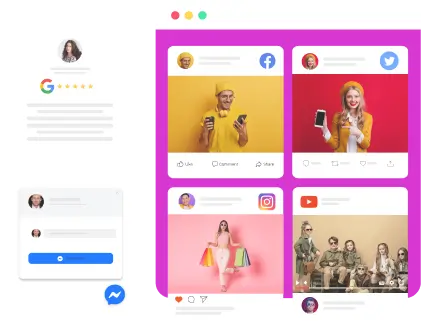
Two plugins, one workflow, no manual updates, no developer. If you’re building fresh or rethinking your setup after a turbulent few weeks in the WordPress world, start with the foundation: build something genuinely good, make buying it clean, then make the proof of its value impossible to miss.
Ready to set it up? You can try FluentCommunity to build the course and community, and look at WP Social Ninja pricing to add the social proof layer. If you want more walkthroughs, the WP Social Ninja blog and documentation have you covered.
Frequently asked questions:
Q: Why do student reviews matter for selling online courses on WordPress?
Ans: Because a course is a high-trust, can’t-preview purchase. Buyers rely on the experience of past students to decide. With an even greater effect on higher-priced items, exactly the category most courses fall into.
Q: How do I collect student testimonials automatically after course completion?
Ans: Prompt students inside your course community right after they finish (FluentCommunity’s community space makes this natural), back it up with a short feedback email around 30 days post-purchase, and encourage public posts with a branded hashtag that you can later surface automatically.
Q: What is the best plugin to display social media reviews on a WordPress LMS site?
Ans: WP Social Ninja is purpose-built for this, displaying reviews and live social feeds from platforms like Instagram, Facebook, YouTube, and TikTok on any WordPress page without code.
Q: Can I display Instagram or YouTube student posts on my course sales page automatically?
Ans: Yes. WP Social Ninja connects to those platforms and shows a live, auto-updating feed on your course page, so new student posts appear without manual updates.
Q: Is FluentCommunity a good LearnDash alternative for WordPress?
Ans: It’s a strong option for creators who want an LMS and community in one actively developed, independent-team plugin rather than stacking several plugins together. Whether it’s right for you depends on your needs; its WordPress.org reviews are a good place to judge real-user sentiment.

Subscribe To Get
Weekly Email Newsletter
Connect, Customize, and Display Social Feeds, Reviews, and Chat widgets

Trending Posts
-
-
 Mashfik Upal Aumy
 -





Leave a Reply