
Google Map Pack SEO: Essential Guide to Local 3-Pack Rankings


When a person nearby looks up one of the services you provide, chances are they will see your business in their search results. Instead, it showcases just three local businesses at the top, along with a map, reviews and contact on demand.
This section (known as the Google Map Pack) is where the majority of local customers are going to make their decision without scrolling any further.
If your business isn’t showing up there, you’re missing the boat and missing serving high-intent traffic that might be going to competing businesses, even if you have a better product or service. That’s why Google Map Pack SEO is now one of the most vital components in local visibility.
Being in the local 3-pack can bring more phone calls, more visitors, and trust, usually quicker than traditional SEO.
Read on, and you’ll find out what exactly the Google Map Pack is, how it really works to rank in the local pack results, and we’ve even provided steps you can follow so that your business has a better chance of appearing there.
TL;DR
- Google Maps pack is a Google search feature that shows a map and the top local businesses for location-based searches.
- It includes a visual map with location pins, up to top local business listings, key details like address, phone number, hours, reviews, photos, and quick action buttons.
- Google Map pack appears when it’s triggered by “near me,” city-based, or service searches where Google detects local intent.
- It matters because it sits above organic results, earns more clicks, builds trust through reviews, and drives calls, visits, and foot traffic.
- Appearing in the Google Map Pack is free through a Google Business Profile (ads may appear separately).
- Optimize your Google Business Profile, earn real reviews, keep NAP consistent, add photos, improve your website for local SEO, and track performance regularly.
What Is the Google Map Pack?
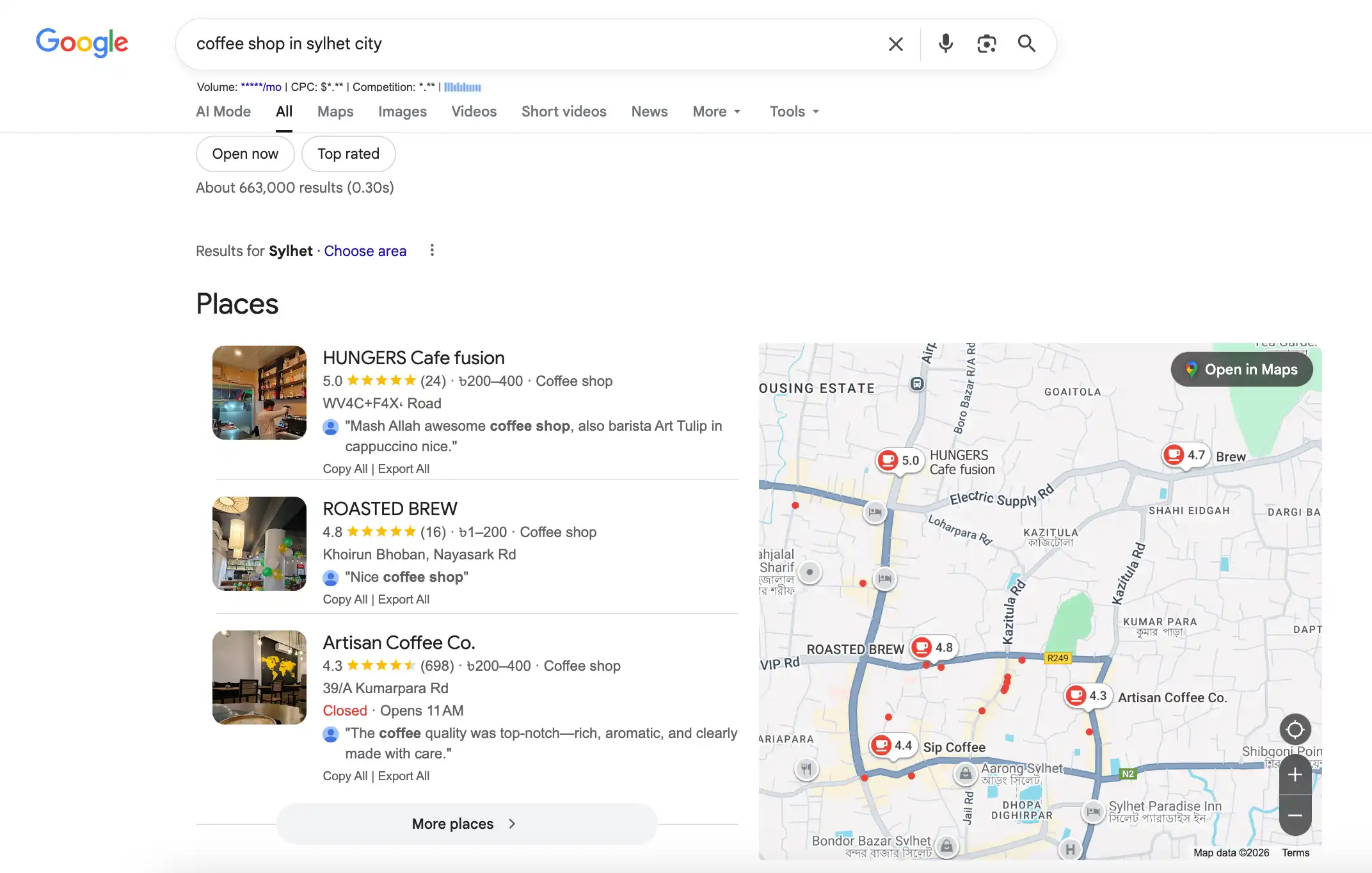
The Google map pack is a SERP feature that shows three local businesses with a map for location-based searches. It’s also called the Google local pack, Google 3 pack listing, or local map pack.
The local pack SERP seems above organic results. This includes business name, address, phone number, ratings, reviews, hours, photos, and options for calls or directions.
How It Works
When users search with local intent, Google’s algorithm chooses three businesses. It is usually based on the relevancy to the query, proximity to the searcher’s location, and overall business prominence.
What is Google local pack ranking based on? The results are personalized based on GPS location, which makes each Google Maps pack display uniquely to the user’s position.
Map Pack vs. Organic Search Results
The SEO local pack operates on a separate algorithm from traditional SEO. Here’s what makes local pack SEO different from standard rankings:
Algorithm Focus:
- Google map packs use local ranking signals (proximity, reviews, citations)
- Organic results prioritize content quality, backlinks, and domain authority
User Experience:
- Google packs offer click-to-call, directions, and hours at a glance
- Organic results require clicking through to websites
Personalization:
- Map pack Google results change based on the user’s physical location
- Organic results stay relatively consistent regardless of location
Mobile Optimization:
- Google local pack is designed specifically for mobile-first searches
- Organic results follow standard mobile-responsive design
This difference means you need specific local 3-pack SEO strategies beyond traditional website optimization to rank in the map pack Google displays.
Want your business to show up in local searches when customers are ready to buy?
Why Map Pack Rankings Matter
Map Pack rankings directly influence how often customers find and choose your business. Understanding the facts behind them helps you prioritize map pack SEO and local pack ranking in your marketing strategy.
Search Volume and Intent
When people search for local services, they’re ready to take more than just research. It says, 88% of people who search locally on smartphones visit or call a business within a week, indicating high follow-through from search to action.
Traffic and Conversions
Businesses that appear in the Google Maps pack get 126% more traffic than those that don’t. More importantly, local mobile searches usually lead to real visits and purchases within 24 hours. It’s not just visibility; it’s the direct revenue impact from strong local pack Google positioning.
Cost-Effectiveness
Unlike paid ads, which require ongoing spending, local pack ranking is organic. Once the Map Pack is optimized for SEO, your Google Business listing continues to generate leads without any per-click costs. Local 3-Pack optimization allows small businesses to compete effectively with larger brands without the ongoing expense of paid advertising.
Trust and Credibility
Studies show that about 84% of people trust online reviews as much as personal recommendations. Being on the Google 3 Pack list with strong reviews instantly builds credibility. The selection of only three businesses by Google acts as a trust signal that influences your customers’ decisions.
Google Map Pack Ranking Factors
Google considers three main factors when deciding who appears in the Local 3-Pack. Once you understand these, it’s easier to focus on what actually improves local visibility.
Proximity: How Close You are to the Searcher
Distance matters. Google usually shows businesses that are closer to the person searching, which is why results may vary person to person.
What helps:
- Match your real service area
- Set accurate service locations
- Use separate profiles for each location
Relevance: How Well You Match the Search
Relevance is about how well your business fits what someone is looking for. Google checks your categories, services, description, and how complete your Google Business Profile is.
What to Focus on:
- Choose the right main category
- Add only useful secondary ones
- Describe services clearly
- Write for real customers
- Complete your profile
Prominence: How Trusted Your Business Looks
Prominence comes from reputation. Google looks at reviews, mentions, links, and overall activity to decide how established your business is.
How to Improve It:
- Get regular reviews
- Keep details consistent
- Earn local mentions
- Build brand searches
How to Rank on Google Map Pack
It’s not about taking shortcuts to rank in the Google Maps pack. Rather, it’s about showing Google that your business is active, reliable, and relevant in a particular location.
The steps below highlight the key factors that directly impact your local rankings.
Optimize Your Google Business Profile
Your Google Business Profile is the first thing Google and customers pay attention to. So, first of all, claim and verify your profile. Then fill in each field with accurate details, including business categories, services, description, service hours and areas.
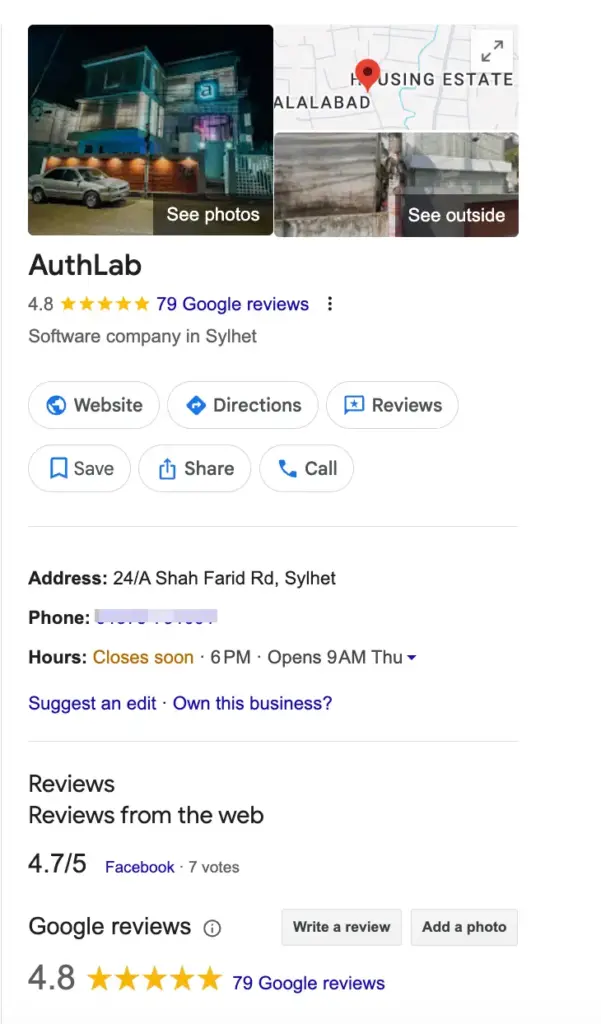
If you have a complete profile, it will help Google match your business in local searches and make it easier for customers to find you. Keep your information up to date if there are any changes.
Add Clear, Realistic Photos That Build Trust
Always use high-quality photos to show Google and customers that your business is real and active. Add images of your services, office, products, team and completed projects. Also, include recent photos regularly; This will improve engagement and click-through rates.
Google favours businesses with original visual content, as it shows activity and transparency. Avoid stock images. Authentic views make your profile more attractive and credible to potential customers.
Ensure Consistent Local Citations Everywhere
Online business information is validated by local citations. Verify that your NAP (name, address, and phone number) is consistent across Google, directories, social media profiles, and other platforms.
Need the best ways to ask for a review? Learn 10+ Proven Ways to Get More Customer Feedback.
Maintaining consistency helps Google link your company to a particular area, reduces confusion, and improves trust signals.
To fix inconsistent or out-of-date information, audit citations on a regular basis. Accurate citations improve visibility in local search results and make your business easier to find.
Collect Reviews and Respond to Reviews Regularly
Reviews are a major ranking factor and influence customer decisions. Ask for reviews from customers, respond to every positive and negative feedback and maintain a constant flow of receiving new reviews.
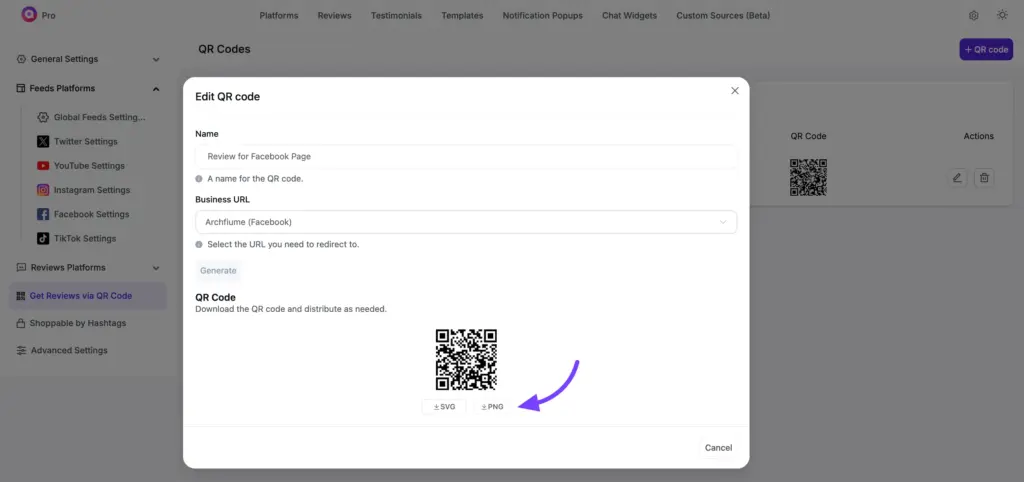
Avoid sudden spikes by buying Google reviews, which may seem unnatural. Connect with customers and manage your Google reviews to show that your business is active. This will build trust with potential clients and help highlight your strengths while addressing professional concerns.
Also learn: How to Edit Google Reviews & Respond: Complete Guide.
Display Google Reviews and Optimize Your Website for Local Signals
Once you begin receiving reviews from Google, make sure to add them to your website. This is important because bringing the reviews to your website will help establish instant credibility for visitors and assure them that your website is trustworthy. Visitors will feel comfortable to visit and contacting your website when seeing reviews from locals.
Using WP Social Ninja, a Google reviews plugin, you can showcase your Google reviews in key pages such as your home page, services page, landing page, or contact page. Adding Google reviews close to a CTA button or a description of a service will have a very positive effect.
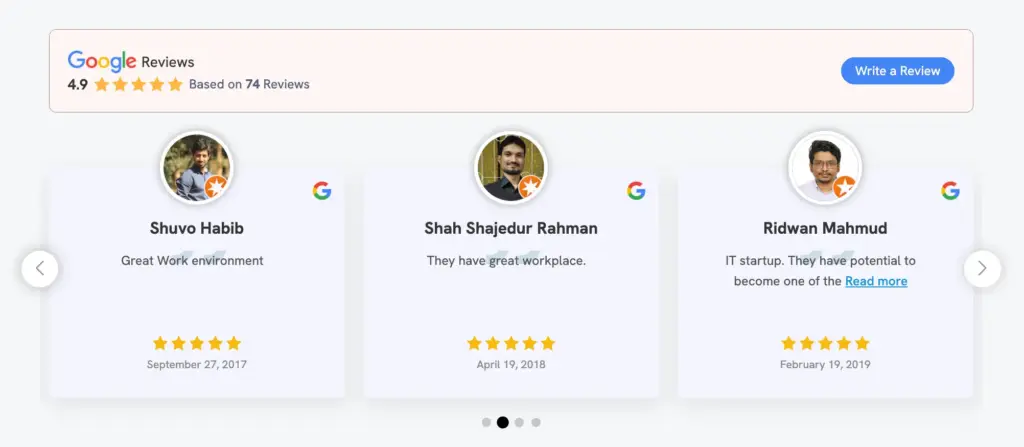
In addition to reviews, it is important that your site expresses that your business serves a particular niche. Enter your location, add the area you serve, link a Google Maps location on the contact page, and utilize the schema for Google to recognize your location-based business. Ensure your site is loading quickly and is mobile-friendly.
Win your customers’ hearts with exceptional features
Discover how WP Social Ninja can assist you in designing outstanding customer experiences.
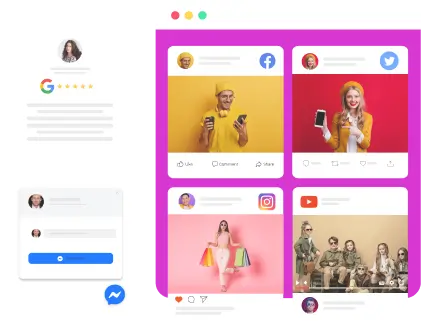
Special Note: When your website integrates visible reviews from customers and strong local signals, your website will be more trusted by users and seem relevant to local search results. This will bring your website closer to the Google Maps pack. To do this nicely, WP Social Ninja will allow you to customize your reviews template with its reviews feature, like AI summarizer, to get more reviews, you can add reviews button, for SEO improvements, you can add schema, and more.
Pro Tip: Track Map Pack Performance
Tracking Map Pack performance helps you understand whether your local SEO efforts are working and where to improve. Since Google rankings vary by location and user behavior, consistent Google Map pack tracking is essential.
Google Business Profile Insights
- Search types (direct vs. discovery)
- Queries that trigger your listing
- User actions like calls, directions, and website visits
- Photo views and engagement
Local Rank Tracking
- Track map pack positions for target keywords
- Check rankings from multiple locations within your service area
- Use manual searches or local rank tracking tools
Key Performance Metrics
- Impressions in the Google local pack
- Click-through rate on your listing
- Direction requests and phone calls
- Website visits from your profile
Focus on metrics that lead to real actions, not just visibility, to measure the true impact of your Map Pack SEO efforts.
Take Action on Map Pack SEO
Optimizing for the Google Map Pack isn’t hard, but it does take regular attention. Start by claiming your Google Business Profile and filling out all the details to improve your local rankings. Then focus on getting real customer reviews and keeping your business information accurate.
Check your progress each month using Google Business Profile Insights and make changes based on what you see. Businesses that do well in the local 3-Pack consistently follow these basics.
Where you rank in the Map Pack affects how many local customers find you. By following these steps, you can improve visibility, drive more traffic, and increase conversions from local searches.
Frequently Asked Questions
What is the difference between a map pack and a local pack?
These terms refer to the same Google feature. “Map Pack,” “Local Pack,” “Local 3-Pack,” “Google 3 Pack Listing,” and “Google Pack” all describe a three-business listing with a map display that appears at the top of local search results.
How long does it take to rank in Google Map Pack?
The timeline for local pack SEO varies according to competition level and optimization quality. In less competitive markets, results may be visible in 4-6 weeks. Highly competitive industries require 3-6 months of consistent Map Pack SEO efforts before achieving Google Maps Pack visibility.
How many reviews do I need to rank in the Local Pack?
There is no set number of reviews for local pack ranking. Quality, consistency and response rate matter more than quantity in the SEO local pack. However, most competitive markets require at least 10-20 reviews to compete in the Google Local pack, with saturated areas requiring more.
Does Google Ads Map Pack help ranking?
Google Ads Organic Map Packs do not directly impact Google rankings. However, increased visibility from ads can increase traffic, generating indirect benefits through engagement metrics that support local pack SEO efforts.
How often should I update my Google Business Profile?
Update instantly when information changes for optimal map pack SEO. Plus, add new photos monthly, publish posts weekly and respond to reviews within 24-48 hours. Regular activity indicates active management and improves local pack ranking.
Can I use WP Social Ninja for review management?
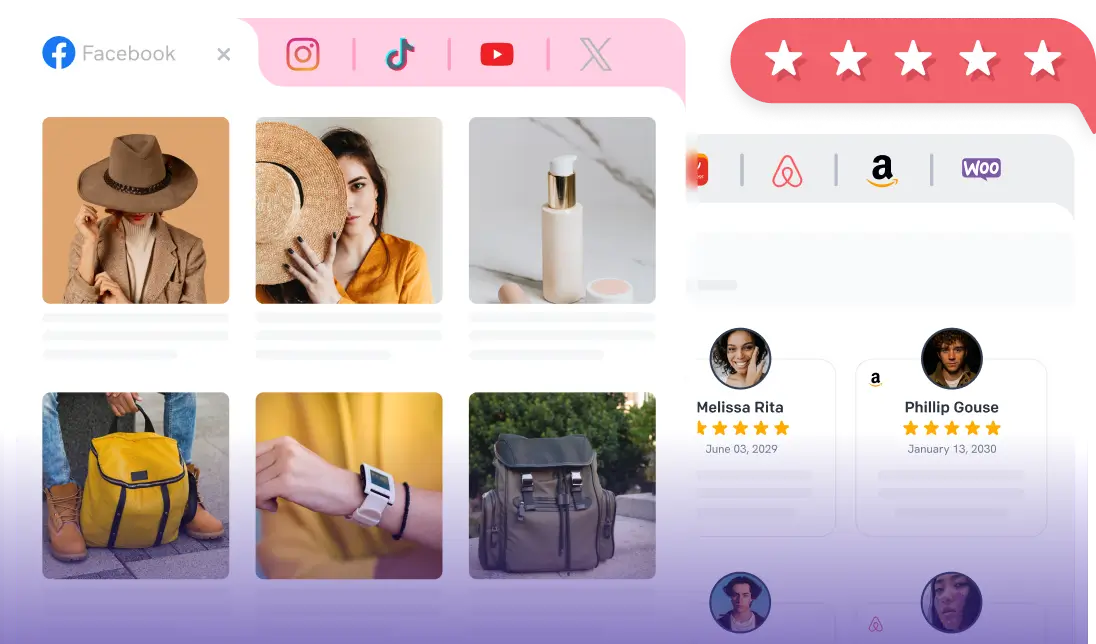
Yes. WP Social Ninja is a review plugin for WordPress that collects, organizes, and presents real reviews from over 10+ platforms (including Google, Facebook, Yelp, Airbnb, Yelp, TripAdvisor, WooCommerce, and more). It’s an easy-to-use plugin that doesn’t need for coding, offers multiple features like auto-sync for real-time updates, smart filters (display only 4-5 stars, hide specific reviews), AI-generated review summarizer, customizable templates (grid, carousel, slider), review Notification Popups, get more reviews by adding a custom “Write a Review” button and more.

Subscribe To Get
Weekly Email Newsletter
Connect, Customize, and Display Social Feeds, Reviews, and Chat widgets


Trending Posts
-
 Mashfik Upal Aumy
 -
-
 Mashfik Upal Aumy





Leave a Reply