


WP Social Ninja Review (2026): Features, Pricing & Free vs Pro


Most WordPress sites end up running three or four plugins to look trustworthy. One for the Instagram feed. One for Google reviews. One for a WhatsApp button. Maybe a fourth for popups. WP Social Ninja exists to collapse that stack into a single plugin.
This review covers what the plugin does today, what you get on the free version versus Pro, what it costs, where it fits, and where it does not.
We build and maintain WP Social Ninja, so treat this as a practitioner walkthrough written from inside the product, not a neutral third-party test. We have kept the limitations in on purpose, because a review that only lists strengths is not useful to anyone deciding what to install.
TL;DR:
- WP Social Ninja is an all-in-one social proof plugin for WordPress. It handles business reviews, social feeds, chat widgets, notification popups, and testimonials from one admin panel and 30+ platforms.
- The free version is enough to display reviews and a basic feed. Pro unlocks the styling, filtering, extra platforms, and the review-collection tools most businesses actually want.
- Best for small businesses, agencies, WooCommerce stores, ecommerce stores, hospitality, and creators who want to display social feeds, business reviews, and a connect chat button in one license instead of multiple plugins or licenses.
- The free version has 4+ social feed platforms, grid feed layout, 2 review sources including Google, 3 chat channels, GDPR, schema snippet, and Quick Builder wizard.
- Pro pricing: Single Site $44/yr, Agency (25 sites) $149/yr, Unlimited $249/yr at the current 50% special discount. All plans include every platform.
- Main trade-off: The free tier is deliberately narrow, and each module is built for breadth across a whole website rather than to out-specialize a single-network tool.
Background & timeline
WP Social Ninja, from the very beginning, aimed to serve all social media marketing or social proof needs that a business website has to promote its products or services. To make it successful, the Ninjas team went through many work cycles that gave this plugin complete functionality and helped it make its place in the market.
At a glance at how we developed WP Social Ninja:
- Inception ( November 09, 2019)
- First release ( January 01, 2020)
- Release Twitter Feed (January 28, 2020)
- Rename from WP Social Review – WP Social Ninja (July 06, 2020)
- Release YouTube Feed (October 29, 2020)
- Release Instagram Feed (February 13, 2021)
- Code refactor(March 16, 2021)
- Chats widgets release ( September 10, 2021)
- Pro version release ( September 22, 2021)
What is WP Social Ninja?
WP Social Ninja is an all-in-one social proof plugin for WordPress, built by WPManageNinja, the team behind Fluent Forms, FluentCRM, FluentCart, and FluentCommunity.
It pulls social content into your site: business reviews, social feeds, chat widgets, notification popups, and testimonials. It ships as a free plugin on WordPress.org, and a Pro license unlocks the rest in place with no second plugin to install.
One point to set expectations early. WP Social Ninja displays inbound content. It shows reviews, feeds, and social proof on your site. It does not publish outbound posts to social networks. That is a different job handled by scheduling tools.
The plugin has 30,000+ active installations and a 4.8-star rating across its WordPress.org reviews, which is a useful signal when you are weighing whether a freemium plugin is actively maintained.
Who is it built for
WP Social Ninja is a fit when social proof does real work on your site, not just decoration.
The plugin earns its keep for people who depend on reviews, feeds, or chat to build trust and drive action, and who would rather manage that from one place than juggle several plugins. A few buyers get the most out of it:
WP Social Ninja fits a specific buyer well:
- Local businesses and service providers that live on Google reviews and want them on the site with schema markup for SEO.
- WooCommerce and FluentCart stores that want to display and collect product reviews without a separate review plugin.
- Agencies and freelancers managing many client sites who want one license covering feeds, reviews, and chat.
- Restaurants, hotels, and travel businesses that pull proof from Google, Yelp, Tripadvisor, Airbnb, and Booking.com.
- Creators and bloggers who want their Instagram, TikTok, YouTube, and Facebook content on-site to keep visitors engaged with chat communication for PR.
Even if you only need one thing right now, WP Social Ninja still fits. Its Instagram feed is feature-rich on its own, and you can run just that one feed without touching the rest.
Platforms you do not connect stay inactive, so they add no load to your site and no drag on speed. You get a single-purpose tool today and the room to add reviews, chat, or more feeds later, all from one plugin.
WP Social Ninja’s five modules, tested
WP Social Ninja bundles five social proof tools into one WordPress plugin: business reviews, social feeds, chat widgets, notification popups, and testimonials.
Every module runs from the same admin panel, works across 30+ platforms, and can be used on its own or together.
Here is what each one does and where the free-to-Pro line sits.
1. Business reviews
Reviews are the strongest reason most people pick WP Social Ninja over a feed-only plugin. You can aggregate business reviews from multiple platforms into one display: Google Business Profile, Facebook, Yelp, Tripadvisor, Airbnb, Booking.com, AliExpress, WooCommerce, FluentCart, Fluent Forms, and any custom sources.
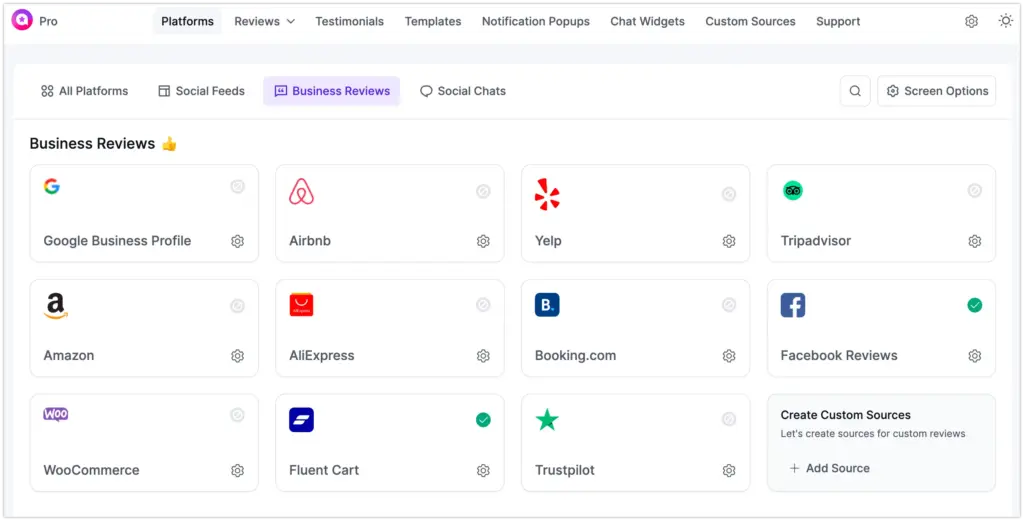
The free version includes 2 review sources, and Google reviews are one of them, with schema snippet output so search engines can read the rating. That alone covers a lot of local businesses.

Pro opens the rest: 8+ review platforms, filtering by rating and keyword, combining multiple business profiles into one feed, an AI review summarizer that writes a short overview of all reviews, a verified reviewer badge, notification popups tied to reviews, and import and export for custom reviews.
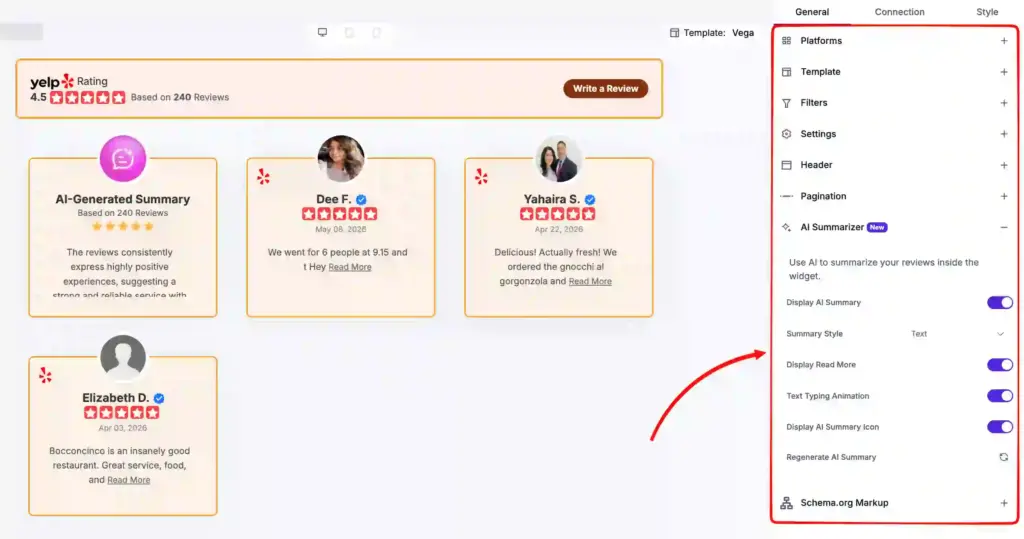
Version 4.2 added something most review plugins still lack: a native review form builder that drops into WooCommerce and FluentCart product review pages or a custom source via shortcode.
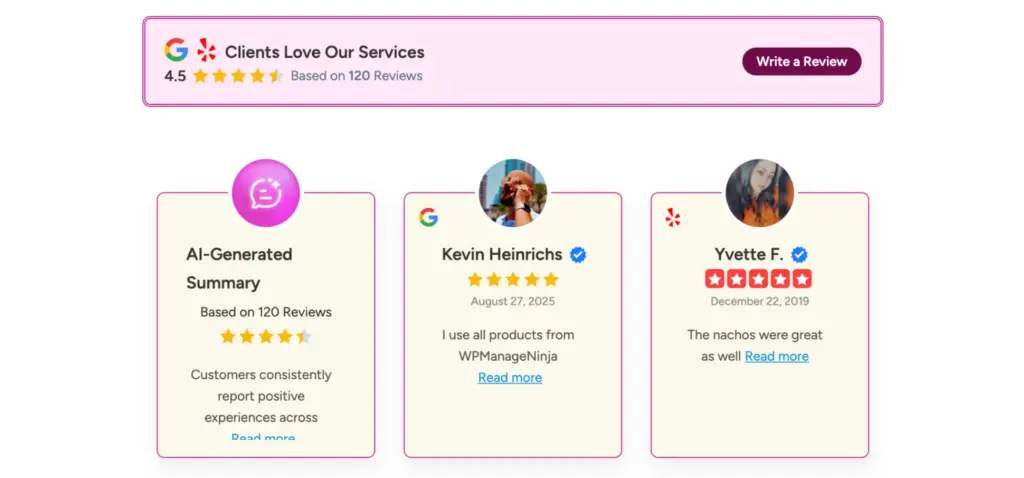
It supports rating fields and photo uploads, and it replaces the default WooCommerce review fields once active. For a store, this removes the need for a second review-collection plugin.
2. Social feeds
The social feeds module covers Instagram, Facebook, YouTube, and TikTok. You connect an account, pick a template, tune the layout, and drop a shortcode anywhere.
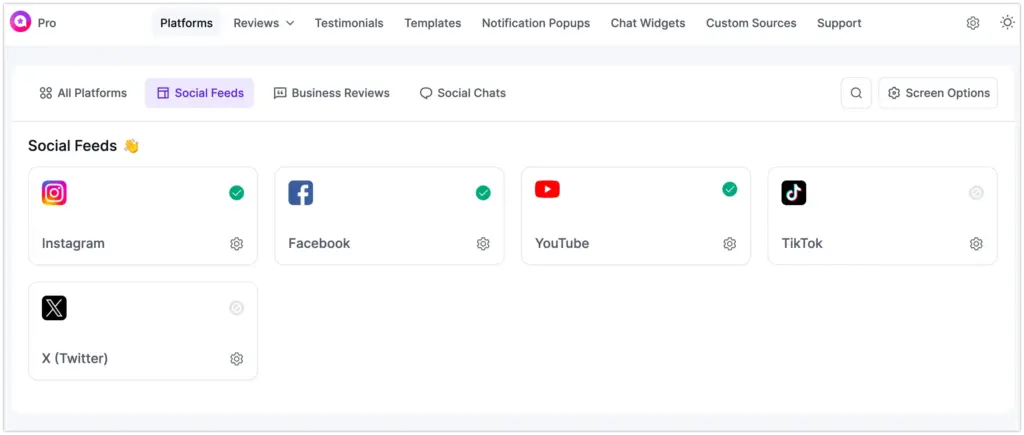
Free gives you a working grid feed with limited styling. Pro is where the feed becomes flexible: multiple layouts and templates, hashtag and keyword filtering, show and hide rules, header customization, pagination, like and subscribe buttons, and Facebook event and album feeds.
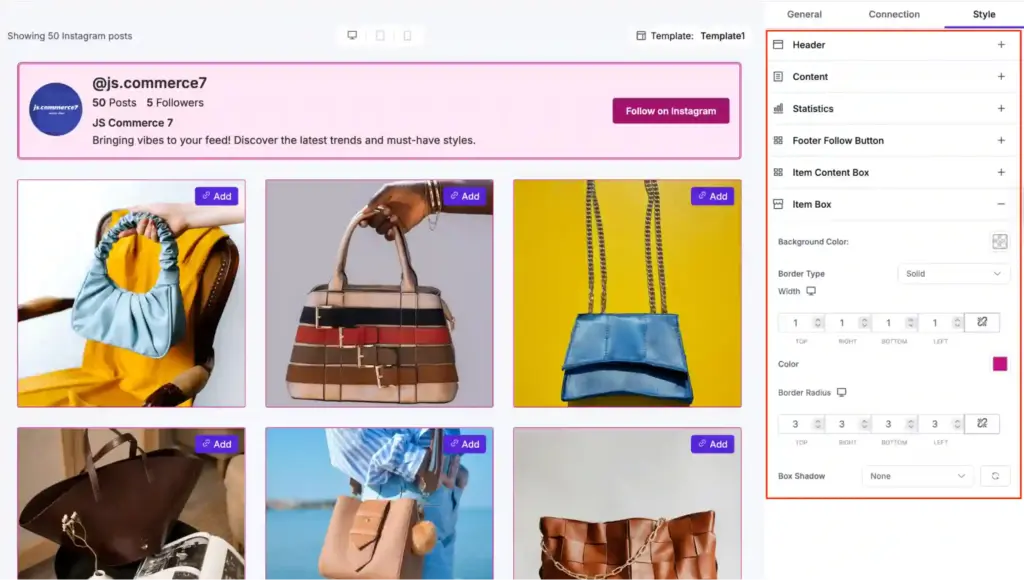
Two feed features stand out. The shoppable Instagram feed lets you tag products directly on posts, turning a gallery into a sales path.

And GDPR image storage saves every feed image locally on your own server instead of relying on the social platform’s servers on each visit. That keeps visitor data private and loads pages faster.
Want to know how to embed social feed on WordPress websites read the full guide.
3. Chat widgets
WP Social Ninja has one of the deepest chat-widget catalogs in the WordPress space. The chat widget module connects 15+ channels in Pro, including WhatsApp, Messenger, Telegram, Viber, Slack, WeChat, and more. The free version covers 3 channels, so you can ship a WhatsApp chat button without paying.
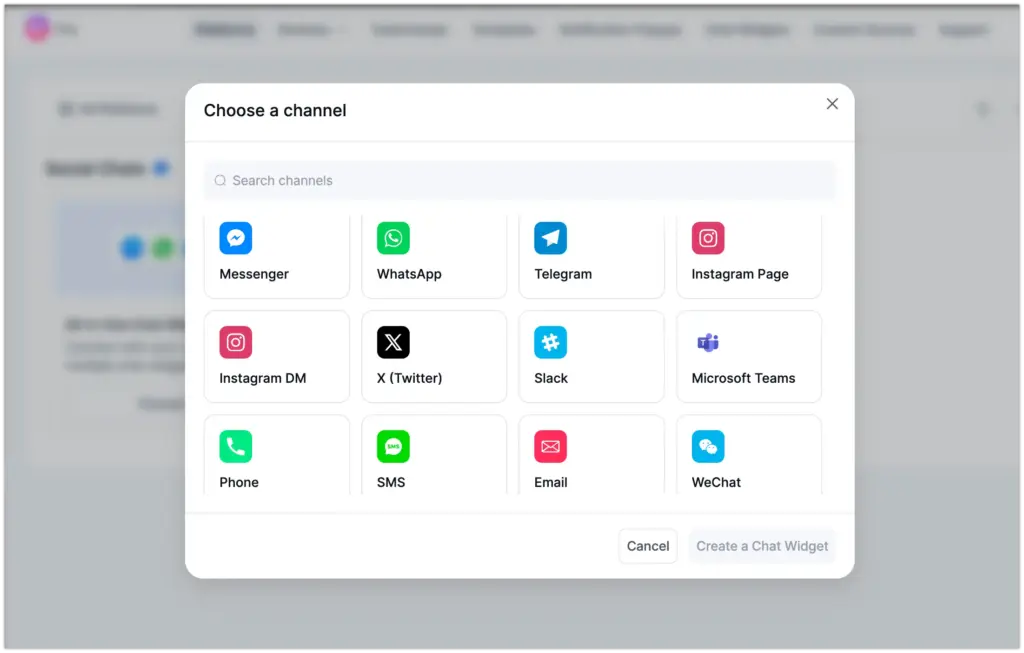
Each widget goes deeper than a static button. You can set business hours so it appears only when you are online, add offline waiting text for after-hours visitors, and greet people with a personalized welcome message.
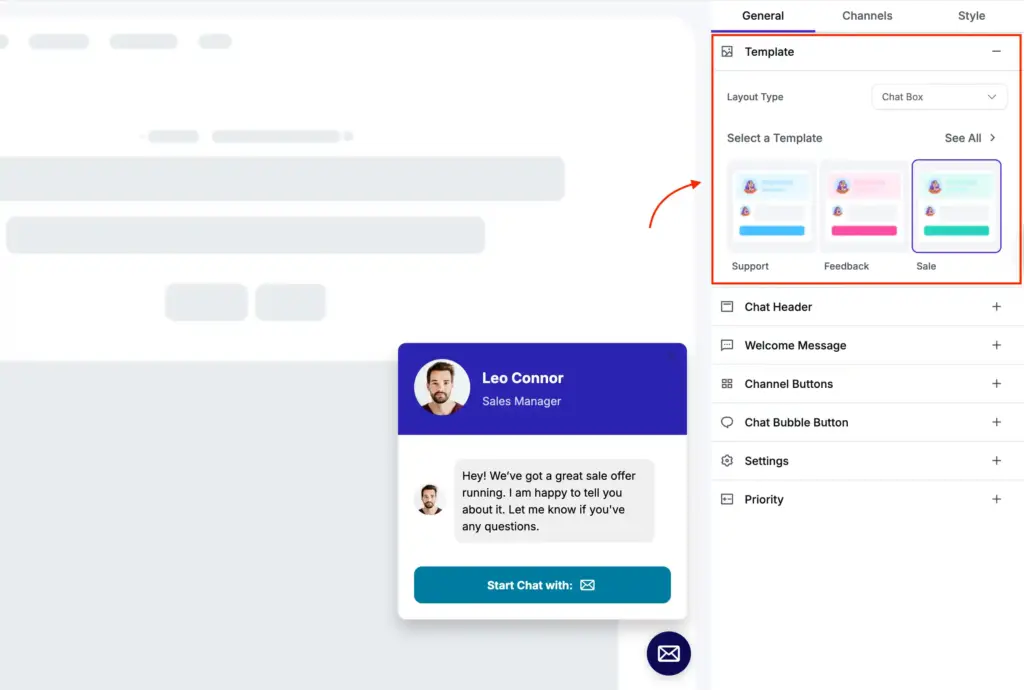
The look is yours to control: a custom profile and header, a custom bubble icon and corner position, and template styling to match your brand.

Display rules are granular. Show or hide the widget on specific pages, target desktop and mobile separately, and switch on a pop-up chat box on any page. Setup is a form, not a code snippet.
4. Notification popups
The notification popup module shows small, real-time proof popups that surface your reviews as visitors browse. Think of a recent 5-star Google review sliding in on a product page. It pulls from multiple review sources, including Google, Facebook, Booking.com, WooCommerce, and custom reviews.
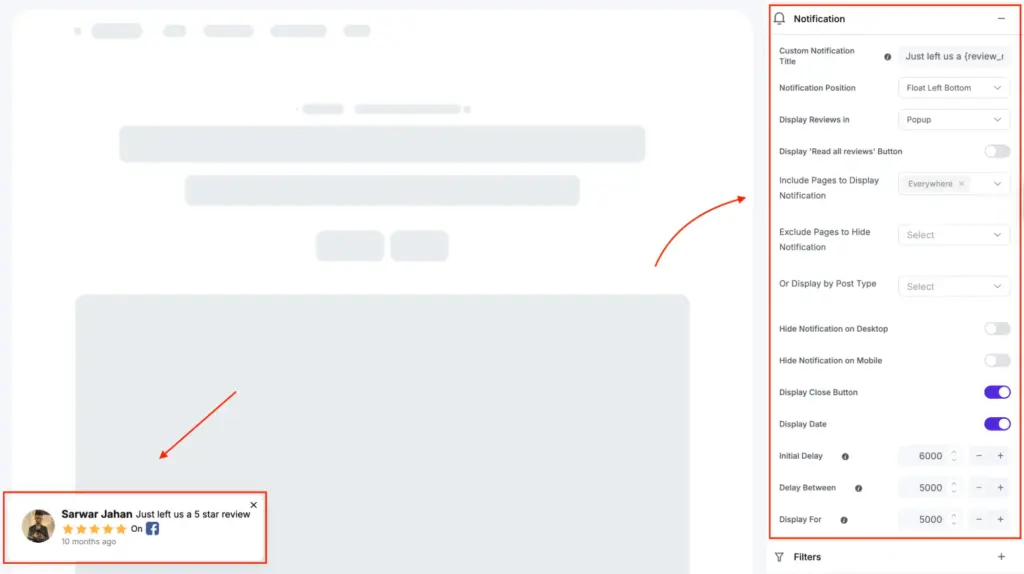
You control where and how it shows. Set the title and screen position, choose which pages it runs on, include or exclude specific pages or devices, and add a “Read All Reviews” button that sends interested visitors to your full review feed.

Templates and custom styling let it match your brand. This is a Pro module, and it replaces the standalone FOMO plugins that many sites bolt on separately.
5. Testimonials
The testimonial widget is a slider for collecting and displaying customer quotes. Each entry can carry the reviewer’s name, photo, company, review title, rating, date, and category, so the testimonial reads as credible rather than anonymous.
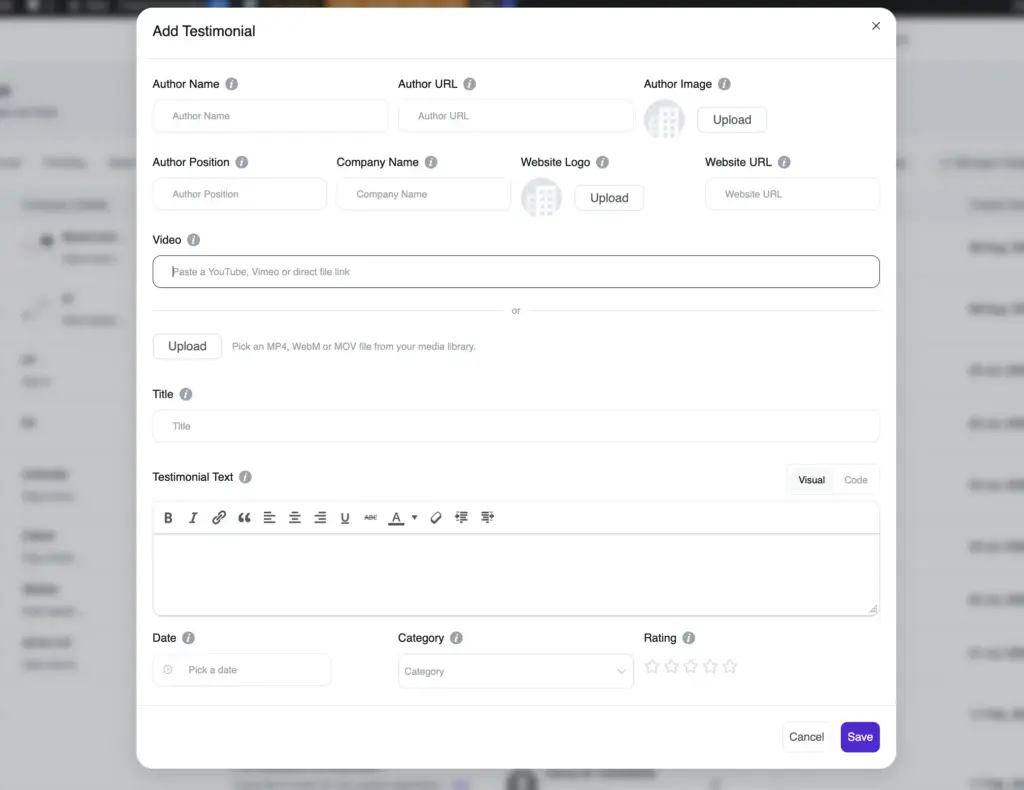
You collect new ones through Fluent Forms, and there are pre-designed templates with show and hide controls, pagination, and full styling to fit your brand.
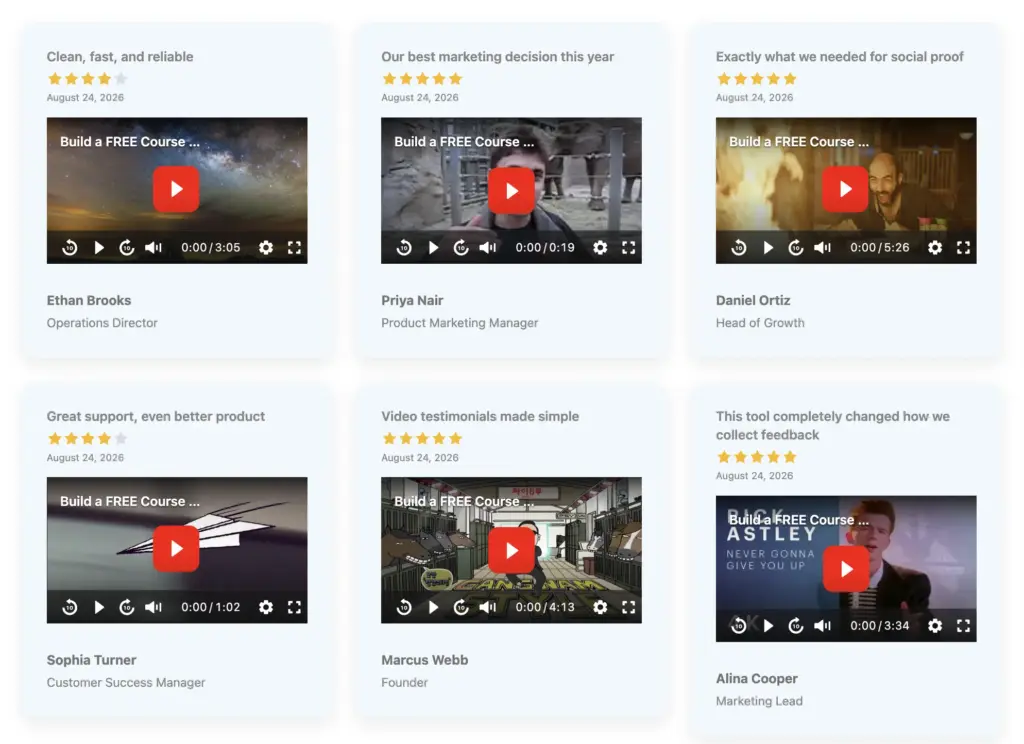
Version 4.4 added video testimonials, a strong format for sales and course pages where a short clip converts better than text. The widget stays responsive across desktop and mobile.
Free vs Pro: what you actually get for free
Here is the honest split. The free plugin genuinely displays reviews, basic feeds, and a chat button on WordPress websites. Pro unlocks styling, filtering, the collection tools, and the extra platforms. Quick overview:
| Area | Free | Pro |
| Social feed networks | 4+ (Instagram, Facebook, YouTube, TikTok) | Same 4+, all features |
| Feed templates / layouts | 1 template, 1 layout | 4 templates, 4 layouts |
| Feed styling, pagination, header, hashtag filtering | No | Yes |
| Shoppable Instagram feed | No | Yes |
| Review platforms | 2 (including Google) | 9+ |
| Review templates | 5 | 9 |
| Review schema snippet | No | Yes |
| Review filtering, custom reviews, Fluent Forms collection | No | Yes |
| Write a Review button | No | Yes |
| Notification popups | No | Yes |
| Testimonial widget (full details) | No | Yes |
| Chat platforms | 2 | 16+ |
| Chat templates / bubble icons | 2 templates, 1 icon | 4 templates, 5 icons |
| Custom bubble icon and bubble text | No | Yes |
| Auto-sync, GDPR image storage, multi-account, shortcode | Yes | Yes |
| Priority support | No | Yes |
Free is enough to show a Google review block and a plain Instagram grid on a simple site. Two review sources, three chat channels, multiple feed templates, auto-sync, GDPR image storage, multiple accounts, and shortcode support all work without paying.
The line most people hit is styling and collection. Free gives one feed template and a limited layout, with no style panel, no pagination, and no hashtag filtering.
Reviews display, but without a schema snippet, major filtering, or a Write a Review button. Notification popups, testimonials, custom review sources, Fluent Forms collection, the shoppable feed, and the extra review and chat platforms are all Pro.
The full Free vs Pro comparison lists every row if you want the granular view.
WP Social Ninja setup and ease of use
Setup is fast for any one module. The Quick Builder wizard walks you through four steps: pick a category, pick a platform, connect the account, and choose a template.
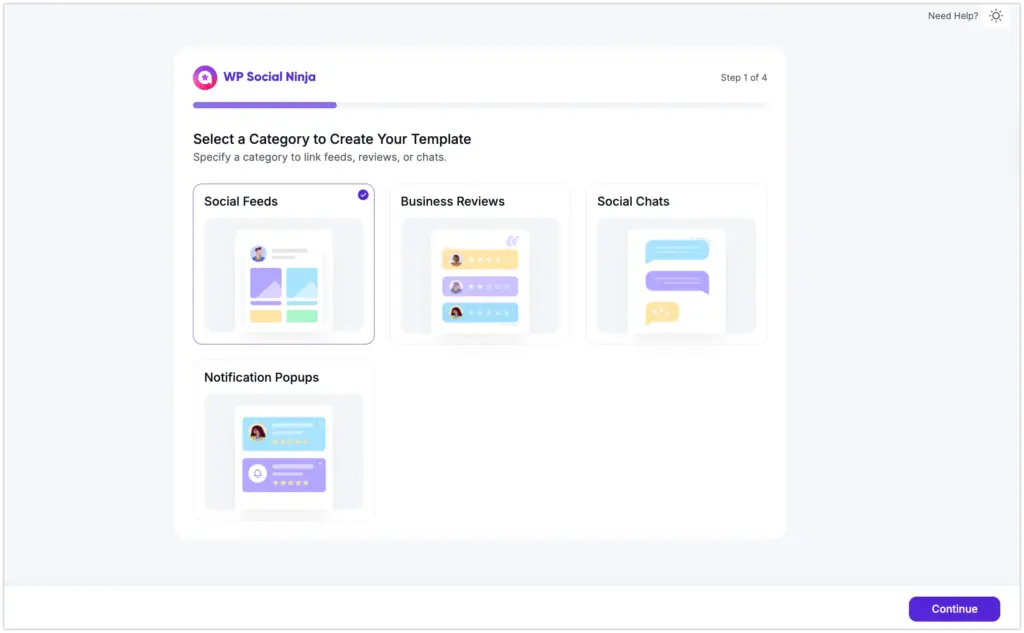
You land in an editor with a live preview that updates in about a second, and the save button keeps the same shortcode ID so existing embeds keep working.
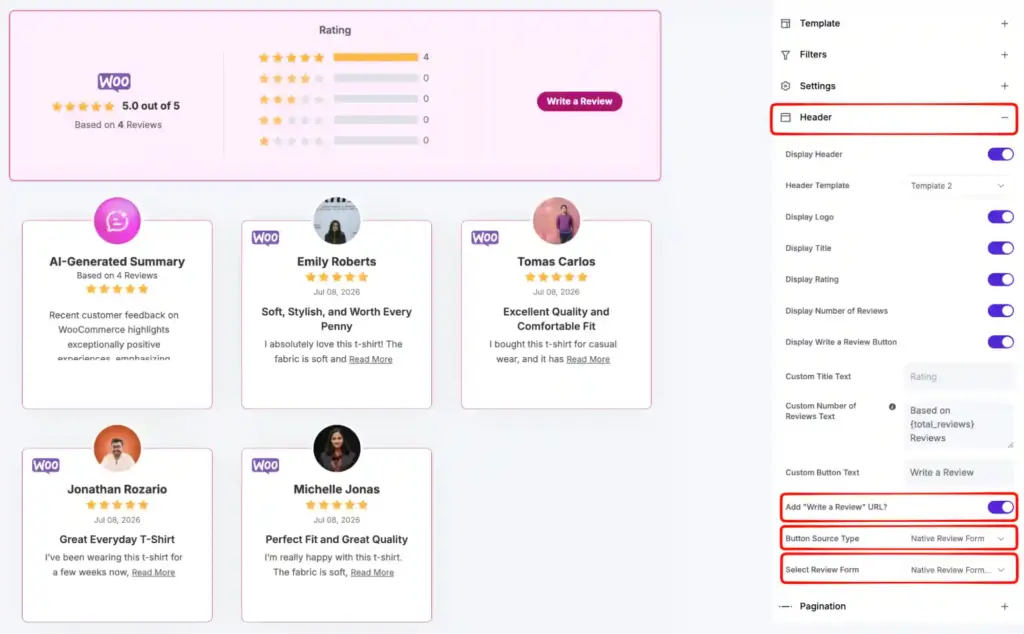
The admin was rebuilt in version 4.0 with cleaner navigation and a dark mode. Once you learn one module, the others use the same editor language, so reviews and chat feel familiar after you have built a feed.
One thing to expect: each platform connects on its own, so wiring up several in a row means repeating the connection step for each, and a few networks ask for extra permissions before they hand over data.
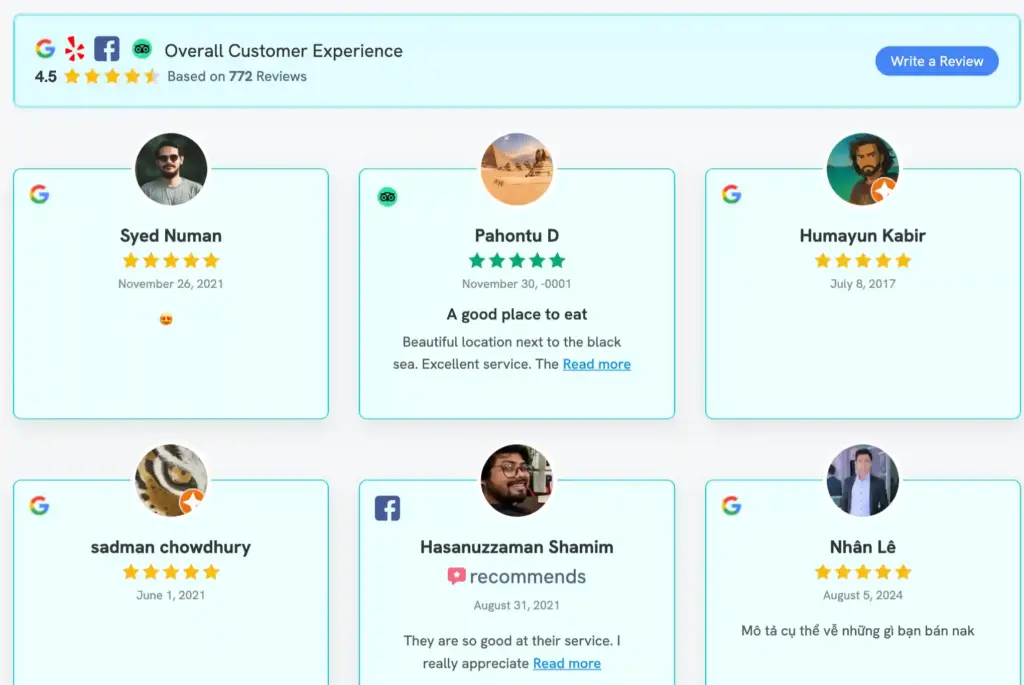
That is a platform rule, not a plugin flaw, but it is worth budgeting a few minutes for. You can walk through the modules yourself on the live demo before committing.
Performance and SEO
WP Social Ninja renders on the server rather than through iframes, which matters for both speed and search. Embeds inherit your theme’s typography and reflow on mobile without horizontal scroll.
Three things help SEO specifically. Reviews output schema snippets so search engines can read your star ratings.
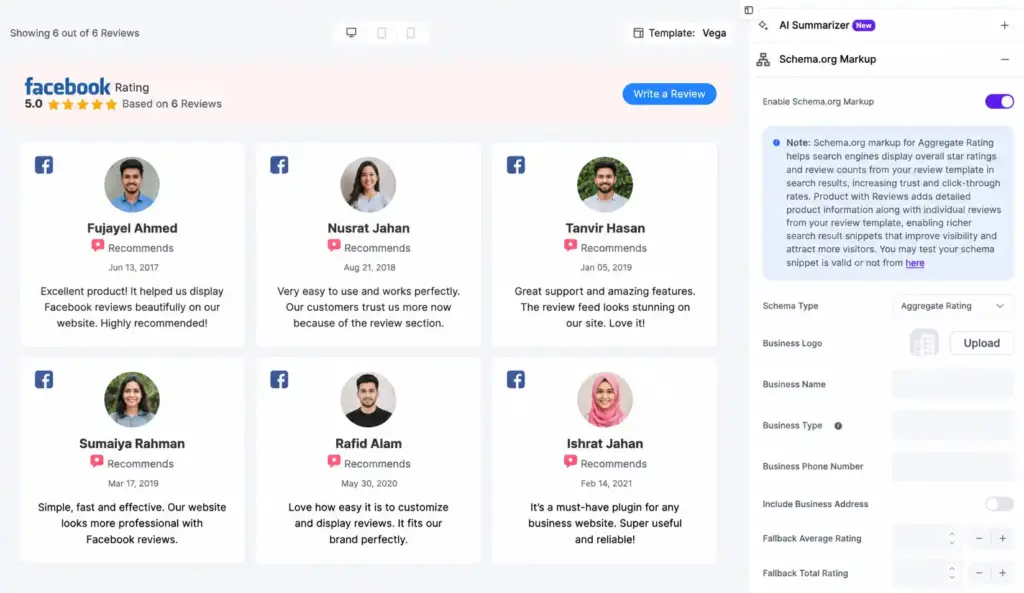
The GDPR toggle stores social images locally on your domain, which is better for Core Web Vitals than iframe-based aggregator widgets. And an auto-sync cron keeps cached content fresh, with email alerts when a platform API connection breaks.
Support, updates, and trust signals
Support runs through the WPManageNinja ticketing portal, with priority email support included for one year on every Pro plan, plus a WP Social Ninja community group for peer questions and full documentation with a live changelog.
Release cadence is roughly monthly. The current version is 4.4.0, and the recent product release added 8 new feed templates, video testimonials, and visitor-facing search and filters.
Steady releases and a public changelog are the signals that matter most when you are trusting a plugin with content that depends on external APIs.
Pricing and value
WP Social Ninja is freemium. The free plugin is on WordPress.org, and Pro is billed annually across three tiers. A 50% launch discount is currently live sitewide, so verify the current number on the pricing page before you buy, since promotions change.
| Plan | Regular | Discount price | Sites | Best for |
| Single Site | $89/yr | $44/yr | 1 | One business or creator site |
| Agency | $299/yr | $149/yr | 25 | Freelancers and small agencies |
| Unlimited | $499/yr | $249/yr | Unlimited | Large agencies and networks |
Every plan includes all platforms, one year of updates, and one year of priority support. The only difference between tiers is the site count.
On value, Single Site at the promo price is the right buy for one site that wants the full feature set. The Agency tier is the sharpest per-site deal, working out to a few dollars per site per year at 25 sites. Unlimited is for teams that have stopped counting sites.
Honest trade-offs
No plugin is right for everyone. Two things are worth knowing before you buy.
First, the free tier is narrow on custom design. You get a grid feed but not the color, typography, and layout control, and not the extra platforms. If you expected full styling for free, you will feel the wall. That is a deliberate freemium line, not a bug, but it is fair to flag.
Second, WP Social Ninja is built for breadth. It covers reviews, feeds, chat, popups, and testimonials across a whole site from one license. If your entire need is a single Instagram feed with the deepest possible styling and nothing else, still, WP Social Ninja will be a great choice for your social proof.
The reason to pick WP Social Ninja is that you want the whole social-proof stack in one place, not four plugins to update and reconcile.
The verdict
WP Social Ninja earns its “all-in-one” label. One license covers feeds, reviews, chat, popups, and testimonials; the admin is clean, and the review and chat modules go deeper than most bundles bother to. The free version is genuinely usable for Google reviews, basic feeds, chats, and Pro is priced well for what it replaces.
Whether it is the right plugin for you comes down to one question: do you want breadth across your whole site from one tool, or the deepest possible depth in a single network? If it is breadth, this is a strong fit.
Win your customers’ hearts with exceptional features
Discover how WP Social Ninja can assist you in designing outstanding customer experiences.
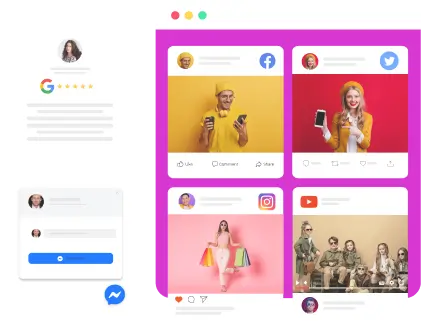
Try the free version, connect one platform, and see how it renders on your own theme before deciding.
FAQ
Is there a free version of WP Social Ninja?
Yes. The free plugin on WordPress.org gives you a grid-layout feed for Instagram, Facebook, YouTube, and TikTok, 2 review sources, including Google and Airbnb, with schema output, 3 chat channels. Styling control, extra platforms, popups, testimonials, and the review form builder require Pro.
Does the free version support Google reviews?
Yes. Google Business Profile reviews are part of the free tier, with schema snippet output so search engines can read the star rating. It is one of the two review sources included before you upgrade.
Is WP Social Ninja beginner-friendly?
Yes. The Quick Builder wizard walks you through category, platform, connection, and template in four steps, and the editor shows a live preview that updates within about a second. Most users can publish a working feed within a few minutes of activating the plugin. No coding is required.
Can I show feeds, reviews, and chat at the same time?
Yes. Each module is independent, so you can display a social feed, a reviews block, and a chat widget on the same site, or even the same page, from one plugin.
Does WP Social Ninja slow down my site?
It is built to avoid that. Embeds render on the server rather than through iframes; images can be stored locally for speed and privacy, and content is cached and auto-synced. Server-rendered output is generally better for Core Web Vitals than iframe-based aggregator widgets.
Does it work with my page builder?
Yes. WP Social Ninja supports Gutenberg, Elementor, and other major builders, and every saved template also produces a shortcode you can paste anywhere.
Is there a lifetime license?
No. WP Social Ninja is sold annually across the Single Site, Agency, and Unlimited tiers. Check the pricing page for the current discount before you buy, since promotions are time-sensitive.
Is WP Social Ninja GDPR compliant?
Yes, for social feeds and business reviews. A GDPR toggle stores social images on your own server instead of calling external CDNs, and there is a one-click option to delete stored platform data.

Subscribe To Get
Weekly Email Newsletter
Connect, Customize, and Display Social Feeds, Reviews, and Chat widgets

Trending Posts
-
 Mashfik Upal Aumy
 -
-
 Mashfik Upal Aumy





Leave a Reply