


User-Generated Content: How to Use It in Your Marketing (2026 Guide)


Most buyers do not trust your ad. They trust the customer who left a review, posted a photo, or tagged you on Instagram.
That gap between what brands claim and what customers say is exactly where user-generated content works. And it is one of the few marketing assets you do not have to pay to produce.
This guide covers what UGC is, why it influences buying decisions, and the part most articles skip: how to actually collect it and put it on your WordPress site so visitors can see it.
The fix most sites need: Your proof is scattered across Google, Facebook, and Instagram. Bring it onto the pages where buyers decide.
TL;DR:
User-generated content (UGC) is content made by customers, reviews, testimonials, social posts, photos, and videos. It builds trust and drives sales faster than ads because buyers trust real customers over brand messaging.
To use it: collect reviews and social content from your customers, then display it on your website where people make buying decisions. On WordPress, a plugin like WP Social Ninja pulls user reviews, social feeds, and video testimonials from 30+ sources into one place. No code required.
What it is: Any content created by customers, not the brand. Reviews, ratings, testimonials, photos, videos, social posts.
Why it works: 79% of consumers say UGC influences their purchasing decisions. Product pages with UGC convert up to 161% higher than pages without it.
How to collect it: Ask right after a positive interaction, make it one click, use a branded hashtag, and gather reviews on your own site.
How to display it on WordPress: Show Google and Facebook reviews on high-intent pages, embed Instagram and TikTok feeds, add a testimonial widget, and use social proof popups.
The fix most sites need: Your proof is scattered across Google, Facebook, and Instagram. Bring it onto the pages where buyers decide.
What is user-generated content in marketing?
User-generated content (UGC) is any content created by customers rather than the brand. It includes reviews, ratings, testimonials, social media posts, photos, videos, and comments.
In marketing, UGC works as social proof. It shows real people using and recommending a product, which builds trust faster than anything you write about yourself.
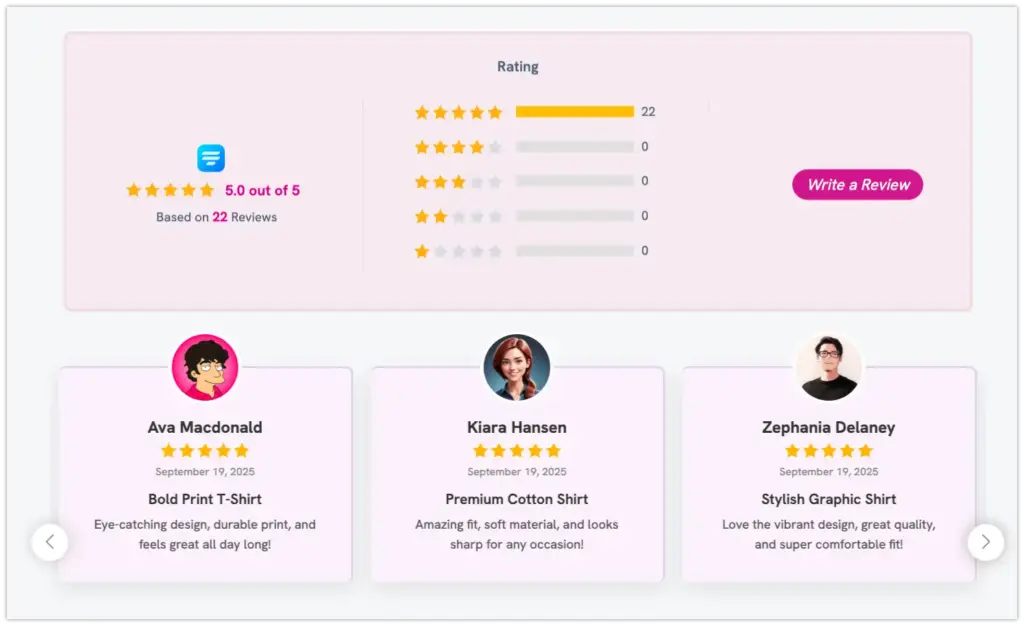
That is the definition. The rest of this piece is about using it.
Types of user-generated content
Not all UGC looks the same, and different formats do different jobs.
Reviews and ratings: Google Business Profile, Yelp, Facebook, Trustpilot, WooCommerce, FluentCart, Booking.com, Airbnb, TripAdvisor, and AliExpress reviews. This is the highest-intent UGC because people read it right before they buy.
Testimonials: Direct customer video or quotes, often collected through a form or email request. You control the framing without writing the words.
Social media posts: Instagram photos, TikTok videos, Facebook posts, and tweets where customers show your product in real use.
Video content: Unboxings, tutorials, and product demos on YouTube and TikTok. Video UGC carries extra trust because it is harder to fake. Human-created UGC scores 81 out of 100 on authenticity, while AI-generated content scores 63.
Hashtag content
Posts customers create around a branded hashtag, giving you a searchable pool of content to curate and display.
Why user-generated content works
The case for UGC is not a feeling. The numbers are consistent across recent research, and they keep climbing.
Buyers trust peers, not brands
A 2026 study from the Nielsen Consumer Trust Institute found that UGC now influences purchasing decisions for 84% of consumers globally, a 5-point increase from 2025. The strongest growth came from consumers aged 35-54, where influence rates surged 11% year-over-year.
That lines up with a long-running pattern: 92% of consumers trust peer recommendations and earned media above every other form of advertising. That number has stayed above 90% across nearly a decade of studies.
The conversion impact is not marginal
Product pages featuring user-generated content can increase conversion rates by up to 161% compared to pages without customer content. When shoppers interact with UGC galleries on product pages, conversion rates jump by 140%, and average order value increases by 15%.
40% of shoppers say they will not buy a product if the page has no UGC at all.
On social, UGC generates roughly 6.9x more engagement than brand-created content, and UGC-based ads earn 56% more clicks than standard brand ads.
The market reflects this
The global UGC platform market was valued at $9.6 billion in 2025 and is projected to reach $55 billion by 2033, growing at a 23.9% CAGR (Grand View Research, 2026). That growth is brands catching up to where buyers already are.
The real situation most businesses are in
Here is a pattern that shows up constantly in WordPress communities and support forums: a business has plenty of good reviews and social proof, but it is scattered.
Five-star reviews sit on Google. Happy customers post on Instagram. A few strong testimonials live in an inbox. Meanwhile, the actual website the page where buying decisions happen shows none of it.
The question owners keep asking is some version of “how do I pull my Google, Facebook, and Instagram content onto my site without hiring a developer or touching code.”
That is the gap. The UGC already exists. It is just not where the traffic is.
Fixing that is a display problem. And on WordPress, it is a solved one.
How to collect and display UGC on your WordPress site
This is the part most UGC articles skip. Collecting proof and putting it where buyers see it is a two-step job, and on WordPress both steps are straightforward.
How to collect user-generated content
Before you display UGC, you need a steady supply of it.
- Ask at the right moment. Request a review or testimonial right after a positive interaction: a completed purchase, a resolved support ticket, a delivered result. Timing beats persuasion.
- Make it one click. Send a direct link to your Google review page or a short form. Every extra step loses people.
- Use a branded hashtag. Give customers a simple tag so their posts are easy to find and reuse.
- Run a light incentive. A small discount or a feature on your page motivates photos and videos without feeling like you bought the review.
- Collect custom reviews on your own site. A review form on WordPress lets you gather feedback directly, which you own and can display immediately. Tools like Fluent Forms or WP Social Ninja’s custom review source let you do this without code.
- Use QR codes for offline collection. If you have a physical location, a QR code on receipts, table tents, or packaging links directly to a review form. WP Social Ninja supports QR code-based review collection.
How to display user-generated content on your WordPress site
This is where UGC turns from a nice-to-have into conversions. On WordPress, you do not need code or separate subscriptions for each platform.
A plugin like WP Social Ninja connects to 30+ platforms and displays reviews, feeds, and testimonials from one dashboard. Here is how to map each UGC type to the right placement.
Show business reviews where people decide.
Pull Google reviews, Facebook reviews, WooCommerce reviews, Booking.com reviews, and more into a slider or grid.
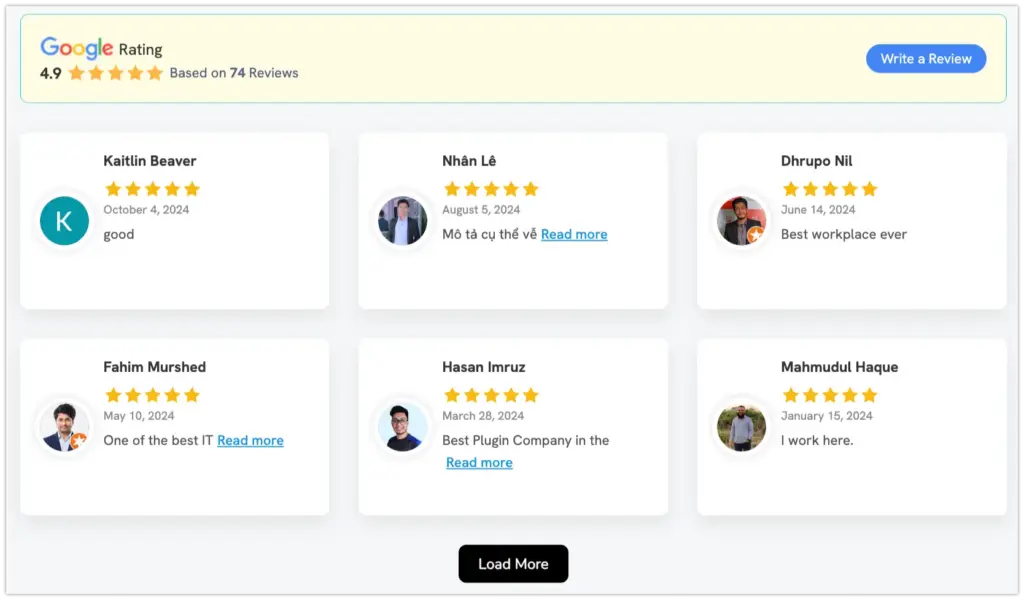
Put them on your homepage, pricing page, and checkout pages closest to a purchase. Displaying Google reviews also supports local SEO through review snippets.
Embed social feeds to prove activity
Add an Instagram feed, TikTok feed, Facebook feed, or YouTube feed so visitors see a living stream of customers and content, not a static page.

Feeds auto-sync so content stays fresh without manual updates.
Turn testimonials into a widget.
Use a testimonial widget to feature your strongest customer quotes in a clean, on-brand layout.
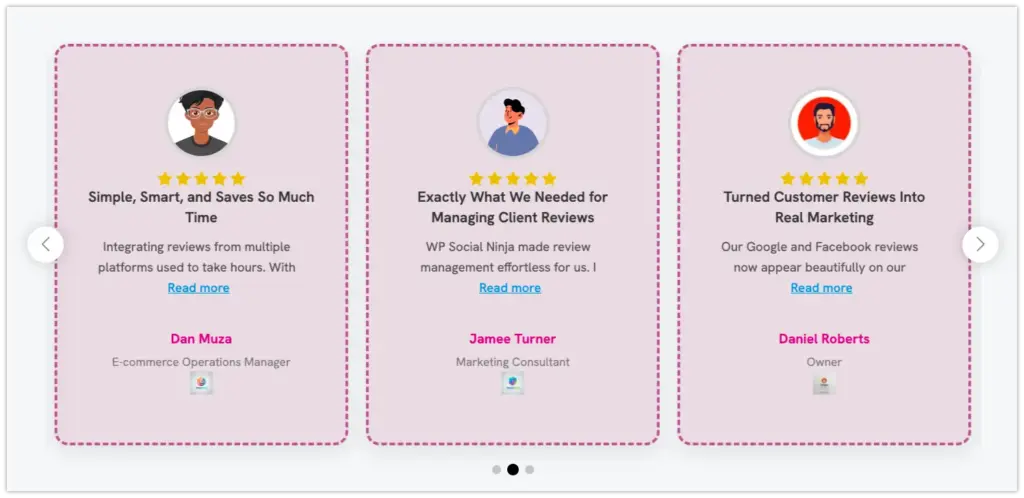
Multiple template and layout options let you match your site design.
Make UGC shoppable
A shoppable Instagram feed links customer posts directly to products, so social proof and the buy button sit in the same place.

Nudge with social proof popups
A notification popup surfaces recent reviews or activity at the moment a visitor is deciding. It creates urgency without being intrusive.

Filter by quality
WP Social Ninja lets you filter reviews by minimum rating, so you can display your strongest, most relevant content. You can also include or exclude specific reviews and use an AI review summarizer to highlight key themes.
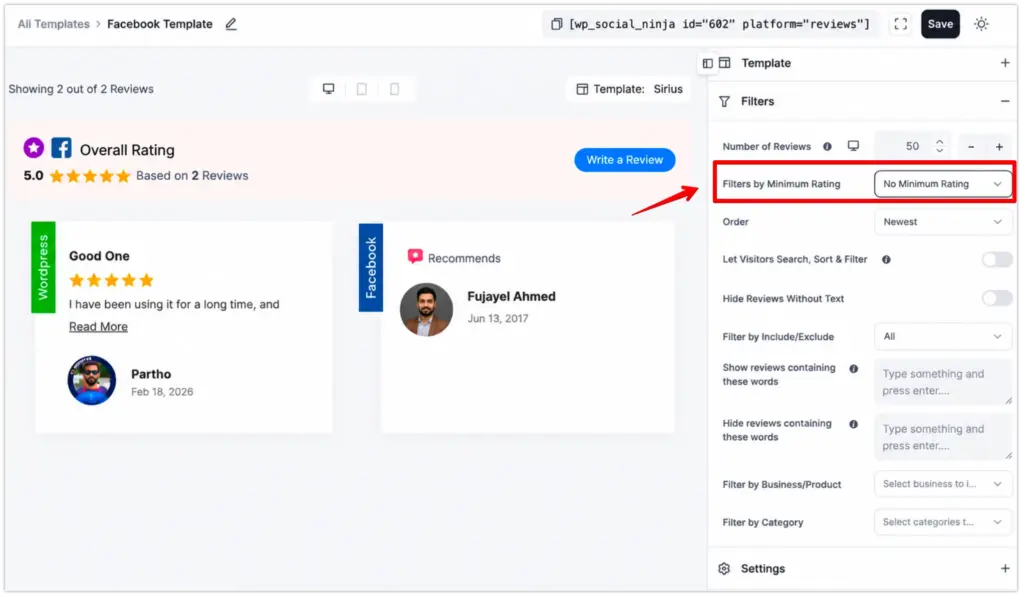
The advantage of doing this through one plugin is consistency. Every review, feed, and testimonial matches your site design and updates automatically, instead of living in five mismatched embeds you have to maintain separately.
UGC examples that convert
You do not need a massive budget to make UGC work. The examples worth copying are the practical ones.
A local service business displays its Google and Facebook reviews on the homepage, so first-time visitors see a wall of recent five-star feedback before they read a single sales line. Local businesses can also pull Yelp and Tripadvisor reviews to cover every platform where customers leave feedback.
An online store adding customer photos and WooCommerce or FluentCart reviews to product pages. This is where UGC delivers its biggest conversion lift. Pairing product reviews with a shoppable Instagram feed showing the product in real use makes the case stronger.
A course creator or coach uses student testimonials and Instagram posts as proof that people finish and recommend the program. A testimonial widget on the enrollment page is more convincing than any sales copy.
A hotel or restaurant embedding Booking.com or Airbnb reviews alongside their booking page, combined with an Instagram feed showing real guest photos. For hospitality, UGC is often the deciding factor between your property and the competitor down the street.
The common thread: the UGC sits on the page where the decision happens, not buried on a testimonials tab nobody visits.
Best practices and getting permission
UGC is powerful, but it is not hands-off.
- Get permission for social content. Reviews on public platforms are fair to display. But before you repost a customer’s photo or video, ask. A quick comment or DM is enough, and it protects you.
- Do not hide negative reviews. A page with only perfect reviews reads as fake. A few honest, critical reviews make the positive ones credible. 52% of shoppers say they lose trust in a brand once they spot a fake or AI-generated review.
- Keep it fresh. Auto-updating feeds beat manual embeds because stale social proof from two years ago works against you. Auto-sync features keep content current without manual work.
- Moderate for quality. Filter by rating or curate a list so you display your strongest, most relevant content, not everything indiscriminately.
- Match your brand. UGC should look like it belongs on your site. Mismatched fonts and colors make embedded content feel bolted on. Use a tool with styling and customization options so the content integrates with your design.
- Stay GDPR compliant. If your audience includes EU visitors, use a tool that supports local image storage and prevents unnecessary third-party requests. WP Social Ninja includes GDPR compliance features for this.
Frequently asked questions
Is user-generated content free?
Mostly, yes. Customers create UGC at no cost to you. You may spend on a tool to collect and display it, or on a small incentive to encourage posts, but there is no media spend like paid ads. Brands save up to 70% on content creation costs by using UGC compared to professional production.
What counts as user-generated content?
Any content made by customers or users rather than the brand: reviews, ratings, testimonials, social media posts, photos, videos, comments, and forum discussions.
How do I get permission to use a customer’s content?
For public reviews, displaying them is standard practice. For social photos and videos, message the creator and ask before reposting. Keep a record of the approval.
What is the best way to display UGC on WordPress?
Use a plugin that connects to your review and social platforms and displays them without code. WP Social Ninja pulls reviews, social feeds, and testimonials from 30+ platforms into one dashboard, so everything stays on brand and updates automatically.
Does showing reviews help SEO?
Yes. Displaying reviews, especially Google reviews, can generate rich snippets and support local SEO, which improves how your business appears in search results. WP Social Ninja supports schema snippets for reviews.
Can I filter which UGC appears on my site?
Yes. With WP Social Ninja, you can filter reviews by minimum rating, include or exclude specific reviews, filter feeds by hashtags or keywords, and curate exactly what appears on each page.
What platforms does WP Social Ninja support for UGC?
WP Social Ninja supports 30+ platforms across reviews (Google, Facebook, Yelp, WooCommerce, Booking.com, Airbnb, Tripadvisor, AliExpress, FluentCart, Fluent Forms, and custom sources), social feeds (Instagram, Facebook, TikTok, YouTube), chat widgets (WhatsApp, Messenger, Telegram, Viber, and more), plus testimonials, notification popups, and shoppable feeds.
Put your proof where buyers can see it
Your customers are already creating the most persuasive marketing you have. Reviews, posts, and testimonials do the convincing that your own copy cannot.
The only question is whether that proof is working for you on the pages that matter or sitting unused across a dozen platforms.
If it is scattered, bring it home.
Win your customers’ hearts with exceptional features
Discover how WP Social Ninja can assist you in designing outstanding customer experiences.

See how WP Social Ninja displays reviews, feeds, and testimonials on your WordPress site or try it free.

Subscribe To Get
Weekly Email Newsletter
Connect, Customize, and Display Social Feeds, Reviews, and Chat widgets













Leave a Reply