

Restaurant Instagram Marketing That Fills Tables, Not Feeds


Your Instagram looks like a hit. Beautiful plates, constant followers, a bunch of likes. So why isn’t your reservation book as full as your social feed?
Here’s the hard truth: likes don’t fill tables. If you want to use Instagram to get more reservations, posting great food is only half the job. The other half happens after someone taps your profile; in the few seconds it takes them to decide to book or quietly close the tab.
Most restaurants lose those diners at two silent leaks. A website that looks dead next to their lively social media feed, and questions left sitting in the DMs during service.
Plug both, and the interest you’re already earning turns into booked tables. That’s the real job of restaurant Instagram marketing: not more likes, more reservations.
This guide shows you exactly how Instagram marketing for restaurants should actually work: what to post, how to turn followers into bookings, and how to fix the two leaks costing you reservations every week. Let’s fill those tables.
TL;DR:
- Instagram makes diners hungry, but your website is where they actually book. To get more reservations from Instagram, do the three things most restaurants skip:
- Post a simple mix (food, behind-the-scenes Reels, customer photos, last-minute Stories, and must-have UGC content) and point your bio link at a booking page, not your homepage.
- Embed your live Instagram feed so your website looks as alive as your feed, and put your Google and Yelp reviews right beside the booking button.
- Add a chat widget (WhatsApp, Messenger, or Click-to-call) so questions get answered before they turn into lost DMs.
WP Social Ninja handles the Instagram feed, customer reviews, and chat widget in one plugin, so the interest you earn on Instagram turns into booked tables.
Why Instagram fills your feed but not your tables
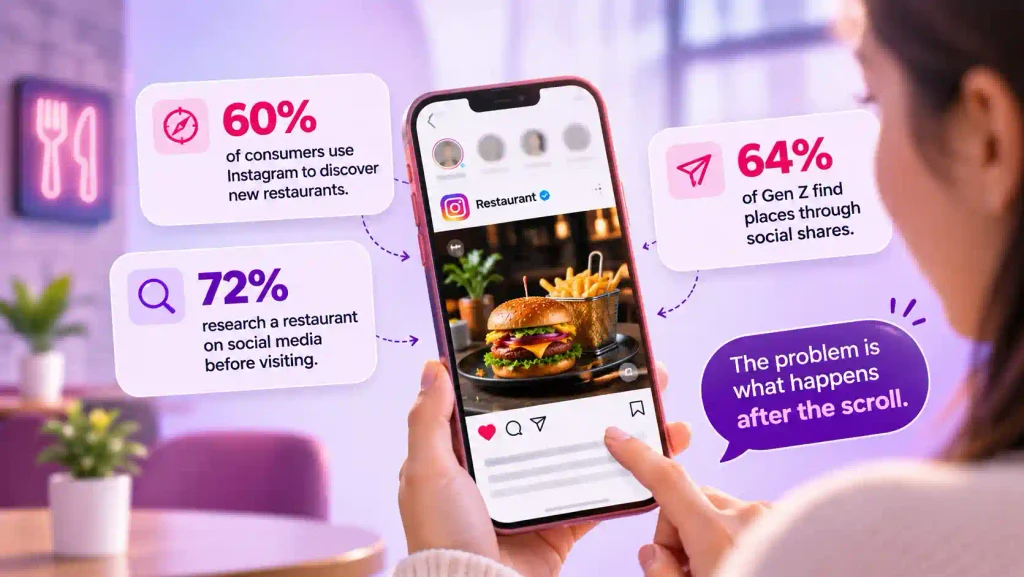
The demand is there. Around 60% of consumers use Instagram to discover new restaurants, roughly 72% research a restaurant on social media before visiting, and 64% of Gen Z find places through social shares. People are looking at you. The problem is what happens after the scroll.
A reservation that starts on Instagram leaks at two points nobody talks about:
- The dead website: A diner taps your bio link, lands on your site, and it looks frozen. Old photos, a stale page, no sign you’re even busy tonight. Next to your lively feed, it kills the momentum. They close the tab.
- The response gap: The rest of your interest shows up as DMs and comments: “Do you take reservations? Can I book for 8?These land during service, the exact hours your host stand isn’t refreshing the Instagram inbox. Owners checking DMs at midnight already lost those bookings. Research into restaurant social media marketing found this is one of the biggest sources of missed revenue: interest arrives faster than anyone can reply.
What to post on Instagram to fill tables
Post content that makes people hungry, not content that tells them to come in. The most common mistake is a feed full of promos and “book now” graphics. Diners scroll past those because that’s not what they opened the app for.
Here’s a mix that actually converts:
| Content type | Share of posts | Why it works |
| Food (Photos and short video) | 40% | Your dishes are your best salespeople. Shoot close, in natural light. |
| Behind-the-scenes Reels | 25% | Prep, plating, the Friday-night rush. Tied to meaningfully higher loyalty. |
| Customer photos (UGC) | 20% | Peer proof outsells branded posts. Every tag is free marketing. |
| Promotions and events | 15% | Keep it small. Specials and FOMO work best as Stories. |
A few things the data backs up. Video now outperforms static photos for reach, so lead with Reels. Menu posts that include prices get noticeably more saves, because people bookmark what they plan to order.
Seasonal and limited-time posts see higher engagement because they carry built-in urgency. And on reach, TikTok’s average engagement has climbed well above Instagram’s flat rate, so cross-post your Reels there too.
One rule beats polish: consistency. Use the same editing and color treatment on every post so your feed reads as one restaurant, not fifty random snapshots.
Owner-voice posts (why you opened, the story behind a dish) build the emotional pull that turns a viewer into a regular before they’ve even visited.
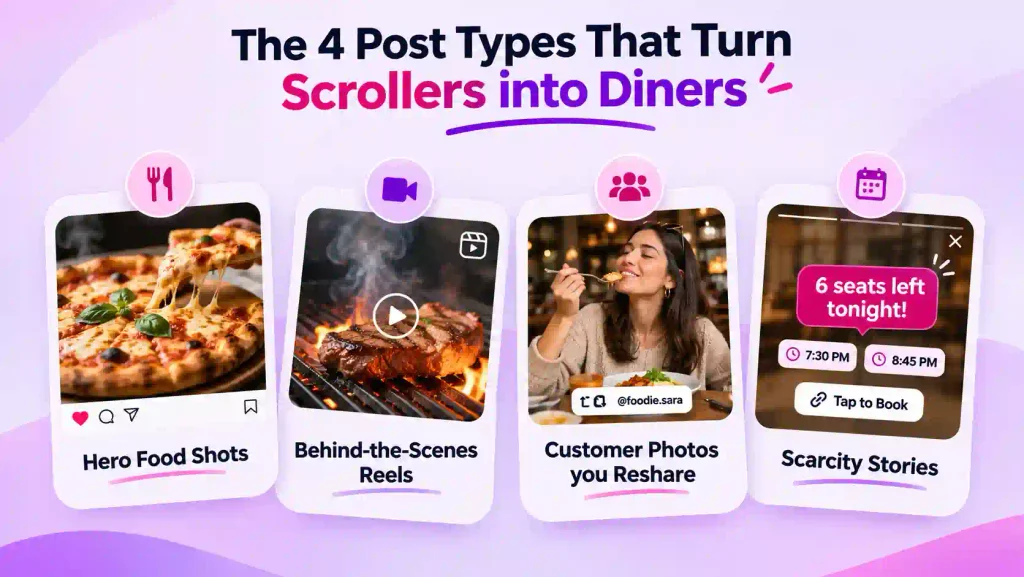
The 4 post types that turn scrollers into diners
Four formats do the heavy lifting. Here’s each one with a real example and a quick what works, what doesn’t, so you can copy them before your next shift.
Hero food shots
A neighborhood pizzeria posts one thing on repeat: a tight, overhead shot of a just-pulled pie, blistered crust, basil still glossy, steam barely visible. No graphics, no “Open today” text. The dish does the talking, and the comments fill with “where is this.”
- Works: Close-ups at a 45-degree angle or flat overhead, natural window light, one hero dish per post, the same edit every time so the feed looks like one restaurant.
- Doesn’t: Wide shots of empty dining rooms, heavy filters, text-heavy Special of the Day graphics.
Behind-the-scenes Reels
A steakhouse films fifteen seconds of a ribeye hitting the grill, the sear, the rest, the slice. Another clip shows the morning fish delivery getting broken down. People stop scrolling for the transformation, and they feel like they already know the kitchen before they walk in.
- Works: Prep and plating filmed close and slow, the Friday-night rush, a quick hello from the chef or owner, trending audio, a geotag.
- Doesn’t: Long unedited clips, no captions, a hard sell tacked on the end.
Customer photos you reshare
A brunch spot encourages guests to tag them, then reshares the best shot each week with credit. The result is a steady stream of real diners vouching for the place, which converts harder than anything the restaurant shoots itself.
- Works: A small table card asking for the tag, a few branded restaurant hashtags, a quick Story reply to happy guests, always crediting the photographer, a monthly “best photo” incentive.
- Doesn’t: Resharing without credit, ignoring tags, treating UGC as an afterthought.
Scarcity Stories
On a Friday at 4 pm, a bistro posts a Story: 6 seats left for tonight, 7:30 and 8:45. Tap to book. It catches diners at the exact moment they’re deciding where to eat, and the booking link is right there in the Story sticker.
- Works: Real numbers and times, a booking link or sticker, last-chance menu or seasonal-item angles.
- Doesn’t: Fake urgency, no clear way to act, burying the link.
The path from post to reservation (And where it breaks)
Every booking that starts on Instagram follows the same path. Miss one link in the chain and the whole thing breaks.
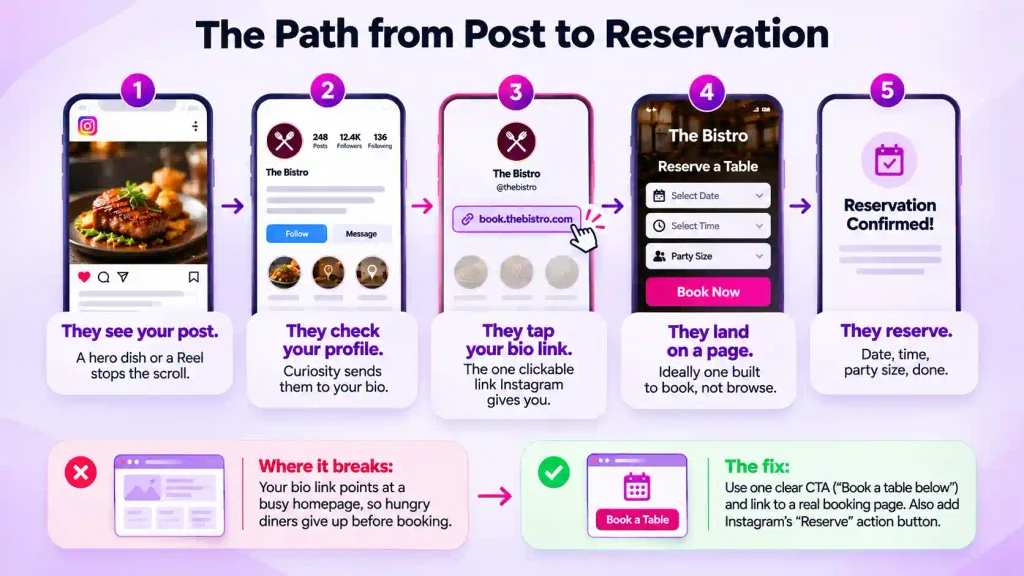
- They see your post. A hero dish or a Reel stops the scroll.
- They check your profile. Curiosity sends them to your bio.
- They tap your bio link. The one clickable link Instagram gives you.
- They land on a page. Ideally one built to book, not browse.
- They reserve. Date, time, party size, done.
Every restaurant marketer has watched this happen. Most restaurants win steps one and two and lose everyone at step three. The usual failure: your bio link points at a busy homepage, so a hungry diner has to hunt for the reservation button and gives up before they find it.
Fix the bio link: One clear call to action (“Book a table below”), one link, pointed at a booking page, not your homepage. If you have a reservation system (OpenTable, Resy, Tock, TheFork), add Instagram’s native “Reserve” action button too. It’s commission-free and lets diners book in a few taps.
One honest caveat: That button routes the booking through your existing reservation system, and it’s hard to isolate exactly how many bookings Instagram drove, so don’t treat it as your only path or your only measurement.
There’s a second, quieter break between steps four and five. The diner has one small question before committing: dietary options, a table for eight, private-event availability, and the only way to ask is a DM that won’t get answered until midnight. That hesitation is a lost booking too.
Fix both and the chain holds: point the bio link at a real booking page, and make sure the page it lands on answers questions and shows proof instead of sitting there silent. The next two sections handle exactly that.
Make your website as alive as your feed
This is the step that decides the booking, and it’s the one most restaurants skip. A diner Googles you, clicks to your site ready to reserve, and if it looks frozen next to your busy feed, they hesitate and book the place that felt open and busy.
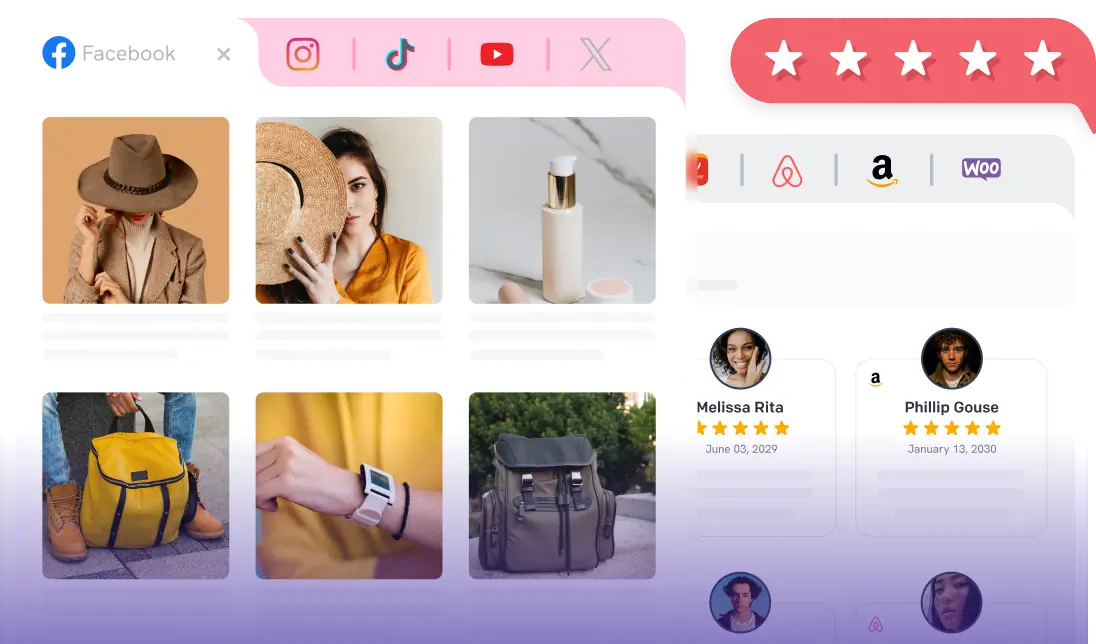
The fix is to put your real, live Instagram feed on your homepage and reservations page, so the site is always as current as your last post. WP Social Ninja is built for exactly this, and for a restaurant, the feed features that matter are:
- It updates on its own: Your feed auto-syncs every time you post, so your website always shows tonight’s food and room with no manual work. If the connection ever hiccups, the cached feed stays live, so your site never shows an empty box.
- It pulls in customer photos: A tagged and hashtag feed streams the posts diners tag you in straight onto your page. That’s real, believable UGC working as proof, collected automatically.
- You show only your best: Built-in moderation lets you hide a weak post, filter by hashtag or keyword, and even limit the feed to photos or videos only. Your website feed is your highlight reel, not everything you’ve ever posted.
- It matches your brand: Grid, masonry, carousel, and highlight layouts, a custom header, and a follow button, all styled to fit your site. Clicking a post opens it in a clean lightbox instead of bouncing the visitor off to Instagram.
- It can sell, not just show: A shoppable feed links posts to a page, so a post of your tasting menu can point straight to the booking page, and a gift-card post can link to checkout.
- It goes live in minutes: One-click connection, no code or API keys, and a block for Gutenberg, Elementor, and the major builders. You can have it running before lunch service.
The payoff is simple, the diner who clicks through from Instagram lands on a site that looks exactly as alive as the feed that sent them, and the decision to book gets easy.
Show your proof and answer before they book
A fresh feed gets them interested. Two more things get them to commit, and they close the second leak from the top of this guide.
Put your reviews where the decision happens
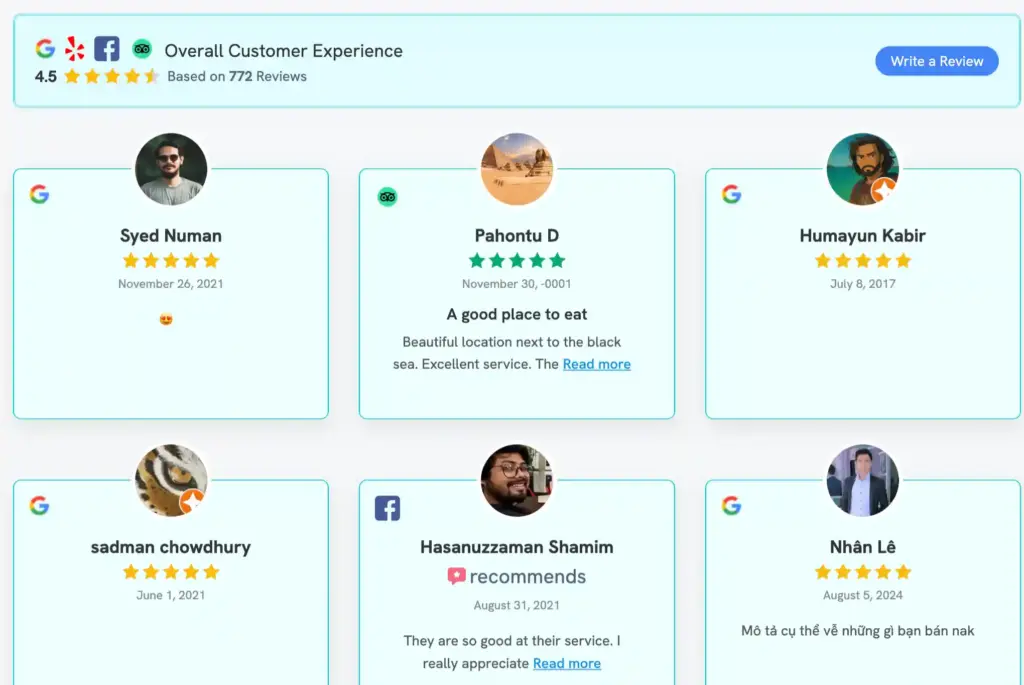
Diners trust Google, Yelp, and Tripadvisor more than any caption you write. Pull those reviews onto your site, with the star rating, and place them right beside your “Reserve” button.
WP Social Ninja aggregates reviews from all three into one display, with verified badges so visitors know they’re real, so your proof is working at the exact moment someone decides.
Add a short video testimonial from a happy guest, and the hesitant booker gets the final nudge.
Answer the question before it becomes a lost DM
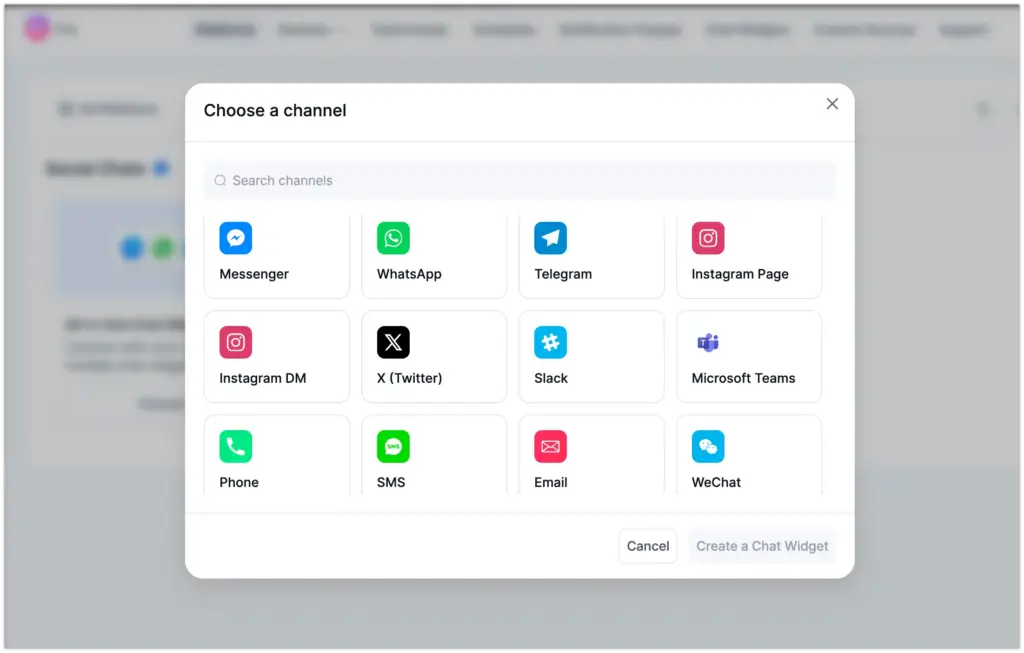
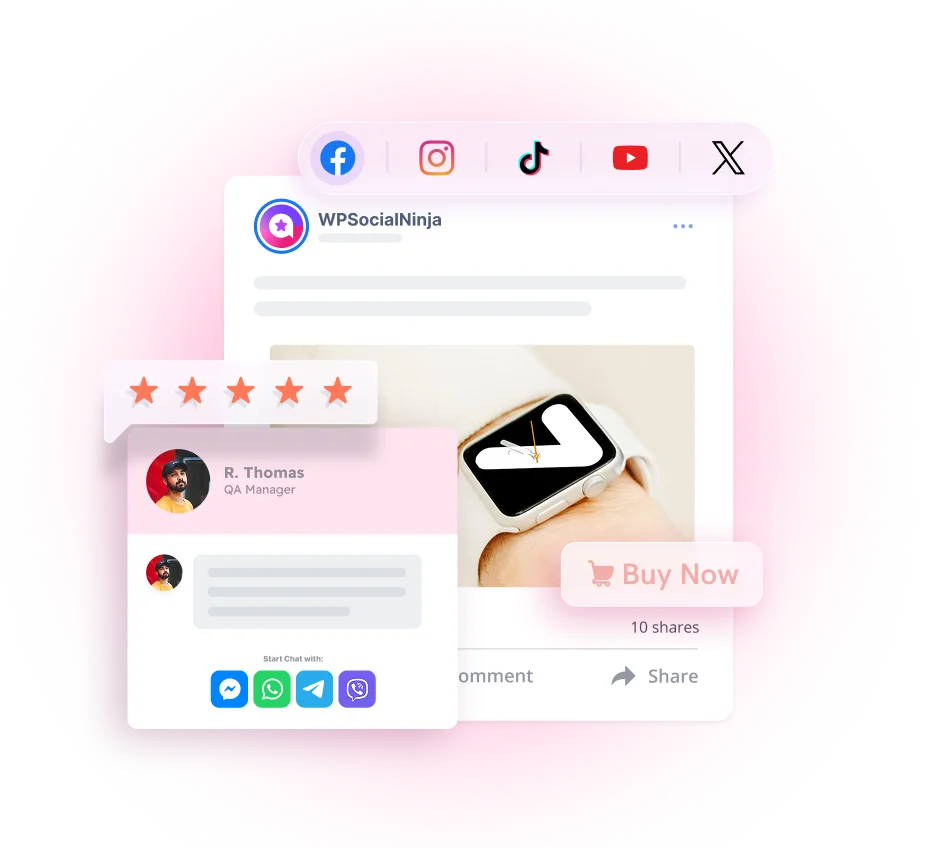
Add a chat widget matched to how your guests actually message: WhatsApp, Facebook Messenger, or a click-to-call button, right on your site. Now the “do you have a table for eight on Saturday?” question gets answered in seconds instead of sitting in an inbox until midnight.
A notification popup that surfaces a recent booking or review adds live, on-site FOMO, the same urgency your Stories create, but working around the clock.
This is the half of the funnel the feed-only guides ignore, and it’s where a surprising number of your weekend bookings are hiding.
Collect more reviews with a QR code
Your best reviews come from happy guests in the moment, but most never get around to writing one. Close that gap with a QR code.
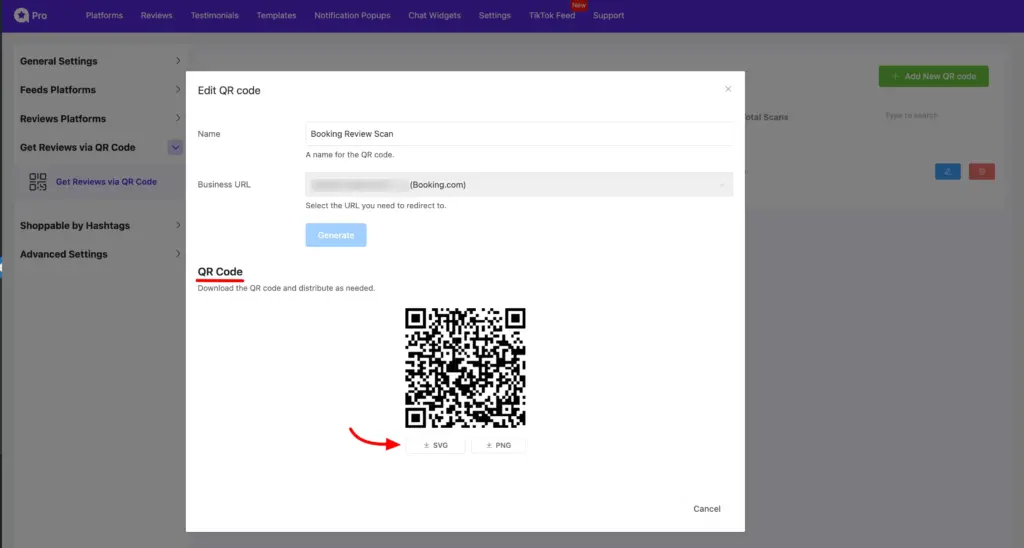
Put a Google review QR code on the table tent, the menu, the receipt, and the counter, so a guest can scan, land on your Google review page, and share their experience before they’ve even left.
WP Social Ninja generates that QR code for you, and the reviews it brings in flow straight onto your website display, where you can also reshare them to your social platforms. More fresh Google reviews, more proof on your site, more trust at the booking moment, all from a sticker on the table.
The AI edge (Don’t let a busy night cost you orders)
The smartest restaurant owners are now wiring AI into the parts of the business that break under pressure, and it’s fast becoming part of restaurant marketing, not just operations.
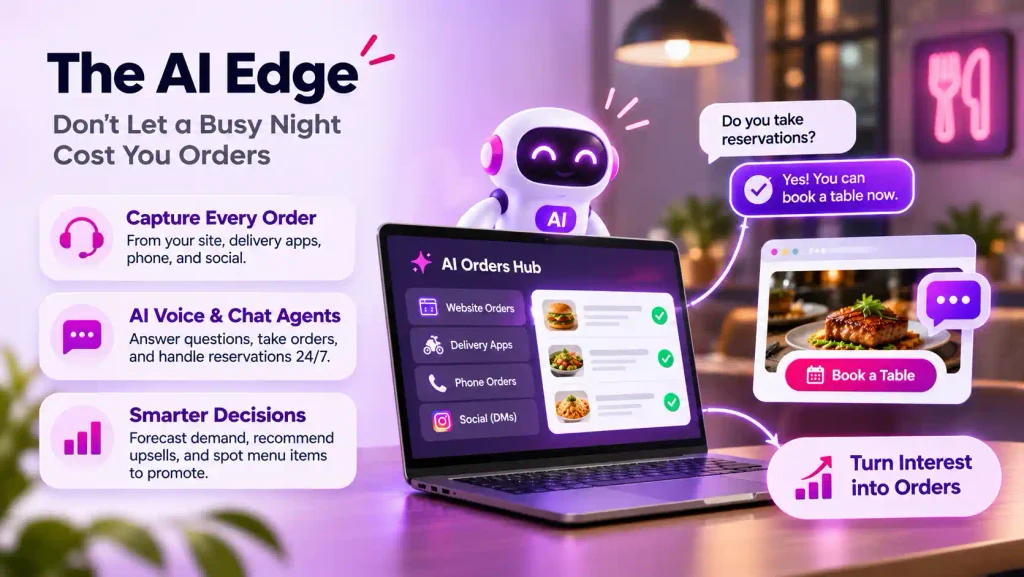
Start with orders. When you’re slammed, the orders you miss are the ones that never reach you: a phone ringing through the dinner rush, a delivery app no one is watching, a DM with a catering request. AI order systems pull every channel into one place, your own site, the delivery apps, phone, and social, so nothing slips through while the kitchen is buried.
Some go further with AI voice and chat agents that answer the phone, take the order, and reply to “do you take reservations?” instantly, around the clock, so a busy night stops quietly costing you sales.
AI also helps you grow the orders you do get. It can forecast your busy and slow nights so you staff and prep right, suggest the upsell at checkout, and flag which menu items to push in your content.
Paired with the chat widget and live feed on your website, the goal is the same as the rest of this guide: catch the interest you’re already earning before it slips away.
Start Turning Instagram Into Reservations Today
Ready to turn all those likes into booked tables?
Here’s the one takeaway. Posting well on Instagram is only half the job. Closing the loop on your own website is what turns interest into a reservation. Great content earns the attention, but your site is where the diner decides.
Here’s the full play in a few lines:
- Post a simple mix: Hero food shots, behind-the-scenes Reels, customer reposts, and last-minute Stories.
- Fix your bio link: Point it at a booking page, not your homepage.
- Embed your live feed: Show your real Instagram posts and tagged diner photos right on your website.
- Add your proof and a way to ask: Put your Google and Yelp reviews beside the booking button, and a WhatsApp or Messenger chat widget on the page so questions get answered before they become lost DMs.
- Collect UGC on purpose: Ask for tags, credit the photographer, and reshare.
Don’t worry if you can only do one thing this week, and you don’t need a restaurant marketing agency to start. Begin with the missing half, your website, and the rest gets easier.
That’s the difference between Instagram restaurant marketing that books tables and the kind that just collects likes. The fastest win is putting your feed, your reviews, and a chat widget where they close the sale: your website. WP Social Ninja makes it happen in minutes, and it keeps your site as fresh and as trustworthy as your feed.
FAQ
Q: Why aren’t my Instagram followers becoming reservations?
Ans: Usually because your content lives only on Instagram with no clear path to a table, and because questions go unanswered during service. Fix the bio link, make your website look as alive as your feed, show reviews at the booking point, and add a chat widget.
Q: Should my Instagram bio link go to my homepage?
Ans: No. Point it at a booking page or a page where reserving is the obvious next step. A busy homepage makes diners hunt, and most give up.
Q: Is the Instagram Reserve button worth it?
Ans: Yes, as one path. It’s commission-free and routes bookings into your existing reservation system. Just know it’s hard to measure Instagram’s exact share of bookings, so pair it with a tracked bio link and a strong website.
Q: How do I handle reservation DMs during a busy service?
Ans: Move the common questions off the inbox. A chat widget on your website (WhatsApp, Messenger, or click-to-call) answers routine questions instantly, so you don’t lose bookings while you’re seating tables. You can also use AI to manage this too.
Q: Does an embedded Instagram feed update automatically?
Ans: Yes. With WP Social Ninja, your website feed refreshes every time you post with the Instagram auto sync feature, so your site never looks stale.
Q: How often should a restaurant post?
Ans: Two to four times a week, consistently. A steady rhythm beats occasional bursts that go quiet.
Subscribe To Get
Weekly Email Newsletter
Connect, Customize, and Display Social Feeds, Reviews, and Chat widgets






Leave a Reply