

Dental Social Media Marketing: Why Social Posting Isn’t Enough (A Real Clinic Audit)


Most dental practices treat dental social media marketing as a posting schedule. They post a before-and-after image on Instagram, share a team photo on Facebook, and think that’s enough. But it stops too soon.
The people who matter most, the ones about to book, rarely see any of it. They land on your website, look for a reason to trust you, and find a blank page where your social proof should be.
That gap is costly. Patients research before they call. One survey of 1500 Americans found that 43.3% pick their dentist based on online reviews. Online or social feedback is the single largest factor patients use when selecting a new dental clinic. Among women aged 55 to 64, 52.2% prioritize online reviews.
So the real question isn’t whether your social media marketing works. It’s whether the trust you build on social and Google ever reaches the one page where someone decides to book.
TL;DR:
- Dental social media marketing only pays off when your social content and reviews reach the website, the one page where patients actually book.
- Most clinics post consistently, then leave all that proof on Instagram, Google, and Facebook instead of on their own site.
- Most prospective patients read reviews before choosing a dentist; they trust recent and verified ones most, and nearly half won’t consider a business with fewer than 20 reviews.
- We ran a free, no-affiliation audit of a real practice, Ridge View Dental (South Ogden, Utah). Solid, actively marketed, agency-built, and still missing the basics.
- Gap 1, no feed on the site. Active on Facebook, but nothing embedded.
- Gap 2, no proof at the booking point. One static testimonial and a buried reviews page, nothing by the form.
- Gap 3, no instant answer. Their form warns replies take up to a business day, with no chat.
- Fixing it isn’t a redesign; it’s three widgets. On WordPress, one all-in-one plugin (WP Social Ninja) covers feeds, reviews, and chat in one place.
- Read the full audit, developer implementation notes, an agency playbook, a 6-point checklist, and FAQs.
To show what that looks like in practice, we ran a free, no-affiliation audit of a random dental clinic. First, the fundamentals, because this only works if the social work is solid to begin with.
What dental social media marketing actually involves
Good social media marketing for dental clinics is simple in principle and hard in consistency. Three channels carry most of the weight for a local practice.
Facebook is where local families still find and vet dentists. It’s your community presence, like promotions, office updates, and reviews. Instagram is your visual portfolio, the place for smile makeovers, the team, and the feel of the office. Google Business Profile is where buying intent peaks, because anyone searching dentist near me sees your star rating before they see your website.
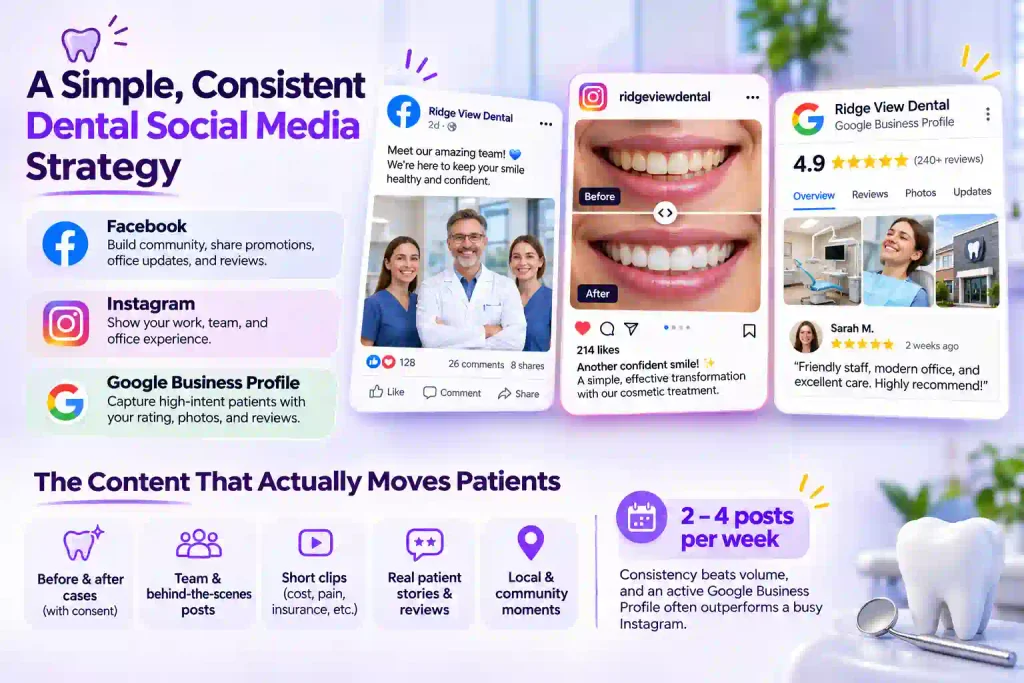
The content that actually moves patients isn’t complicated:
- Before-and-after cases, with patient consent
- Team and behind-the-scenes posts that make a nervous patient feel at comfort
- Short clips answering the questions you hear all day (Cost, pain, insurance)
- Real patient stories and reviews
- Local and community moments that signal you’re part of the neighborhood
A realistic cadence is two to four posts a week. Consistency beats volume, and a steady Google Business Profile with fresh photos and replied-to reviews often outperforms a busy Instagram. This is the foundation of any dental social media marketing strategy, and plenty of practices do it well.
The problem starts the moment that content goes live somewhere other than your website.
Why social media marketing for dental clinics fails to convert
Here is the part most guides skip. Your Instagram posts live on Instagram. Your reviews live on Google and Facebook. Your reputation lives in a patient’s memory of something they saw last week. None of it is working on your website, where the booking actually happens.
A visitor who likes your site still wants reassurance before they commit. When your site stays silent, they open a new tab, go read your Google reviews, and now a competitor is one click away. You did the social work and handed the conversion moment to someone else.
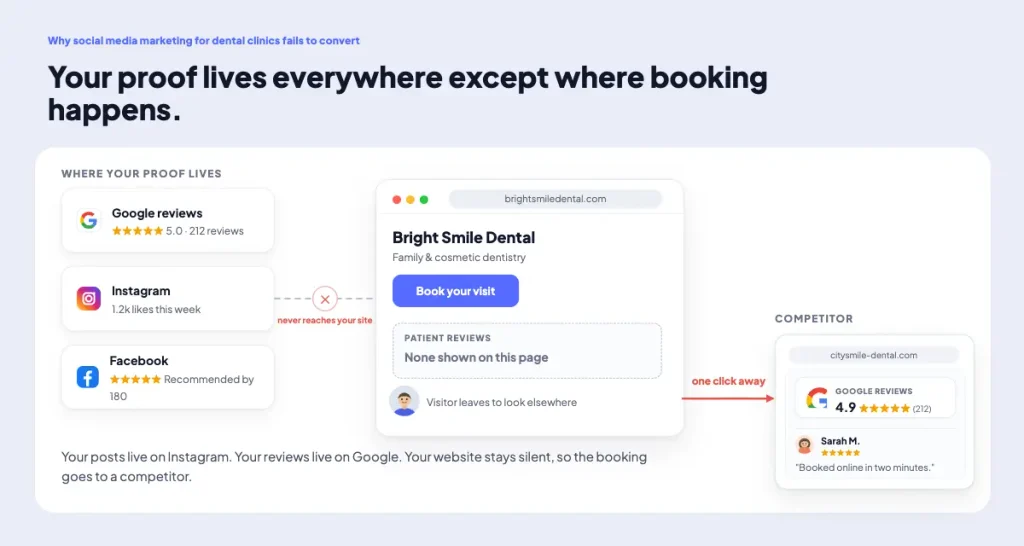
There’s a second, quieter failure: stale proof. Recency matters to patients. BrightLocal’s research found that 74% of consumers want reviews written within the last three months. A testimonial you hardcoded onto your homepage two years ago doesn’t just underperform; it actively signals that nothing good has happened since.
A manually pasted quote is a maintenance liability. A live, auto-syncing feed is set-and-forget. For anyone managing a dental website, that difference is the whole game.
Marketing strategist Jay Baer, a New York Times bestselling author on social media and word of mouth, puts it simply: social media is an ingredient, not an entree. For a dental practice, the entree is the booked appointment, and that happens on your website, not in the feed. The content and the reviews already exist. Most practices just aren’t serving them where the decision gets made.
A real audit: Ridge View Dental, South Ogden, Utah
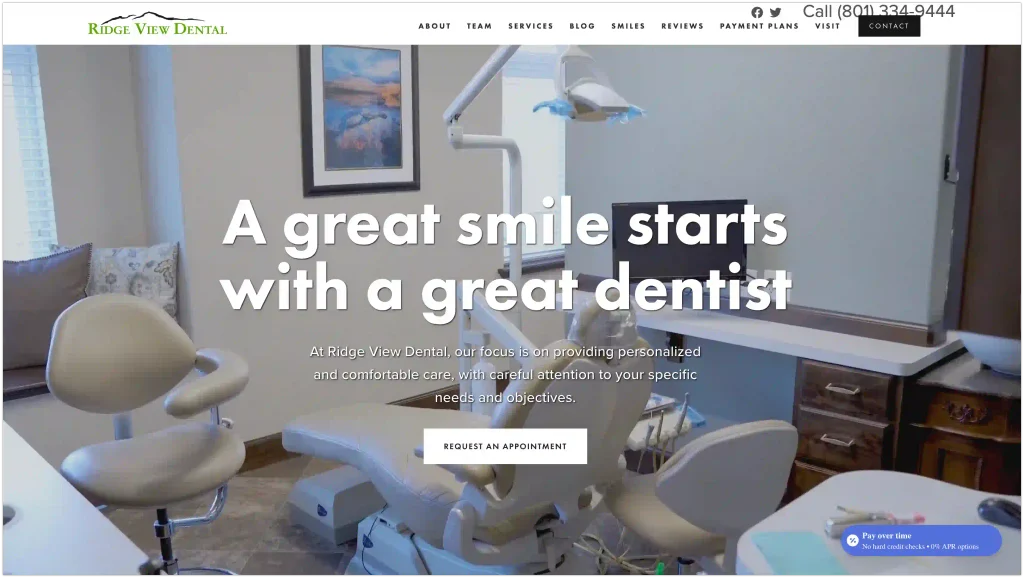
To make this concrete, we picked a clinic at random with no affiliation and no agenda: Ridge View Dental in South Ogden, Utah. It’s a solid, active practice. They run current promotions, they have a real reviews page, and their site was built by a marketing agency.
This is not a weak operator. That’s exactly the point. If a well-run, agency-built clinic leaves these wins on the table, most single-location practices do too, in Utah and in every other state and country where a local dentist runs a website.
Here’s what we found, and what any clinic can fix.
Gap 1: Active on Facebook, invisible on the website
Ridge View links to Facebook and X (Twitter) in the footer. That’s it. No feed is embedded anywhere on the site, so every post they publish works for their followers and does nothing for the web visitor who is actually on their page deciding whether to book.
What they can do is embed an auto-updating social media feed on the homepage. Connect it once and set it to sync on its own, so new posts appear automatically, and the page never goes stale. You post to Facebook like always, and the website updates itself with zero extra work.
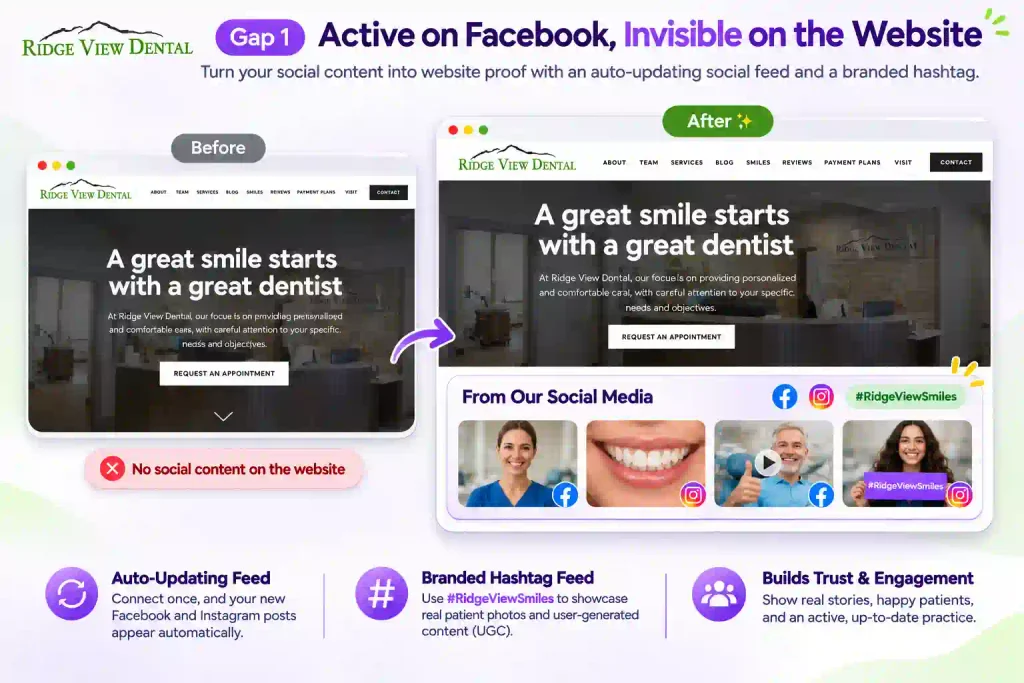
Then take it one step further. Run a branded hashtag like #RidgeViewSmiles and display a hashtag feed on the site. Any patient who tags a photo with it flows straight onto your page, which gives you real user-generated content without chasing anyone for it. Patient-created posts are the most believable proof you can show, and this collects them on autopilot.
Short Implementation note for the developers: Place the feed below the hero, not above it, and lazy-load it so it doesn’t drag down Largest Contentful Paint. Use a proper API connection for Instagram and Facebook, not a brittle iframe embed that breaks on token refresh.
Auto-sync matters here too. A feed that refreshes itself is one less thing to maintain across a portfolio of client sites.
Gap 2: Proof exists, but not where patients decide
Ridge View has a dedicated reviews page and one static testimonial quote on the homepage. Better than nothing, but two problems remain.
The quote is static and undated; no video testimonials from the patients cause it’s trending process now. So it carries no recency signal, and 74% of people want to see reviews written within the last three months.
And the Request an Appointment form, the single highest-intent spot on the entire site, has no reviews, no star rating, no social proof next to it at all.
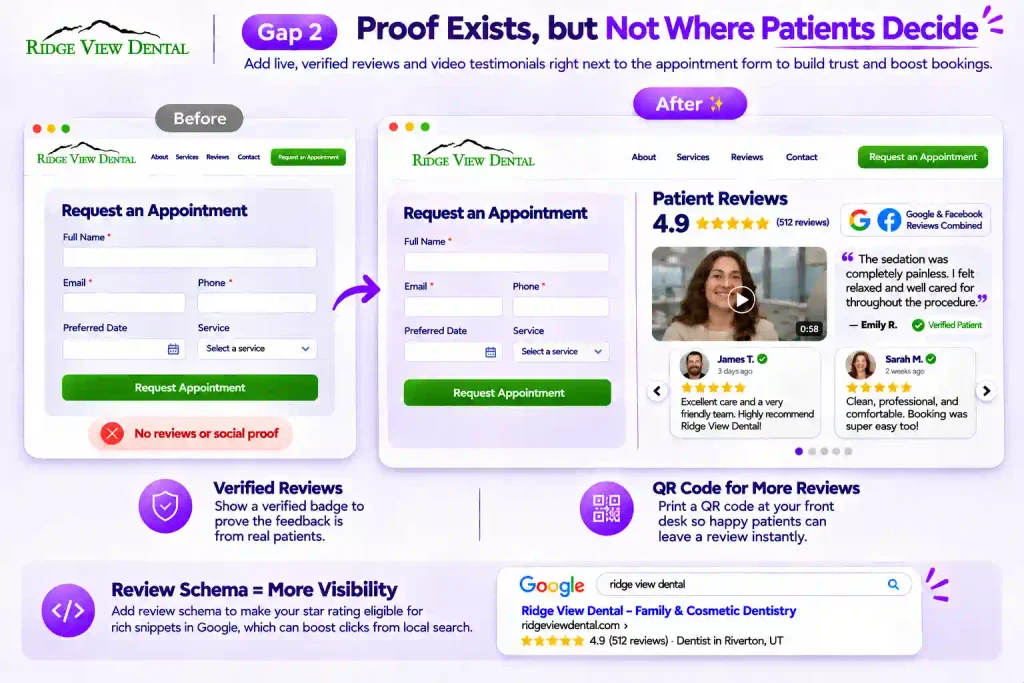
The fix any dental website can follow. Bring live reviews to the booking moment, and make them work harder than a plain quote.
- Aggregate, don’t isolate: Pull Google and Facebook reviews into one combined review wall with an aggregate star rating, and place it directly beside the appointment form. One glance answers: Is this place worth it?
- Prove they’re real: Add a verified badge next to each review so visitors can see the feedback comes from authenticated patients, not something the practice wrote itself. That one small signal separates believable proof from marketing copy.
- Add video: A short video testimonial of a real patient saying the sedation was painless does more for a nervous visitor than any paragraph of text. Written reviews build trust; a face on camera builds more.
- Grow the volume: Print a QR code at the front desk that opens your review form in one tap, so happy patients leave a review before they’ve left the parking lot. This matters more than it sounds. Nearly half of consumers won’t use a business with fewer than 20 reviews.
Important Implementation note for developers: A live, aggregated review widget with a visible star rating is the highest-converting element you can add to a dental site.
It’s also where review schema earns its keep: marking up those reviews makes the star rating eligible for rich snippets in Google, which can lift click-through from the local pack (eligible for, since Google decides what renders).
For a large review library, add visitor-facing search and filters so patients can find reviews about the specific procedure they’re considering.
Gap 3: No instant answer
Ridge View’s appointment form tells visitors that “responses may take up to one business day.” There’s no social chat, no click-to-call widget, no messenger option. A nervous patient with a quick question about sedation, cost, or a same-day emergency has no fast way to ask except a phone number and form.
What a website owner can do. Add a chat button matched to how US patients actually reach out. Click-to-call and Facebook Messenger convert best for most clinics, with SMS as a strong third.
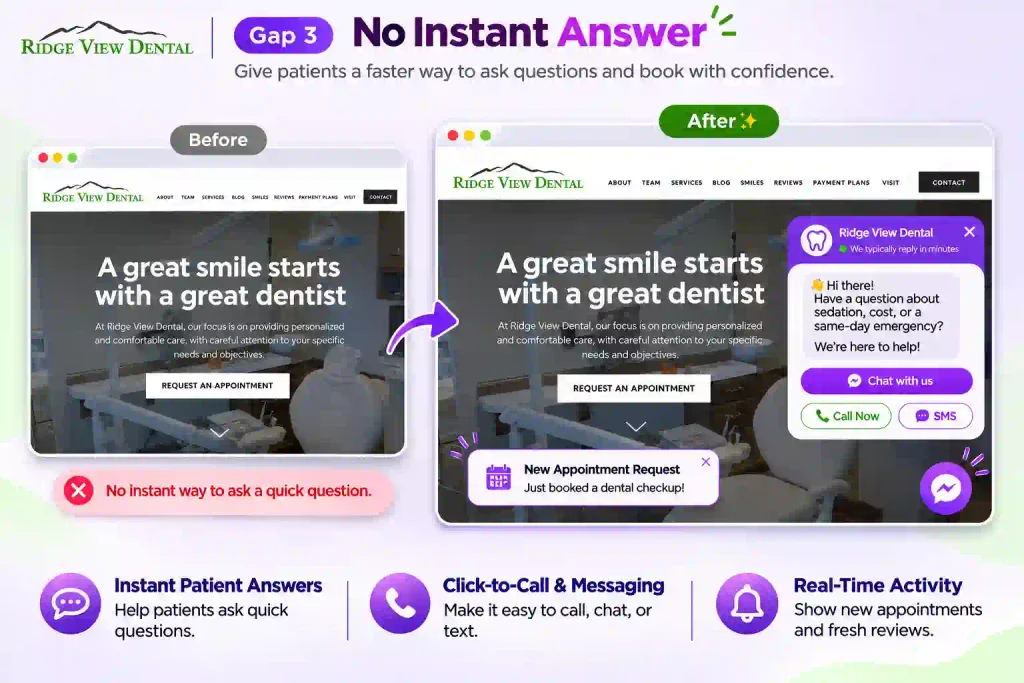
Set a friendly welcome message so the widget invites the question instead of sitting there blank. The goal is to close the gap between “I have a question” and “I got an answer,” because that gap is where appointment requests quietly die.
Even a notification popup that surfaces a recent appointment request or a fresh review adds a pulse of live activity to an otherwise static page, and nudges the on-the-fence visitor to act.
Implementation note for developers: Keep tap targets thumb-friendly on mobile, where most dentist near me traffic lands, and don’t stack the chat bubble on top of the booking CTA.
Trigger any popup on scroll depth or exit intent, not instantly on load, so it helps instead of annoying.
The before/after: Fixing the booking area
Picture Ridge View’s Request an Appointment section today: a headline, a form, one photo, and a lot of empty space around it.
Now think like you have added the same section with three additions. A compact strip of live Google reviews with a 4.9 aggregate rating sits directly above the form. A small “rated by 200+ patients” badge sits beside the submit button.
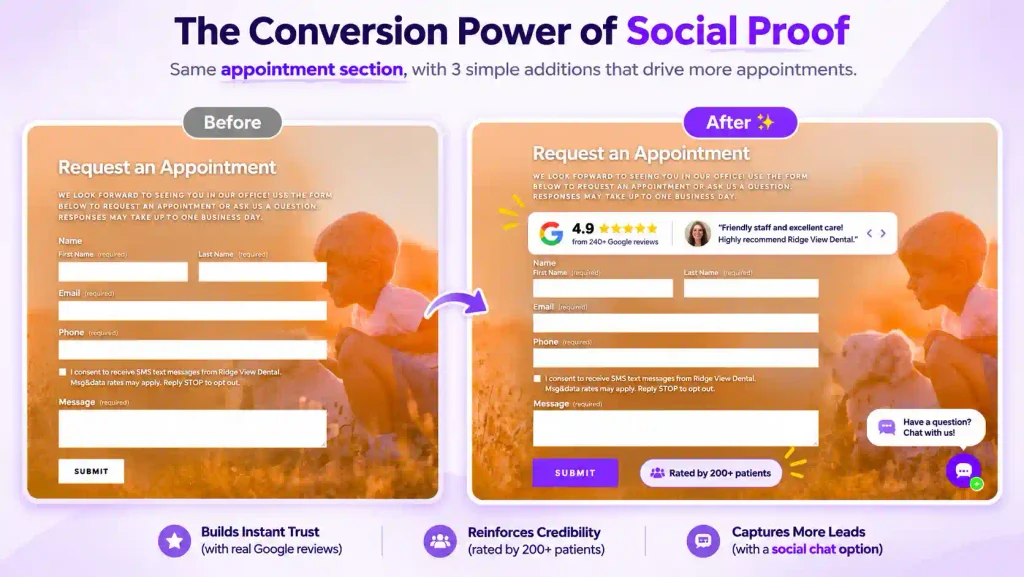
A chat bubble floats in the corner for anyone not ready to fill out a form. Same layout, same form, but now the moment of decision is wrapped in proof and a way to ask. That’s the entire conversion difference, and none of it required a redesign.
If you build or manage dental websites
For agencies and developers, this is the easiest retainer upsell you’re probably not selling. Social proof is a repeatable deliverable. The same three components ship across every dental client you manage, which makes it productizable, not bespoke.
It also solves a maintenance headache. Static testimonials you hardcode today become stale-dated liabilities you have to hand-edit later. Auto-syncing feeds and reviews update themselves, so a portfolio of 20 dental sites doesn’t become 20 monthly edit tickets.
There’s a measurable local-SEO payoff worth taking to clients. Review schema markup makes a page’s star ratings eligible for rich snippets in Google results, which can lift click-through from the local pack. Frame it honestly as eligible for, since Google decides what renders, but when it shows, those stars pull clicks.
Doing all three on a WordPress dental site
Many dental sites, including Ridge View’s, run on Squarespace or Wix, where plugin options are limited. The audit gaps are universal, but the cleanest fix is WordPress-specific.
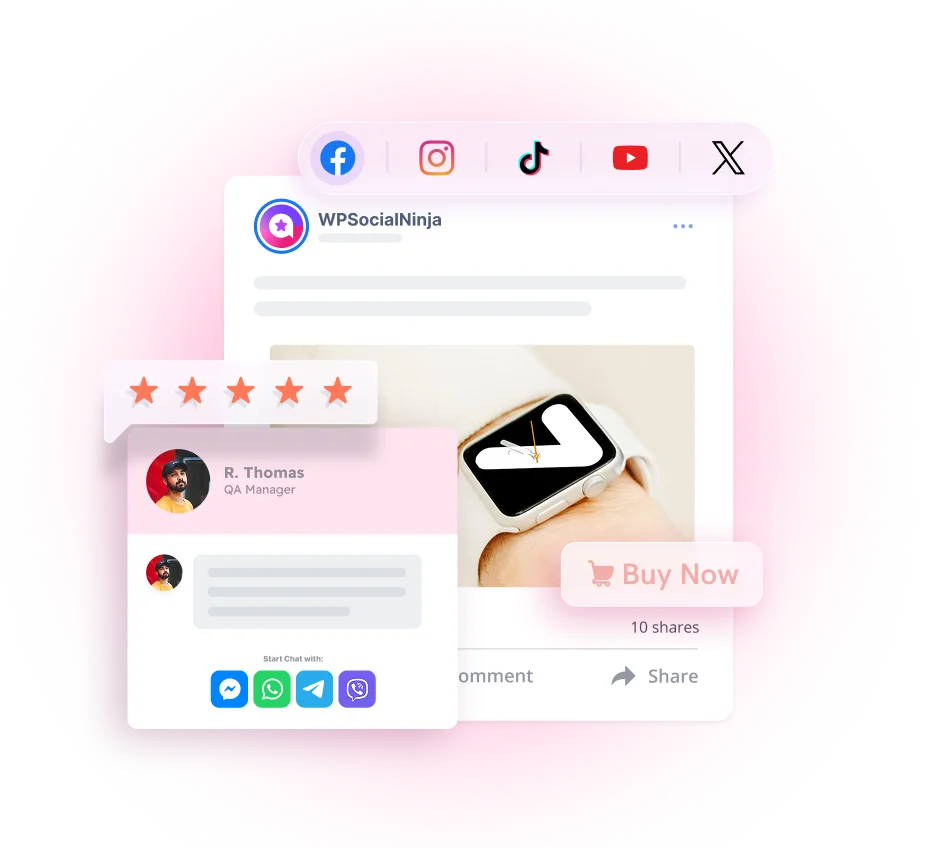
If your clinic site runs on WordPress, you don’t need three separate plugins for feeds, reviews, and chat. WP Social Ninja is an all-in-one social proof plugin with 30+ platforms that covers all three:

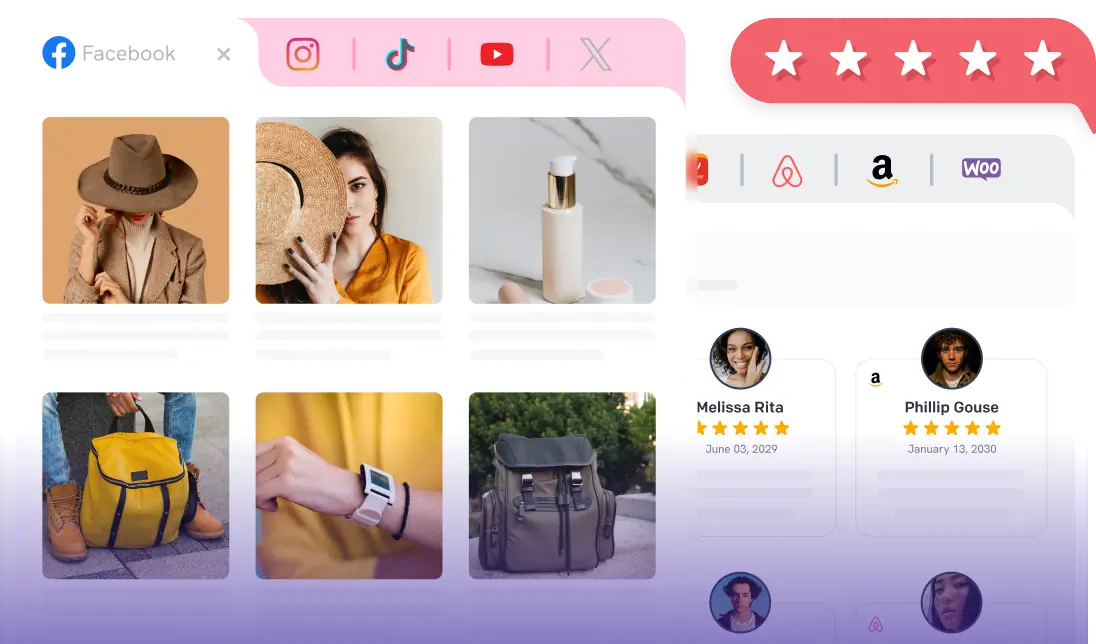
- Social feeds: Auto-updating Instagram, Facebook, TikTok, and YouTube feeds. Post once, and the site updates itself.
- Business reviews: Pull in Google, Facebook, Yelp, and other reviews with star ratings, filter by rating, and display them anywhere, including beside the appointment form. Built-in review schema supports those local-SEO rich snippets.
- Chat widgets: Messenger, WhatsApp, Telegram, and click-to-call, so patients reach you on their preferred channel.
It works inside Gutenberg, Elementor, and the major builders, so placement takes minutes. For step-by-step setup, point to the documentation rather than guessing.
The takeaway
Social media marketing for your dental practice works when the proof reaches the website. Posting builds awareness. Showing that awareness at the moment of booking, with live feeds, real reviews, and an easy way to ask a question, is what turns a visitor into an appointment.
The clinics that win locally aren’t the ones posting most. They’re the ones showing their proof where the decision happens.
Try WP Social Ninja free and put your social proof where your patients actually look.
FAQ
Does embedding a social feed slow down a dental website?
Not if it’s done right. Use a plugin that lazy-loads the feed and caches content, so the feed renders without blocking the page.
How do I show Google reviews on a dental website?
Connect your Facebook feed or Google Business Profile to a social proof plugin, then display the feeds/reviews and aggregate feed with a widget or shortcode. A WordPress site can do this with one tool and keep it synced automatically.
What’s the best way to add live chat to a dental site?
Match the channel to your patients. For most US clinics, click-to-call and Facebook Messenger convert best. A chat-widget plugin adds the bubble without custom code.
What’s a realistic dental social media marketing strategy for a small clinic?
Post two to four times a week on Facebook and Instagram, keep your Google reviews current, and make sure that content and those reviews are visible on your website at the booking point. Consistency and on-site proof beat volume.

Subscribe To Get
Weekly Email Newsletter
Connect, Customize, and Display Social Feeds, Reviews, and Chat widgets

Trending Posts
-

-
 Mashfik Upal Aumy
-
 Mashfik Upal Aumy





Leave a Reply