


E-commerce Social Proof: How to Turn Store Visitors Into Buyers


You launched your online store. You pushed traffic to it with ads or posts. People show up, click around, maybe add something to the cart, and then they leave. No sale. It stings, and it feels personal.
Here is the quiet reason most of them go. They have never heard of your store, so they do not trust it yet. A stranger with a credit card needs a reason to believe you before they hand over money.
You can earn that trust through e-commerce social proof. It is the reviews, ratings, photos, and messages from other people that tell a nervous visitor that real humans bought this and were happy. Put in the right spots, and it does the convincing for you.
In this guide, I will explain what counts as social proof, then walk you through where to place each type and how, so that it fixes a real gap in your store. So, let’s get started.
TL;DR:
- Traffic without sales is almost always a trust problem. Shoppers do not buy from a store they do not know yet, and social proof is what earns that trust.
- Social proof comes in a few types: reviews, testimonials, social feeds, user photos, rating badges, notification popups, and chat. Reviews carry the most weight.
- Each type has a home. A Google review badge on the homepage, review counts on category pages, reviews and photos on product pages, and a recent-purchase popup at the cart.
- The product page is where sales are won or lost. Star ratings under the title, detailed reviews, and a shoppable feed of customer photos do the most to turn a maybe into a buy.
- Trust wobbles most at checkout. A recent review pop-up and a chat button can calm the last-minute nerves that make full carts get abandoned.
- A brand-new store with no reviews still has moves. Borrow marketplace reviews, ask your first buyers and testers, gift samples for honest feedback, and aim for five reviews per product.
- Keep proof working over time. Collect after every sale, show verified reviews, and bring scattered proof from Google, Facebook, and marketplaces into one place.
- Never fake or buy reviews. A few honest, imperfect ones build more trust than a suspiciously perfect wall of praise.
What is e-commerce social proof?
E-commerce social proof is any sign from real customers that other people have bought from your store and were happy. It shows up as reviews, star ratings, customer photos and videos, testimonials, social feeds, and live purchase popups. Shoppers use it to decide if it’s safe to buy from you.
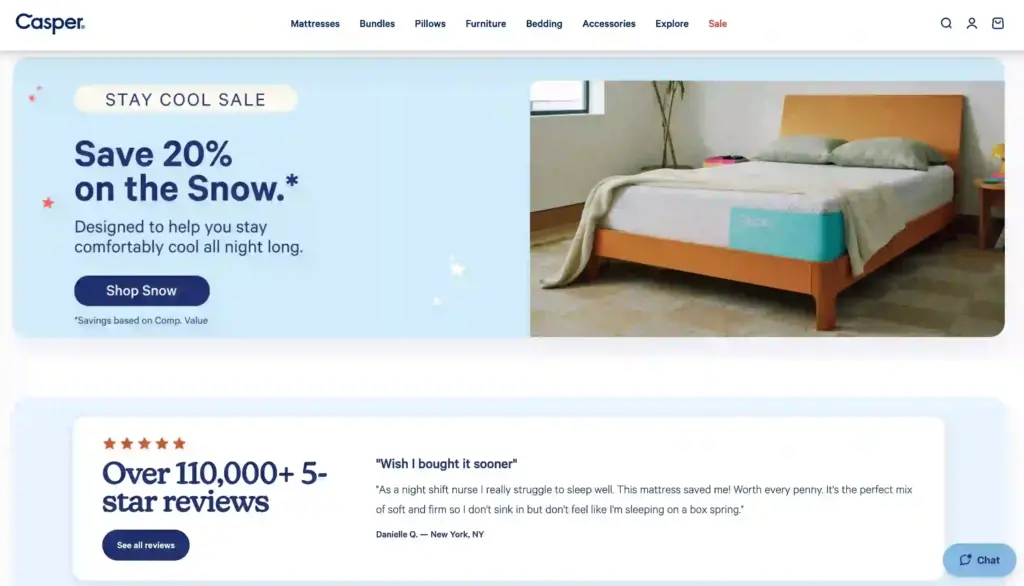
The pull is a simple human behavior. When we are unsure, we copy what other people did. A busy restaurant feels safer than an empty one, and a product with reviews feels safer than one with none.
According to the Spiegel Research Center, 95% of consumers use reviews while shopping, and 86% say reviews are an essential part of the buying journey. If your store hides its proof, most visitors will look for it, fail to find it, and leave.
What are the main types of e-commerce social proof?
E-commerce social proof comes in a few main forms, and each one answers a different worry in a shopper’s head. Before you decide where to place proof, it helps to know what counts as proof. Most stores use a mix of these, not just one.
Here are different types of eCommerce social proof businesses use:
- Customer reviews are star ratings and written feedback from real buyers, pulled from places like Google, Facebook, WooCommerce, Yelp, Amazon, and AliExpress. They do the heaviest lifting because they come from people with nothing to sell you.
- Testimonials are longer, hand-picked quotes from happy customers or known names in your field. They work on pages where a short story lands better than a star count.
- Social feeds are your live Instagram, Facebook, TikTok, or YouTube posts shown on your site. They prove that a real, active brand stands behind the store.
- User photos and videos, often called user-generated content (UGC), show real customers using your product. 62% of shoppers say user photos and videos give them more confidence to buy than a brand’s own polished shots.
- Rating badges and hashtag feeds give shoppers a quick read. A compact star badge or a feed of posts tagged with your brand is easy to scan in a second.
- Notification popups show a recent review or purchase in a small on-page alert. They tell a visitor that other people are buying right now.
- Chat widgets act as proof, too. A visible WhatsApp or Messenger option tells shoppers a real team is there if something goes wrong.
You do not need every type. You need the right ones in the right places, which is what the next part covers.
Where should you place social proof on your online store?
Social proof works best where a shopper feels unsure and needs a reason to trust you. That happens at four spots on the way to buying: the homepage, your category pages, the product page, and the cart and checkout. Match the right proof to each spot, and you calm doubt at the exact moment it shows up.
1. Homepage: your first impression
The homepage has one job first: prove you are a real business, fast. A visitor decides in a few seconds whether you are trustworthy or a risky unknown. If nothing on the page reassures them, they leave before they ever see a product.
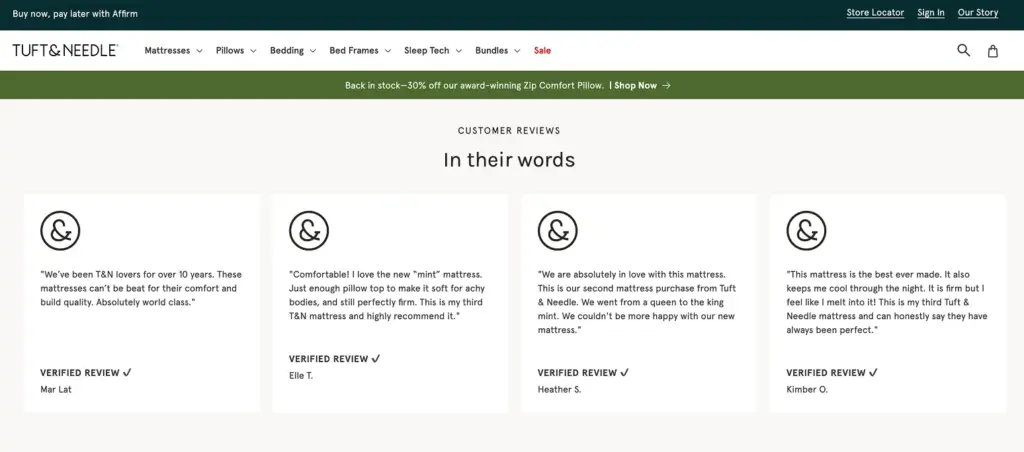
Fix this as a top priority. For starters, put a Google review badge near your hero section so trust lands for first-time visitors, as 71% of shoppers read Google reviews to evaluate a business. Also, add your brand’s Instagram feed, so visitors see a real, active brand they can trust.
2. Category pages: help shoppers pick
Category pages are where a shopper compares several products and decides which one to open. A little proof here steers that choice before they ever reach a product page. Without it, people bounce between options and often leave.
Show the review count beside the stars, not the average alone. A high count means a proven pick, while a lonely 5.0 (1) can quietly scare shoppers off.
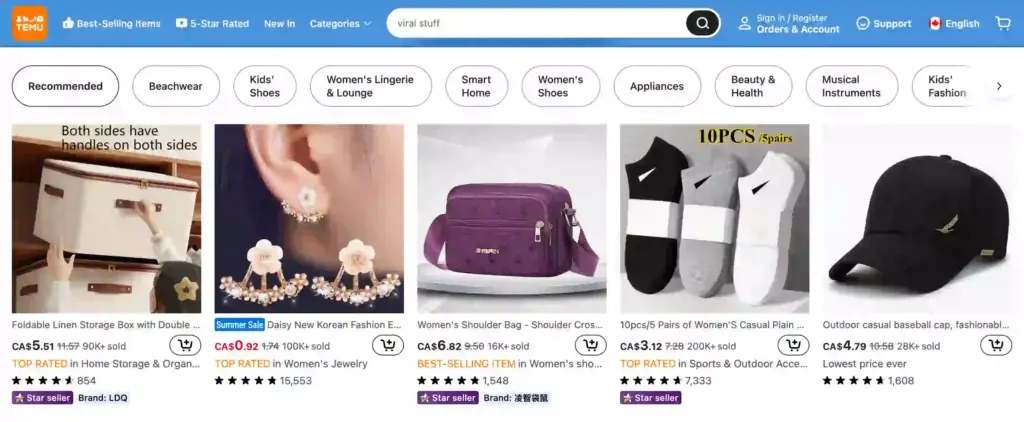
Let shoppers sort by “most reviewed” or “top rated” to float your proven winners up front. That turns a wall of similar products into a clear, trusted path.
3. Product pages: prove the item is worth it
The product page is where the buying decision actually happens. A shopper likes the item but wonders if it works, fits, and arrives as pictured. Reviews and photos from past buyers answer those doubts better than any sales copy you write.
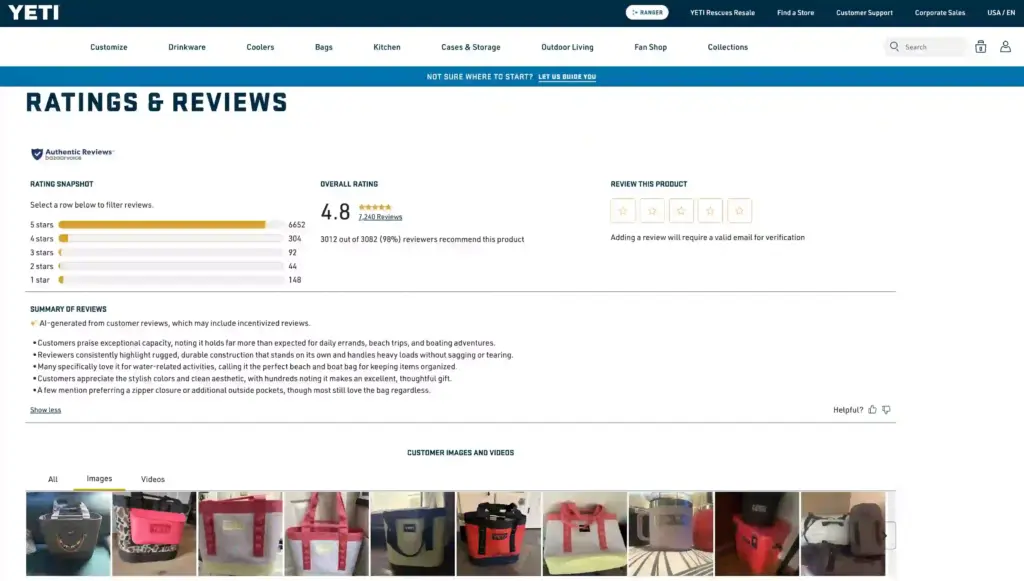
Place each piece where it does the most work:
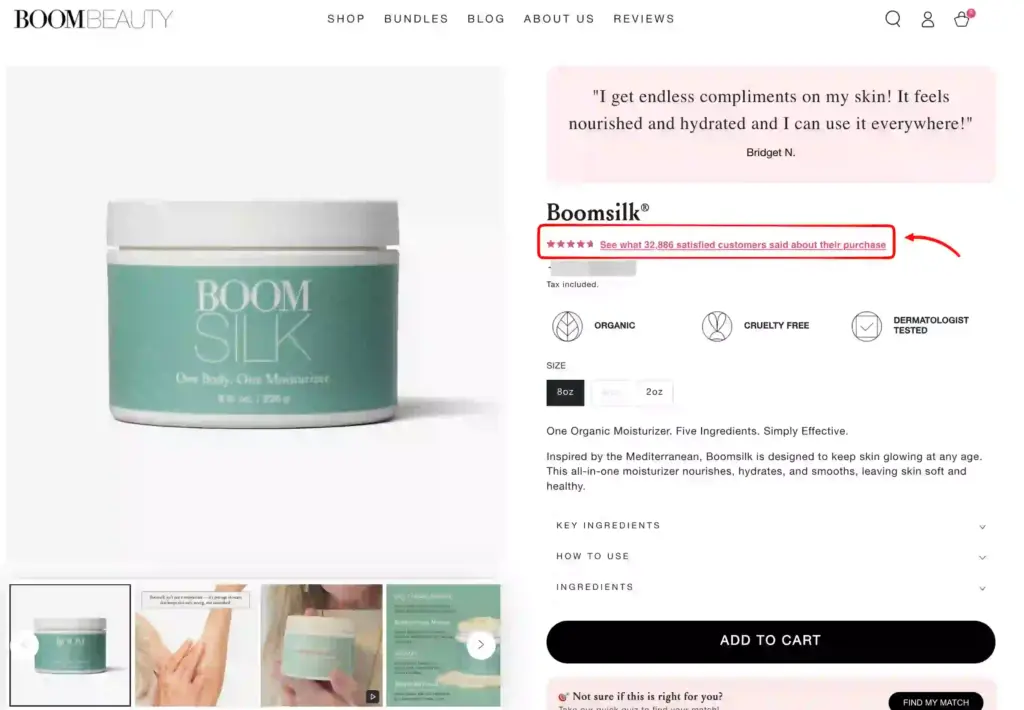
- Put the star rating directly under the product title, where eyes land first.
- Below the description, add detailed customer reviews, and lead with the ones that highlight your business quality the best.
- Near the gallery, add a shoppable Instagram feed of real customer posts so shoppers see the product in use, and make a purchase quickly without any friction.
This is the highest-return spot for proof. The Spiegel Research Center found that a product with five reviews is up to 270% more likely to sell than the same product with none.
4. Cart and checkout: make paying feel safe
The cart is where money is on the line and nerves peak. Shoppers hesitate over hidden costs, an unfamiliar brand, and the plain fear of being scammed. Almost 19% of online carts get abandoned because of trust issues, not price
Steady those nerves with proof and a way to ask questions. A review drawer or small notification pop-up showing a recent review or purchase tells the shopper other people are buying right now, and a chat button lets them get a quick answer instead of closing the tab.
Bonus Tips: Explore our detailed visual guide on social proof on WordPress websites and learn how to use them strategically to grow more trust and sales.
How to get eCommerce social proof for new businesses?
Every new store hits the same wall: reviews drive sales, but sales create reviews. You break the loop by borrowing proof you already have and collecting your first few reviews honestly. A believable handful is enough to start.
Here is how to earn social proof for new businesses:
- Borrow trust from marketplaces. If you sell products found on Amazon or AliExpress, pull their existing product reviews onto your store so day one is not empty.
- Seed your own proof honestly. Send your first orders to friends, family, or a few testers, and ask for a real, truthful review, not a made-up one.
- Aim for your first five reviews per product. That early handful does most of the trust-building, so a store with a few honest reviews already beats one sitting at zero.
- Gift your product for honest reviews. Send free samples to a few micro-influencers or active members of your niche communities, and ask them for an honest review or a photo you can show.
- Show your social following as proof. An active Instagram or TikTok feed with real followers and comments tells visitors a genuine brand is here, even before your first review lands.
Pro tip: A new store with no reviews is frustrating, I know. But do not buy fake reviews to fill the gap. Bought reviews read as dishonest, and they hurt you more than an empty review box ever would.
What are the best practices for e-commerce social proof?
A few habits keep ecommerce social proof working long after setup. Collect reviews after every sale, keep them verified, pull scattered proof into one place, and lead with real faces over anonymous text. These small moves protect trust and turn one-time buyers into proof for the next shopper.
Here is the short list I will suggest to every store owner from day one:
- Keep collecting after every sale. Send a short review-request email a few days after delivery, or add a QR code on the packaging, so your proof stays fresh, and your store never looks asleep.
- Always collect authentic reviews and show a verified badge. A “verified buyer” badge raises purchase odds by about 15%, because shoppers trust proof they can check.
- Bring scattered proof together. If you aggregate reviews from platforms like Google, Facebook, Amazon, and AliExpress, it shows your overall business quality better to new visitors

- Lead with real names and faces. A review with a photo and a real name beats anonymous text, since a face feels like a person, not a plant.
- Turn happy buyers into content. Ask them for a photo or short video, then show it, because real customer shots carry more weight than polished studio ones.
Bonus Tips: Explore our detailed guide on how to ask for reviews professionally to grow and maintain your online reputation more efficiently.
Best way to add e-commerce social proof to a WordPress store
If your store is built on WordPress, using an all-in-one social proof plugin like WP Social Ninja is the simplest path. It brings reviews, social feeds, testimonials, chat widgets, and notification popups together in one place, instead of five separate tools.

Here is how WP Social Ninja manages all your e-commerce social proof in one place:
- Bring business reviews from Google, Facebook, Yelp, AliExpress, Amazon, and more platforms, so every bit of proof sits in one spot instead of scattered across platforms.
- Offers a customizable native review form builder that lets you collect product reviews for FluentCart and WooCommerce stores, or from custom sources anywhere on your site.
- Turn a pile of reviews into a short, skimmable takeaway with the AI review summarizer.
- Add a review schema snippet so your star ratings can show up in Google search results and earn more clicks.
- Allow you to set auto-publish rules that screen new reviews as they sync, so only the ones that meet your standards go live.
- Gather and display custom testimonials from your happiest customers on any page you choose.
- Embed your social feeds from Facebook, Instagram, YouTube, and TikTok to show a live, active brand.
- Make your Instagram feed shoppable by tagging products in posts, so a tap on a photo leads a shopper straight to the product.
- Add chat widgets from 17+ platforms, including WhatsApp, Messenger, and Telegram so shoppers can ask a question before they buy.
- Show recent reviews as notification popups that nudge hesitant shoppers at the right moment.
WP Social Ninja covers 30+ platforms altogether. Though many of its advanced features are available in the pro version, the pricing is quite low, starting from $44 per year after discount.
Win your customers’ hearts with exceptional features
Discover how WP Social Ninja can assist you in designing outstanding customer experiences.

Put social proof to work in your store
Your traffic was never the real problem. Trust is. Visitors reach your store, feel unsure about a place they do not know yet, and leave before they buy. Social proof is what closes that gap, from a rating badge on the homepage to reviews on your product pages and a gentle pop-up at the cart.
You do not have to fix everything at once. Pick the one spot where you lose the most sales, add the proof that fits it, and give it a week. Small, honest changes stack up faster than you expect.
Here is the good part. Your happy customers already did the hard work. Put their words where new shoppers can see them, and the trust you have earned starts bringing in your next sale. Go show it off.

Get exclusive social media marketing tips and tutorials in your inbox!
Frequently Asked Questions (FAQs)
How do I get customers to actually leave reviews?
Ask right after delivery, when they are happiest with the purchase. A short email or a QR code on the packaging gets more replies than waiting weeks, and keeping it to one click beats offering a reward.
Should I offer a discount in exchange for reviews?
Be careful here. Paying for positive reviews breaks the rules on Google and most platforms, and shoppers usually notice. A small thank-you for honest feedback is fine, as long as you reward the review, not a good rating.
Are recent-purchase or review popups annoying to shoppers?
Only when they are fake or constant. Show real, recent activity, keep the frequency low, and let people close them easily, and they nudge without irritating.
How long before social proof starts growing sales?
It works the moment shoppers can see it. Even a few real reviews lift trust right away, and the effect grows as you collect more over the following weeks.
What converts better, text reviews or photo reviews?
Photo and video reviews usually win, since shoppers trust a real picture of the product in use over words alone. Lead with reviews that include customer images, then let text reviews back them up.

Subscribe To Get
Weekly Email Newsletter
Connect, Customize, and Display Social Feeds, Reviews, and Chat widgets












Leave a Reply